

Deliver products through Ukrposhta, Ukraine's largest shipping service
| Availability |
Odoo Online
Odoo.sh
On Premise
|
|---|---|
| Compatibility |
Community
Enterprise
|
| Technical Name | delivery_ukrposhta |
| Version | 20.0.1.0.0 |
| License | OPL-1 |
| Category | |
| Support | Free 60 days support and 360 days bug-fixing |
Use Case

Jorem ipsum dolor sit amet, consectetur adipiscing elit. Nunc vulputate libero et velit interdum, ac aliquet odio mattis. Class aptent taciti sociosqu ad litora torquent per conubia nostra, per inceptos himenaeos.
Forem ipsum dolor sit amet, consectetur adipiscing elit. Nunc vulputate libero et velit interdum, ac aliquet odio mattis. Class aptent taciti sociosqu ad litora torquent per conubia nostra, per inceptos himenaeos.
Dorem ipsum dolor sit amet, consectetur adipiscing elit. Nunc vulputate libero et velit interdum, ac aliquet odio mattis.
It is a long established fact that a reader will be distracted by the readable content of a page
Korem ipsum dolor sit amet, consectetur adipiscing elit. Nunc vulputate libero et velit interdum, ac aliquet odio mattis. Class aptent taciti sociosqu ad litora torquent per conubia nostra, per inceptos himenaeos.
Korem ipsum dolor sit amet, consectetur adipiscing elit. Nunc vulputate libero et velit interdum, ac aliquet odio mattis.
Odoo App Installation
Upload modules
Upload modules from the ZIP archive to your Odoo hosting, or a GitHub repository connected there.
Place the unzipped modules in your custom add-on directory and restart the Odoo system service.
Update App List
After restarting, activate the Developer Mode, and go to the Apps menu.

Click on Update Apps List to fetch the new modules in the list.
Activate the App
Install the new module, finding it by name and clicking on the Activate button.
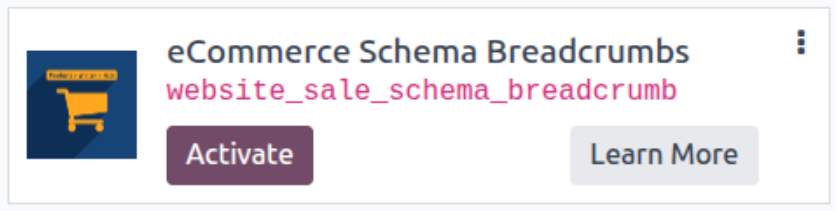
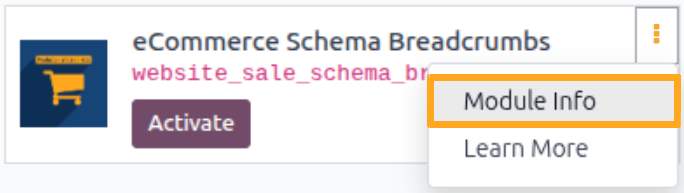
* If you don't see the module, try to remove the default Apps filter from the search bar.
Configuration
Follow the instructions in the module description to complete the installation process and start using the app.

Manual

User Settings
After installing the module, configure user access rights for the Delivery Hub menu. Navigate to user settings, go to the Access Rights tab, and select the role in the Delivery Hub section:
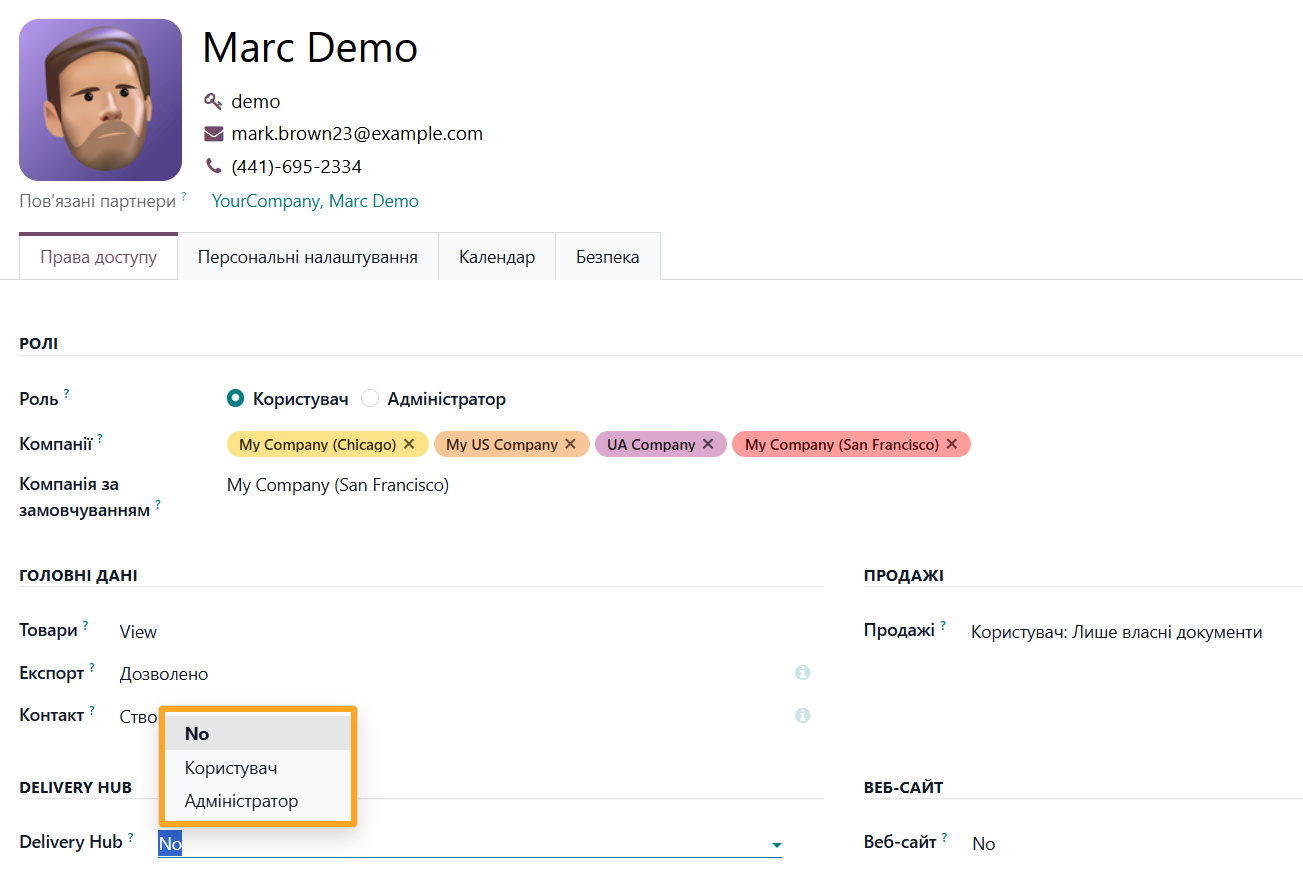
- No: No access to the Delivery Hub menu
- User: Access to view information
- Administrator: Full access and management rights

Menu Overview
The Delivery Hub menu contains the following sections:

- Accounts: List of delivery service accounts
- Notes: Delivery note (shipment) management
- Waybills: List of all created waybills with shipment tracking number
- Contacts: List of partners and delivery addresses
- Products: Product list
- Configuration: General settings

Connection
To integrate Ukrposhta into Odoo, you need to:
-
01Get a counterpart token and API key
-
02Add a delivery provider account in Odoo
-
03Configure the delivery provider account
Adding an Account
Open the Delivery Hub — Accounts menu and click the New button to create a new delivery provider account.

Fill in the pop-up window as follows:
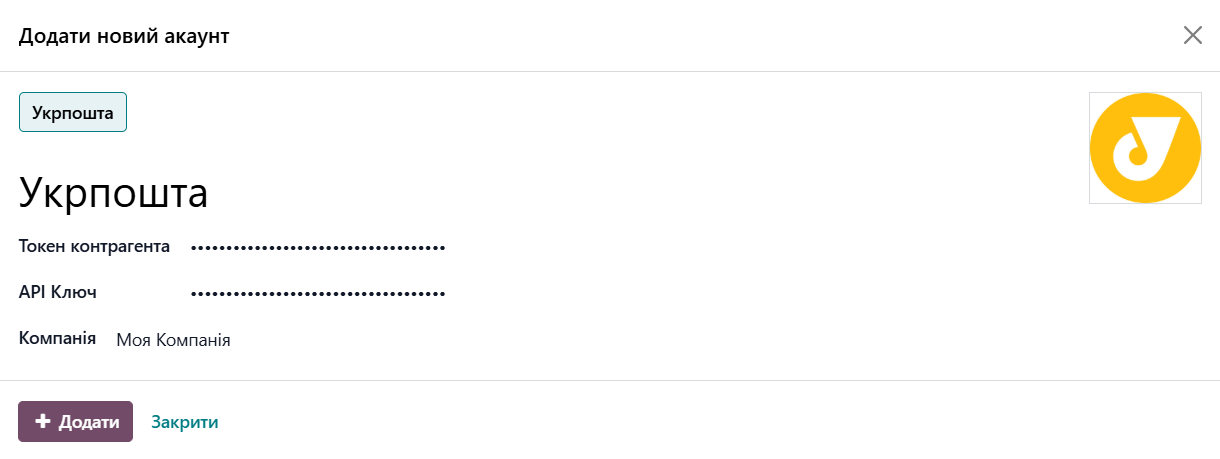
-
01Click on the delivery provider type — Ukrposhta
-
02Enter a Name
-
03Paste the Counterpart Token and API Key
-
04Select a Company (if using multiple companies)
-
05Click Add

Account Settings
Specify default values for the added account on the Settings tab. The module automatically populates new shipments with these values.
First, specify sender data by clicking the Add Sender button in the corresponding field of the General section.
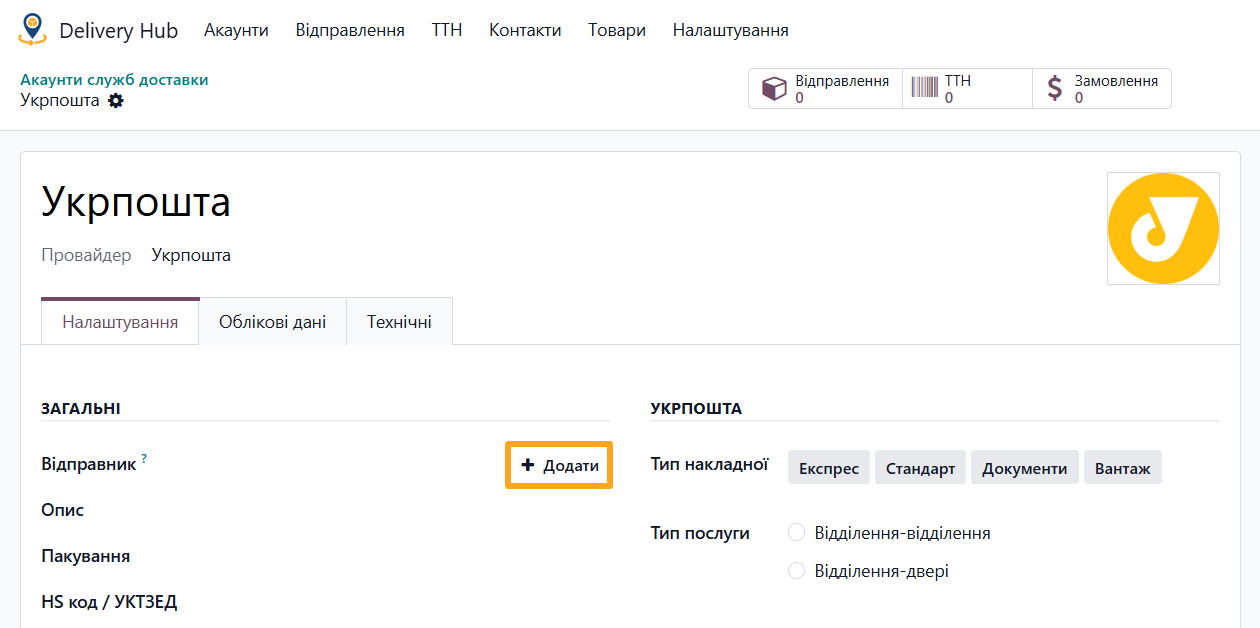
Fill in the contact creation window:
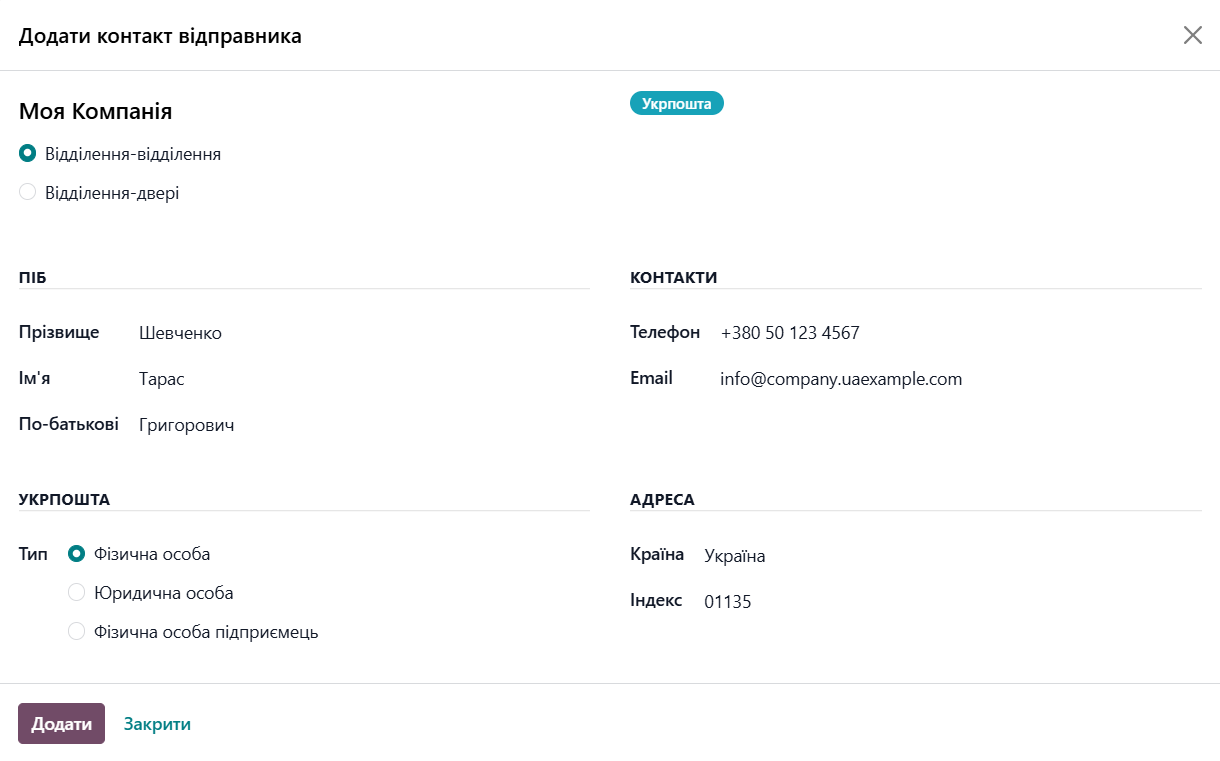
-
01Select the delivery type: to a warehouse or address
-
02Enter personal data such as Full Name, Phone number, and Email
-
03Select the sender type: Individual, Company, or Private Entrepreneur
-
04Select a Country and enter the ZIP code
-
05Click Add
For a Company or Private Entrepreneur, additionally enter the EDRPOU code and select a Bank Account.
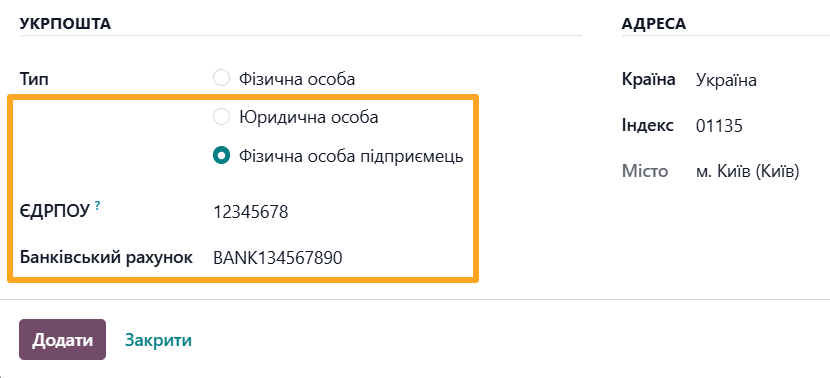
Next, specify the following default information:
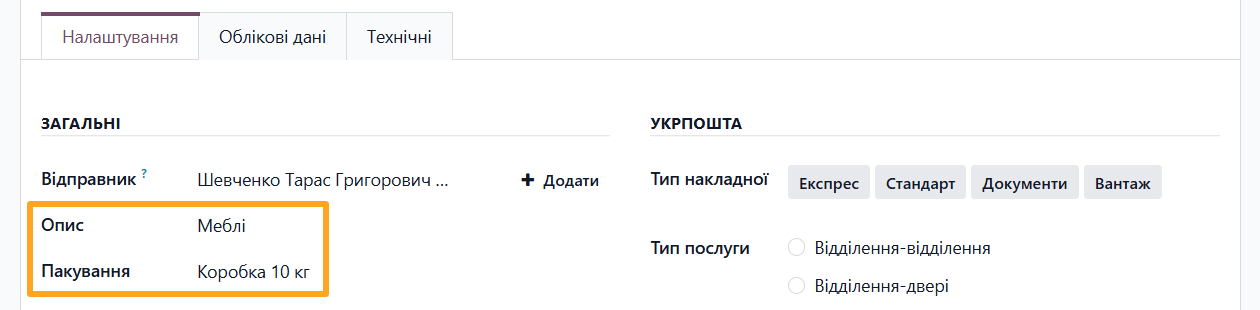
- Description: shipment description
- Package: shipment package template (manage in the Configuration — Package Templates menu)
In the Ukrposhta section, specify typical values for this carrier:
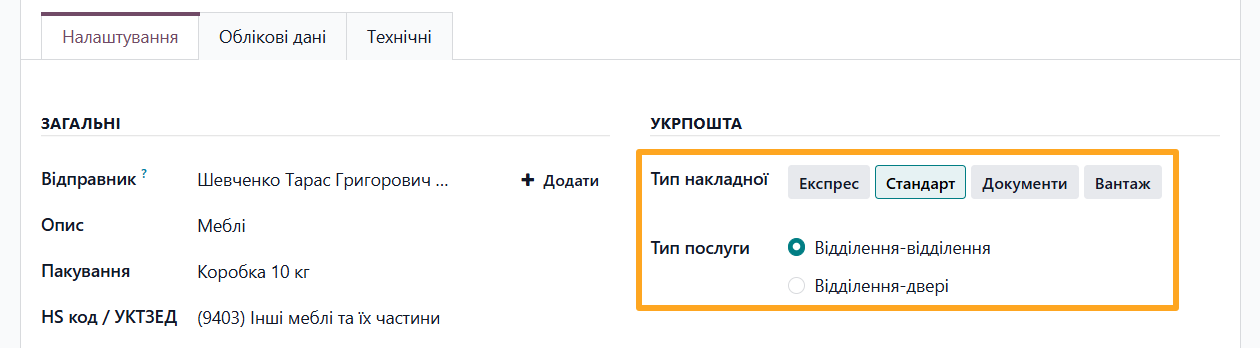
- Waybill Type: Express, Standard, Documents, or Cargo
- Service Type: Warehouse-warehouse or Warehouse-doors
Specify payment information in the Finance section:
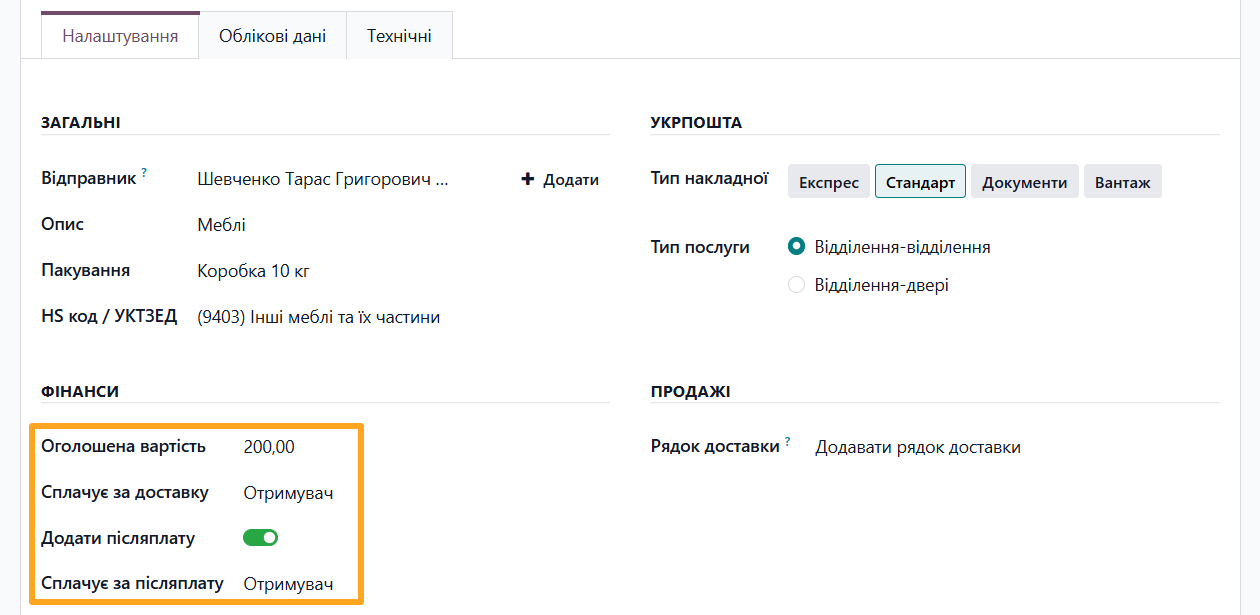
- Declared Amount: default value of the declared amount for the shipment
- Pays for Delivery: sender or recipient pays for the delivery service
- Apply COD: whether to use the Cash on Delivery service (Postpaid transfer)
- Pays for COD: sender or recipient pays for the Cash on Delivery service
In the Sales section, select an action for the delivery line in the order:
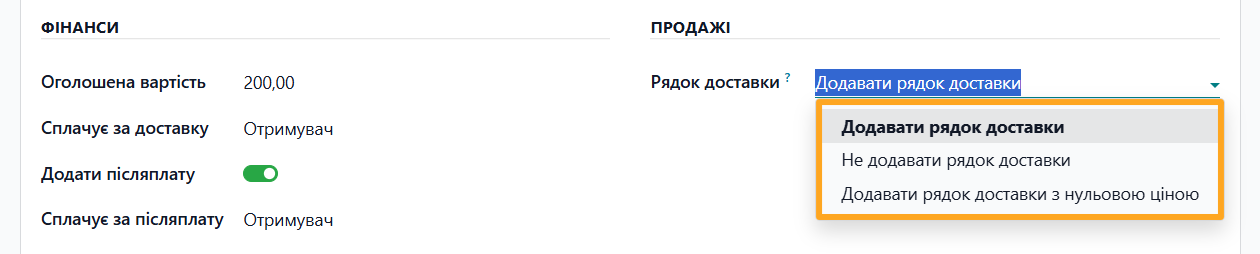
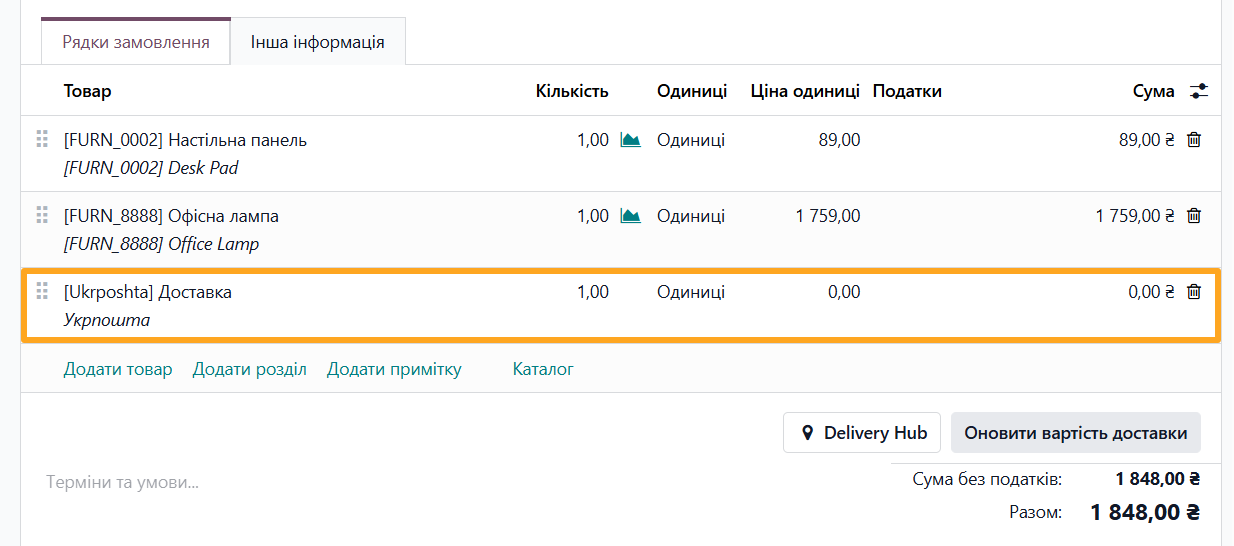
- Add a delivery line: standard Odoo action where a delivery line is added to the order with the delivery cost specified.
- Add a delivery line with 0 price amount: a delivery line is added to the sales order, but its cost is always zero and does not affect the total order amount.
- Do not add a delivery line: a delivery line is not added to the sales order at all.

Additional Settings
The module allows you to reduce manual actions and speed up shipment creation. Added delivery addresses and product settings are saved in the system for reuse.
Delivery Addresses
Managing delivery data for company customers is implemented on the partner form. Open the Delivery Hub tab and click Add Address to add a new delivery address and contact person details for the recipient.
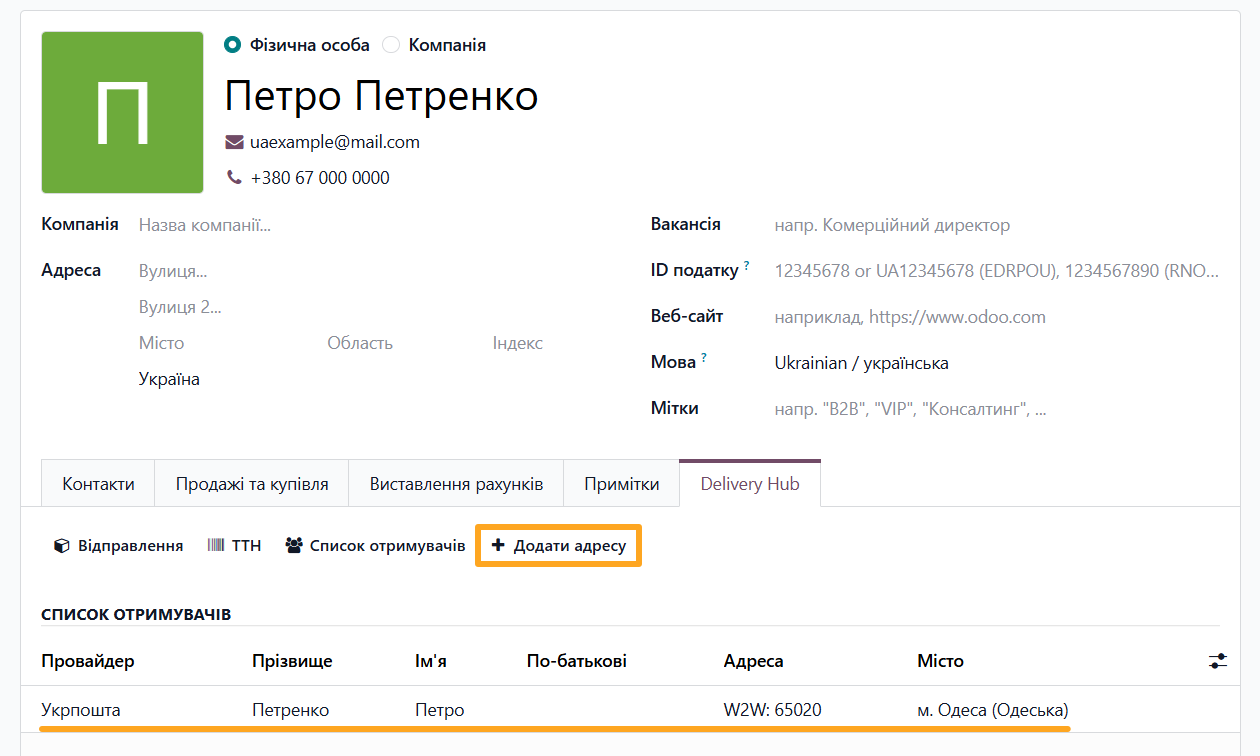
Fill in all required fields in the window, after which the added address appears in the Recipients section. This way, you can add multiple different addresses for a partner.
Other available actions on this tab:

- Notes: view all shipments
- Waybills: view all created waybills
- Recipients: view delivery data in the list
Product Settings
The delivery settings are also available at the product level. Go to the Inventory tab and in the Delivery Hub section:
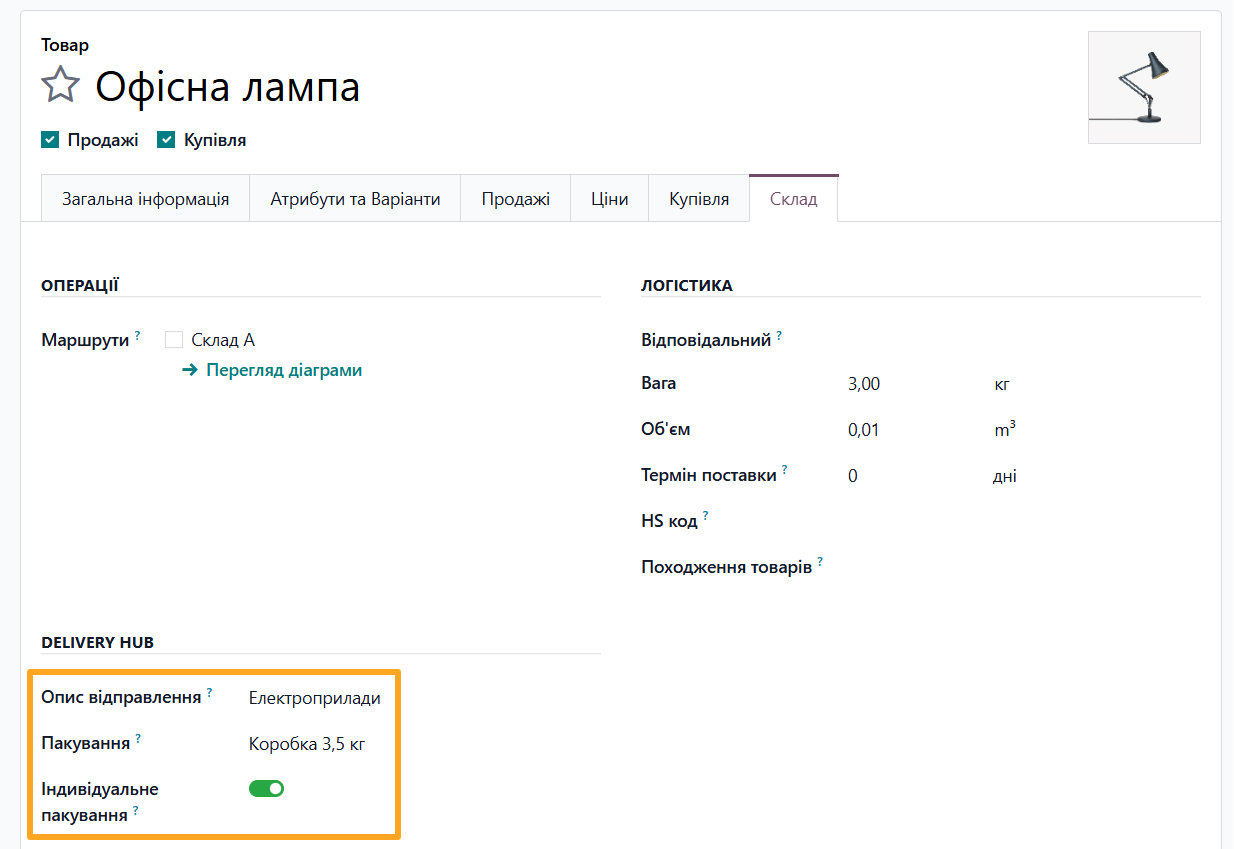
- Select a Delivery Description from the list or create a new one
- Select a Delivery Package template from the list or create a new product-specific package
- Enable the Individual Package option if the product cannot be packed together with other items

Creating a Shipment
The solution allows creating Ukrposhta shipments in Odoo in several ways:
- From a sales order
- As a standalone shipment
- On the website
From a Sales Order
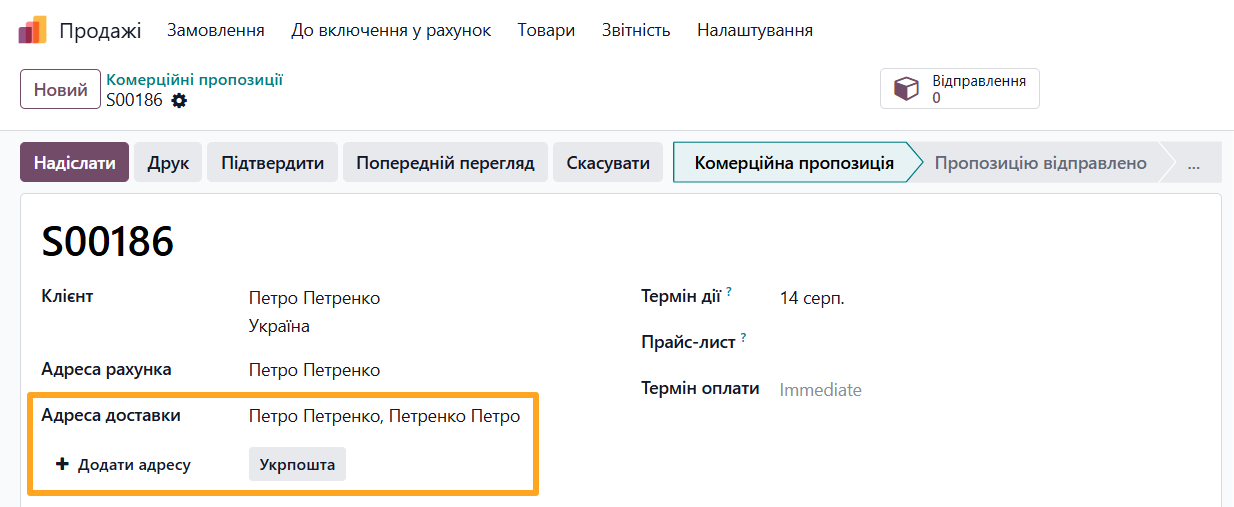
The first standard method in Odoo is adding a delivery to a sales order. Create a new order, add products, and select a customer. If the customer card already has a Delivery Hub address, it is automatically populated in the Delivery Address field.
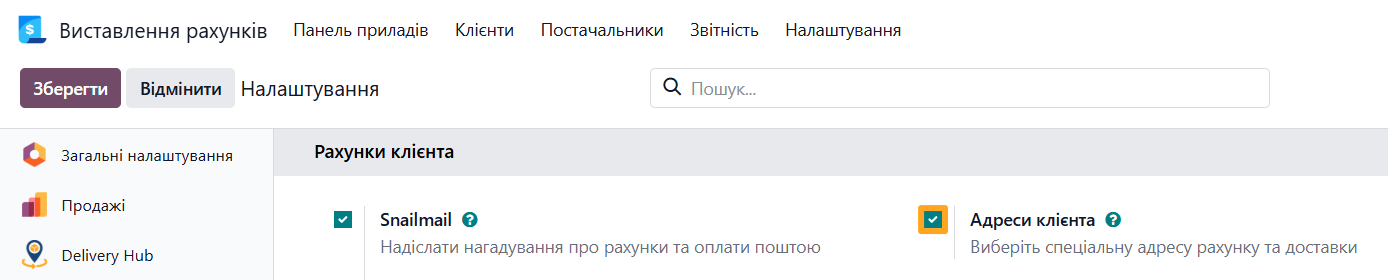
To manage customer invoicing and delivery addresses in sales orders, it is recommended to enable the Customer Addresses option in the Invoicing settings of the Customer Invoices section.
If the customer has multiple addresses for Ukrposhta, specify the carrier type by clicking Ukrposhta and select an address from the list. To specify a new delivery address, click Add Address.
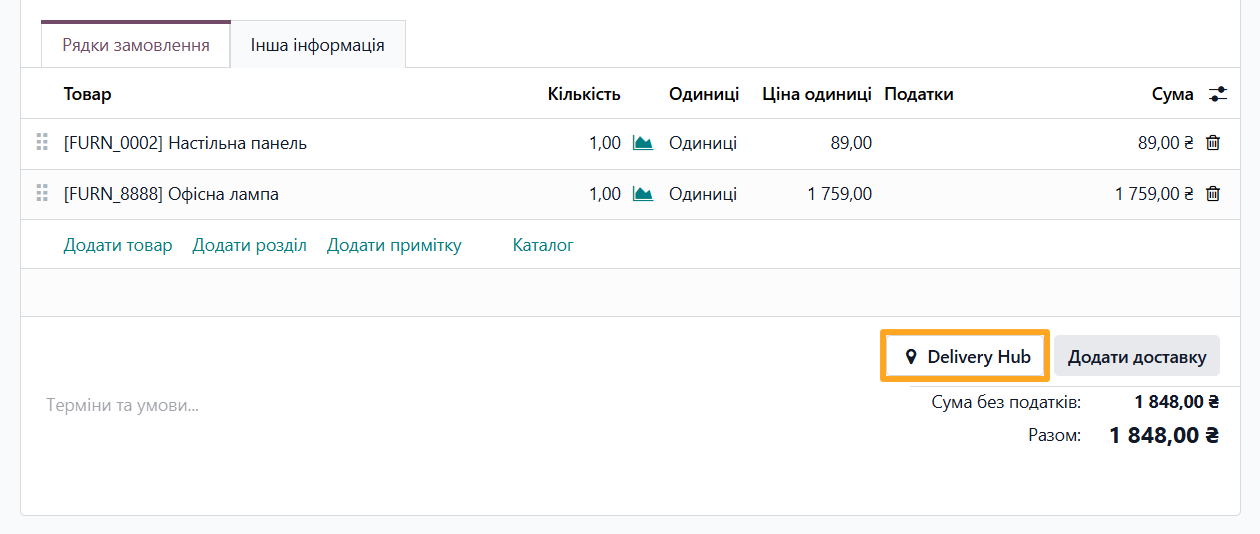
Next, add delivery to the order. To do this, click the Add Shipping button located under the product list.
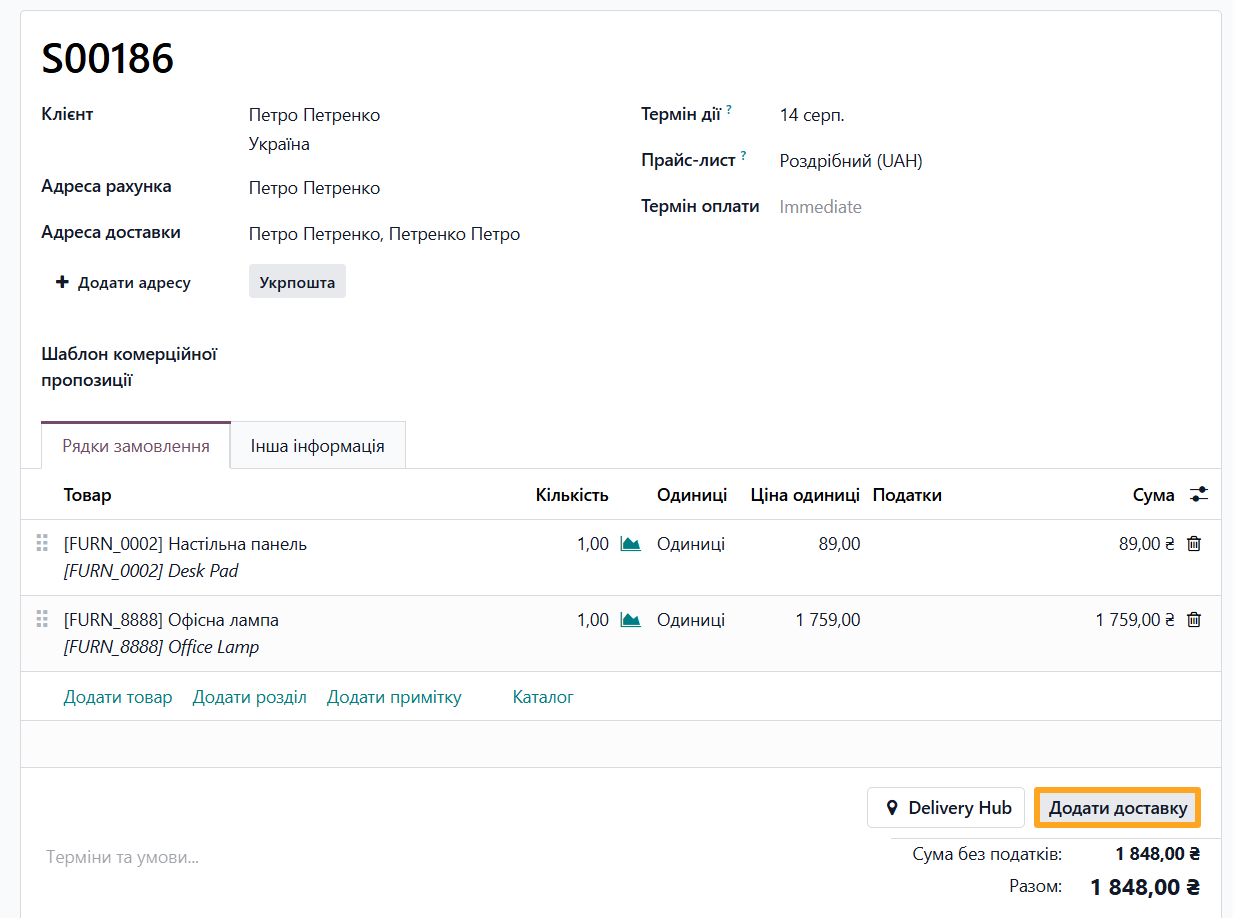
In the pop-up window, select Shipping Method — Ukrposhta and click Add.
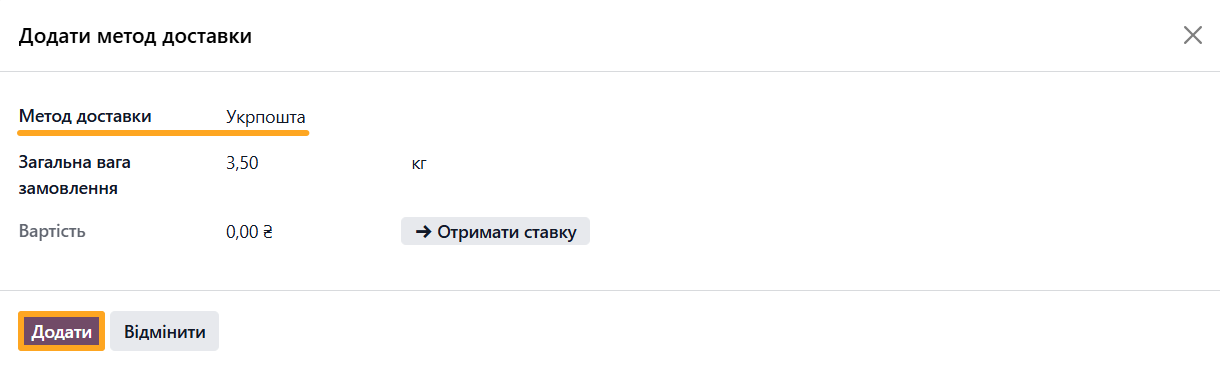
A new line is added to the order or not, depending on the delivery provider account settings.
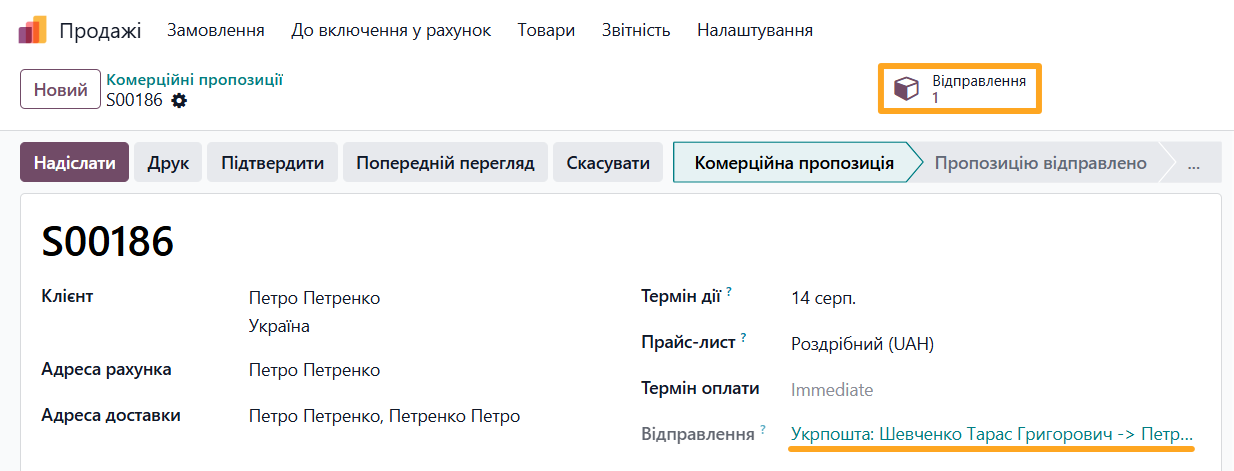
To view and edit shipment data, click the Delivery Notes button at the top of the page or the link above the product list.
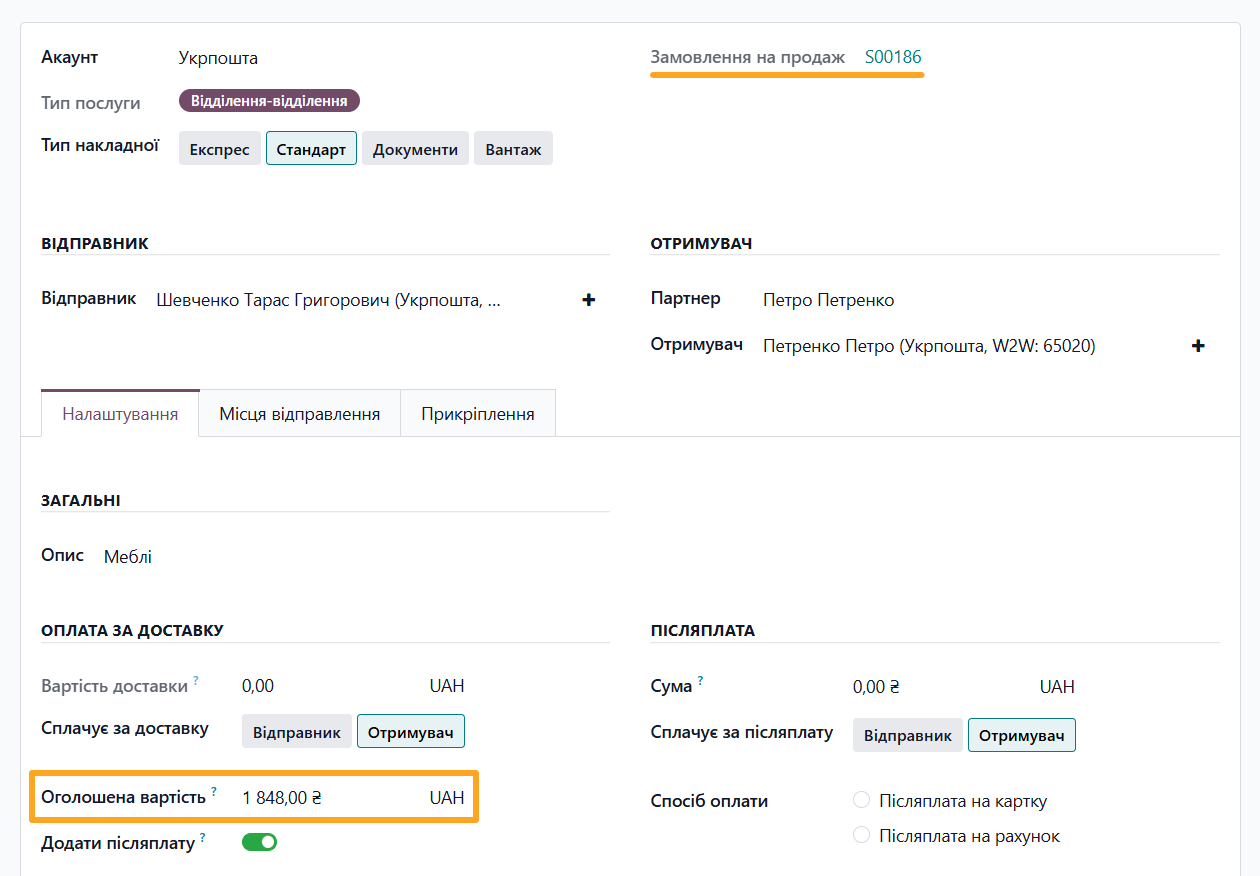
For shipments created from a sales order, the declared amount is populated automatically.
Another way to add delivery to a sales order is using the Delivery Hub button. In the pop-up window, fill in the shipment information and save the data. For details on creating this document, see the next section.
Standalone Shipment
An alternative method is creating a shipment without linking it to a sales order. This can be useful when sending documents or for service shipments. Open the Delivery Hub — Notes menu and click New.

Select a delivery provider account, specify sender and recipient details, and fill in other required fields.
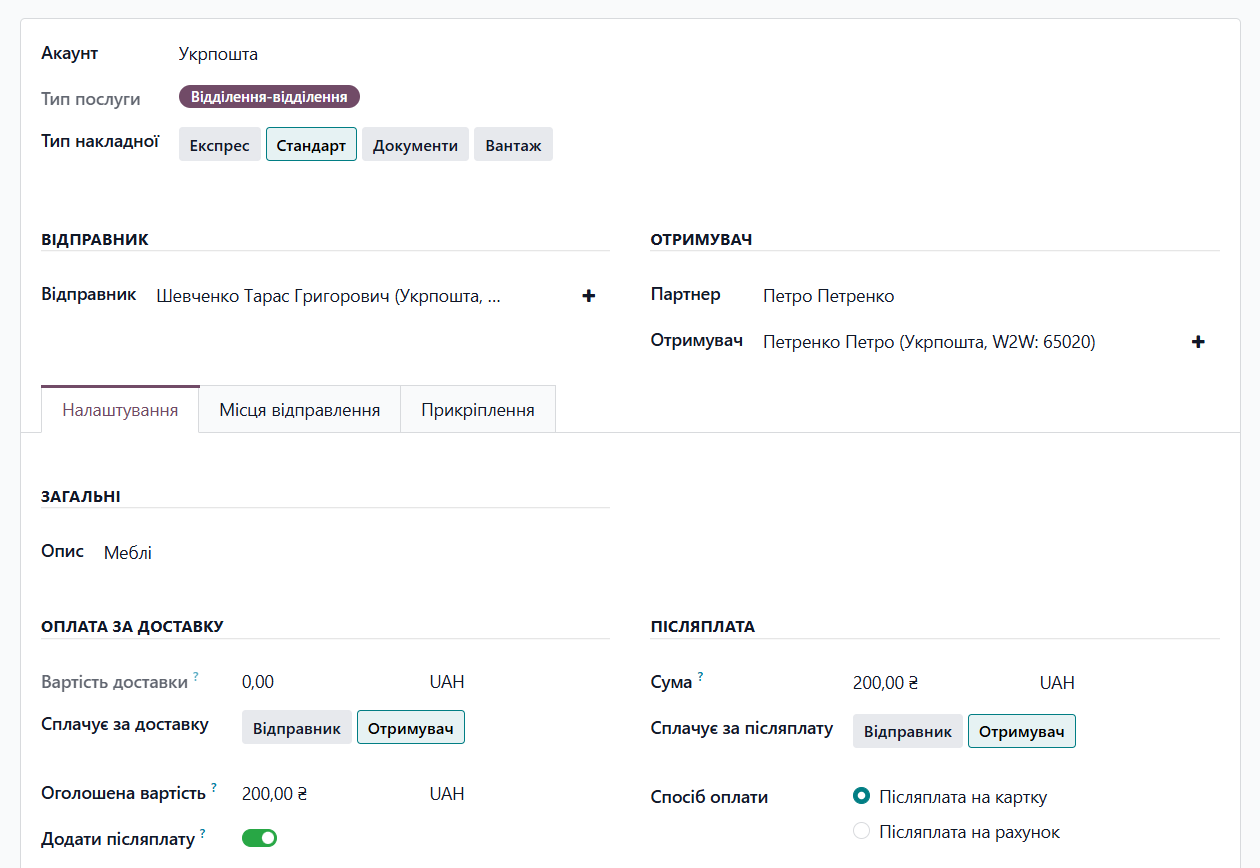
If default values were set in the Ukrposhta account settings, they are automatically populated in the new shipment. These parameters can be changed if needed.
On the Website
When selling products through an Odoo eCommerce website, another method for automatic shipment creation is available. Install the add-on module to provide buyers with a convenient interface for entering address data and managing delivery information.
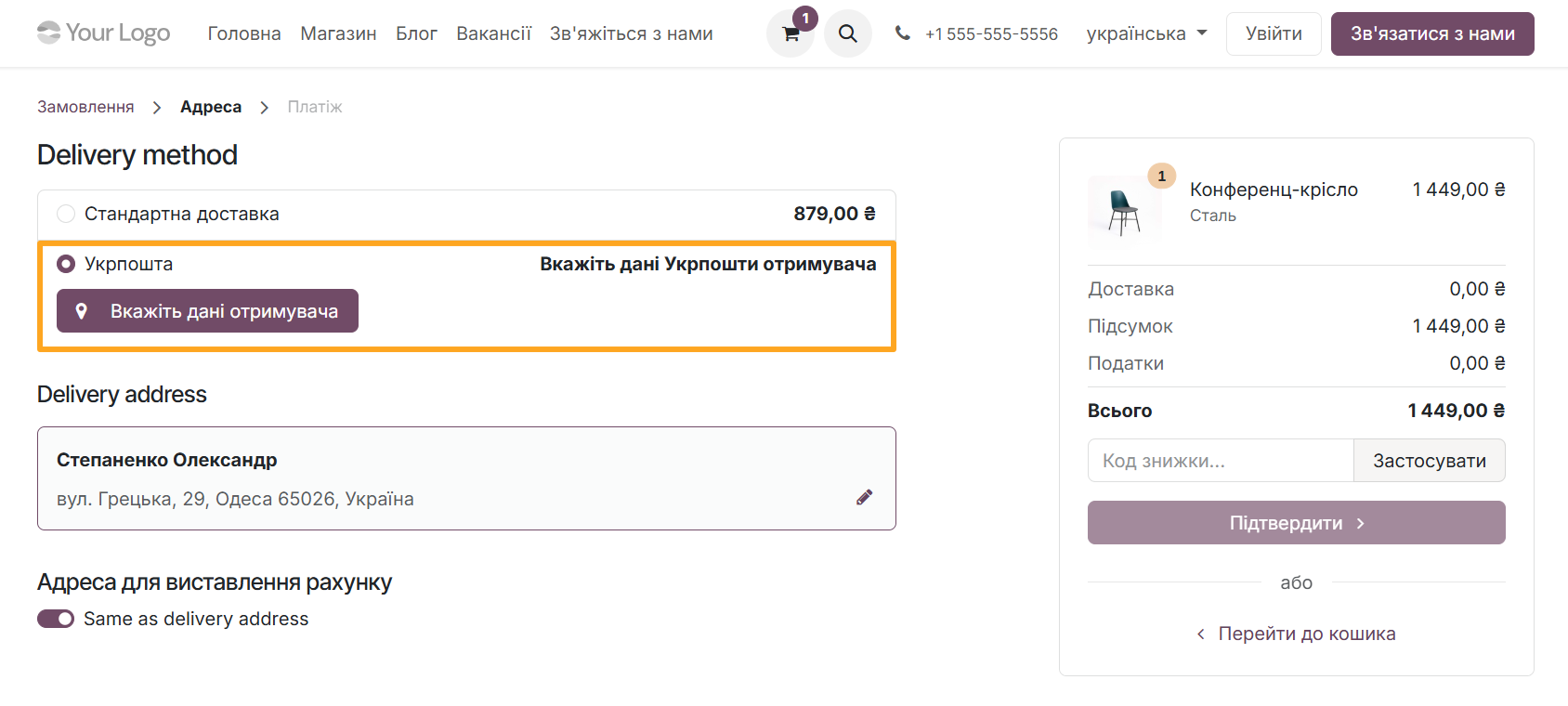
The module automatically adds the data entered by buyers to the sales order and saves it in the buyer's account for reuse.


Shipment Options
The module provides the ability to use the Ukrposhta Cash on Delivery service and enter detailed information about dimensions and places.
Cash on Delivery
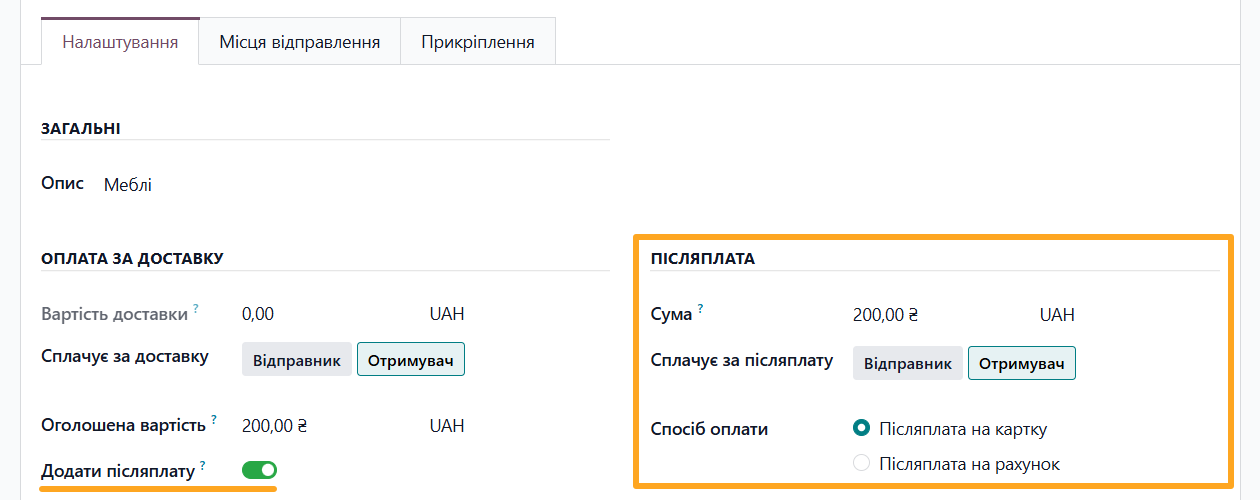
To use the Cash on Delivery service (Postpaid transfer), enable the Apply COD option in the shipment settings and specify the amount, payer, and payment method in the relevant section.
Dimensions and Places
Add dimensions and places on the corresponding tab. Places contain information about the description, weight, dimensions, and other shipment data.
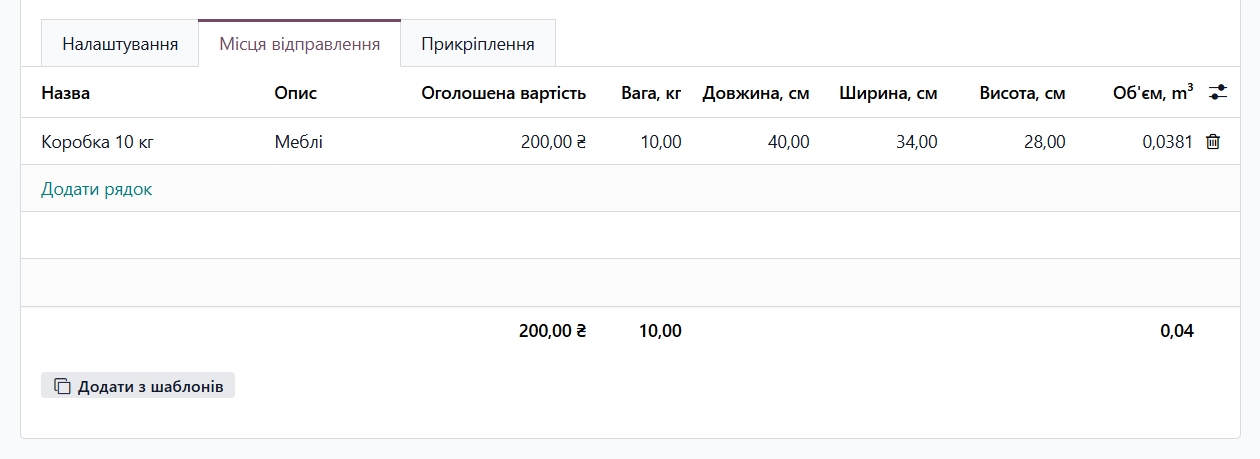
You can enter values manually or use pre-configured templates by clicking Add from Templates.


Shipment Actions
The Odoo Ukrposhta integration module provides the ability to perform the following actions with shipments:
- Calculate shipping costs
- Create a waybill with a tracking number
- Print the waybill label
- Update shipment status
- Delete the waybill
Shipping Cost
After filling in all necessary data, calculate the shipping cost by clicking the Get Rate button at the top.

Creating a Waybill
To create a waybill, click the Confirm button.

After that, the tracking number appears in the Waybill field, where you can copy it.
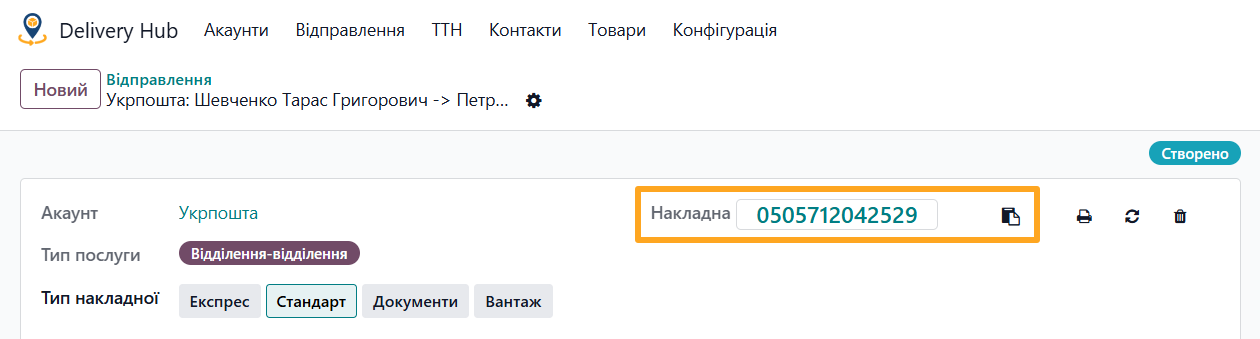
Printing a Label
To print a label for the shipment, click the print button next to the tracking number.

Waybill Synchronization
If you need to update the waybill status manually, click the Sync button.

Deleting a Waybill
To delete a waybill, use the corresponding button. This action cancels the shipment on Ukrposhta's side and archives the record in Odoo.


Technical Information
The module allows you to view technical information regarding API requests and responses. This helps identify and troubleshoot potential errors. The log list is available in the Delivery Hub — Configuration — Synchronization — Logs menu.
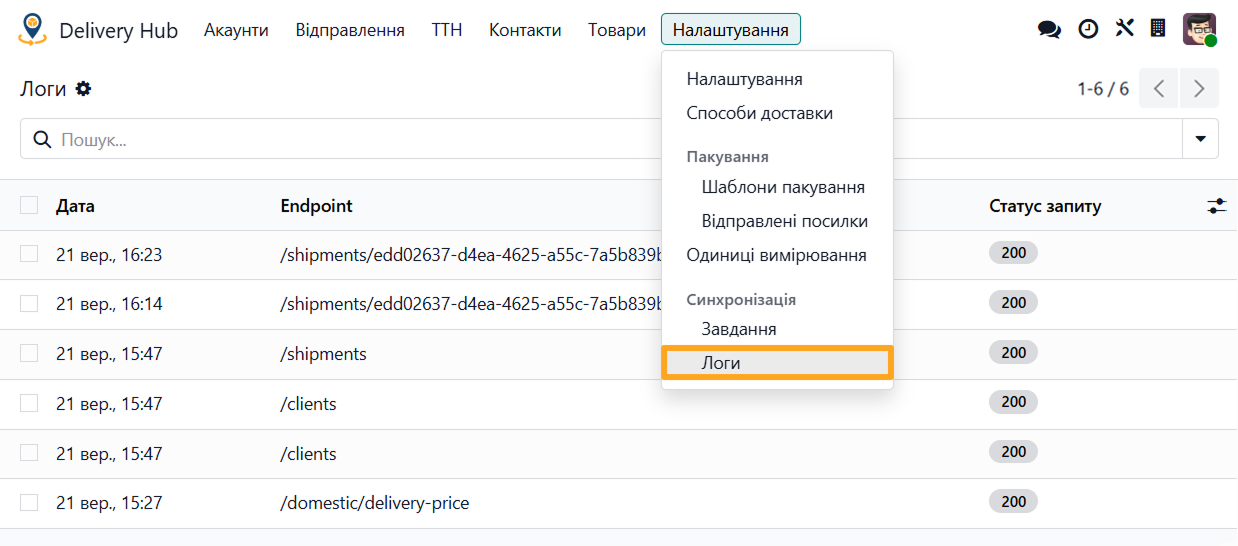
Changelog
18.0.1.0.1 2026-10-06
- Implement the UkrPoshta PostPay functionality.
- Add a wizard to add a delivery in sale orders through alternative way.
- Improve views.
- Implement shipping of the Ukrposhta Doors type.
18.0.1.0.0 2026-04-01
- Migration from 14.0.
19.0.1.0.3 2026-10-19
- Update waybill states, add new ones.
19.0.1.0.2 2026-10-08
- Implement the COD (Cash on Delivery) processing.
- Improve UA translations.
19.0.1.0.1 2026-09-12
- Add a wizard to add a delivery in sale orders through alternative way.
- Improve views.
- Implement shipping of the Ukrposhta Doors type.
- Implement the UkrPoshta PostPay functionality.
19.0.1.0.0 2026-05-22
- Migration from 18.0.
20.0.1.0.0 2026-10-05
- Migration from 19.0.
Resources
Step-by-Step Guide to Connecting Nova Poshta to Odoo

How to integrate with the Ukrposhta shipping provider to deliver your Odoo products

How to ship products across Ukraine and worldwide via Nova Post delivery service in Odoo