
Introduction
Timely product delivery represents a key business advantage. When using Odoo, stable and convenient integration with delivery services becomes a critical priority.
Modules from Garazd Creation, like Odoo Nova Post Delivery, offer a complete solution for integration with Nova Post. This solution automates the shipping process and manages delivery notes both within Ukraine and worldwide, turning Odoo into a centralized control hub for your logistics.
Quick Start and Configuration
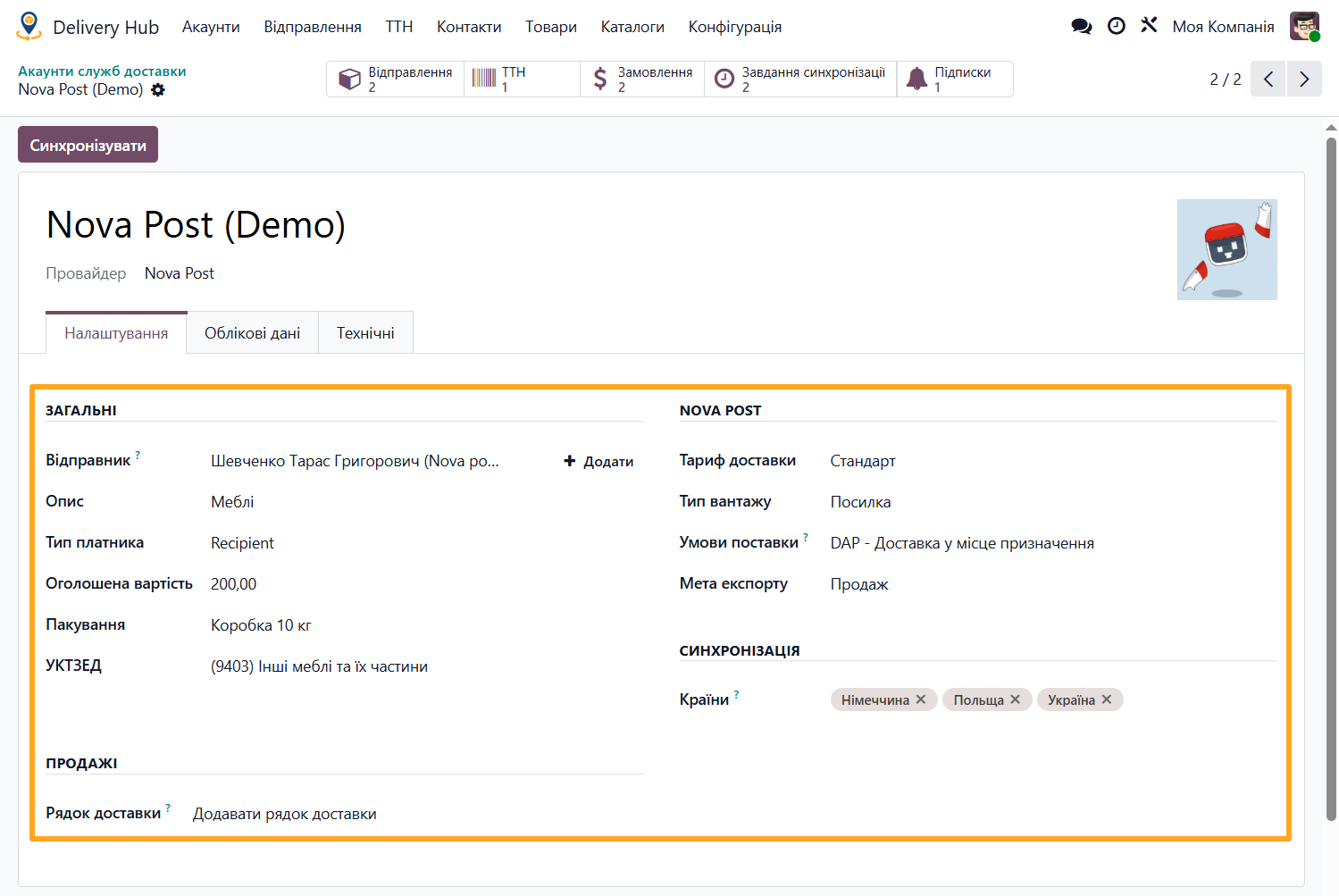
The integration process begins by obtaining an API key in the Nova Post personal account and creating an account in the Delivery Hub menu of your Odoo.
For delivery notes, including international ones, the module allows you to specify parameters such as descriptions, package dimensions, Ukrainian Classifier of Goods for Foreign Economic Activity (UCGFEA) codes, Incoterms, and more.
Data Synchronization
Efficient system operations rely on continuous data exchange between Odoo and Nova Post. The module automatically updates division directories and waybill statuses via scheduled actions or webhooks.
Managing Delivery Notes: From Order to Waybill
You can manage logistics directly from the sales orders. The module automates the entire parcel journey, allowing you to create documents for both domestic routes within Ukraine and international shipping.
Creating a Delivery Note
The process of creating a delivery note is highly simplified:
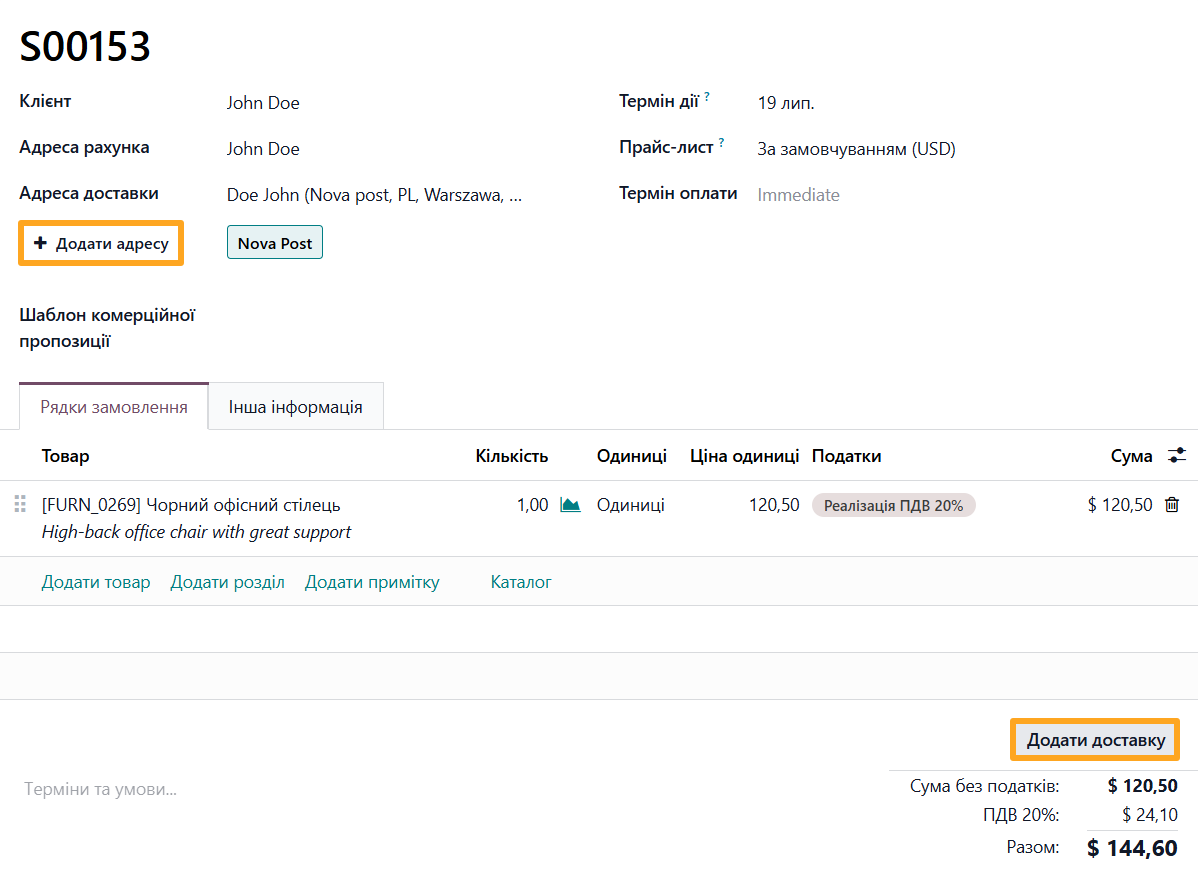
- When creating a sales order, select Nova Post and click Add Address to specify the recipient division or parcel locker.
- Click Add Shipping, select the required method, and the module automatically creates a delivery note linked to the sales order.
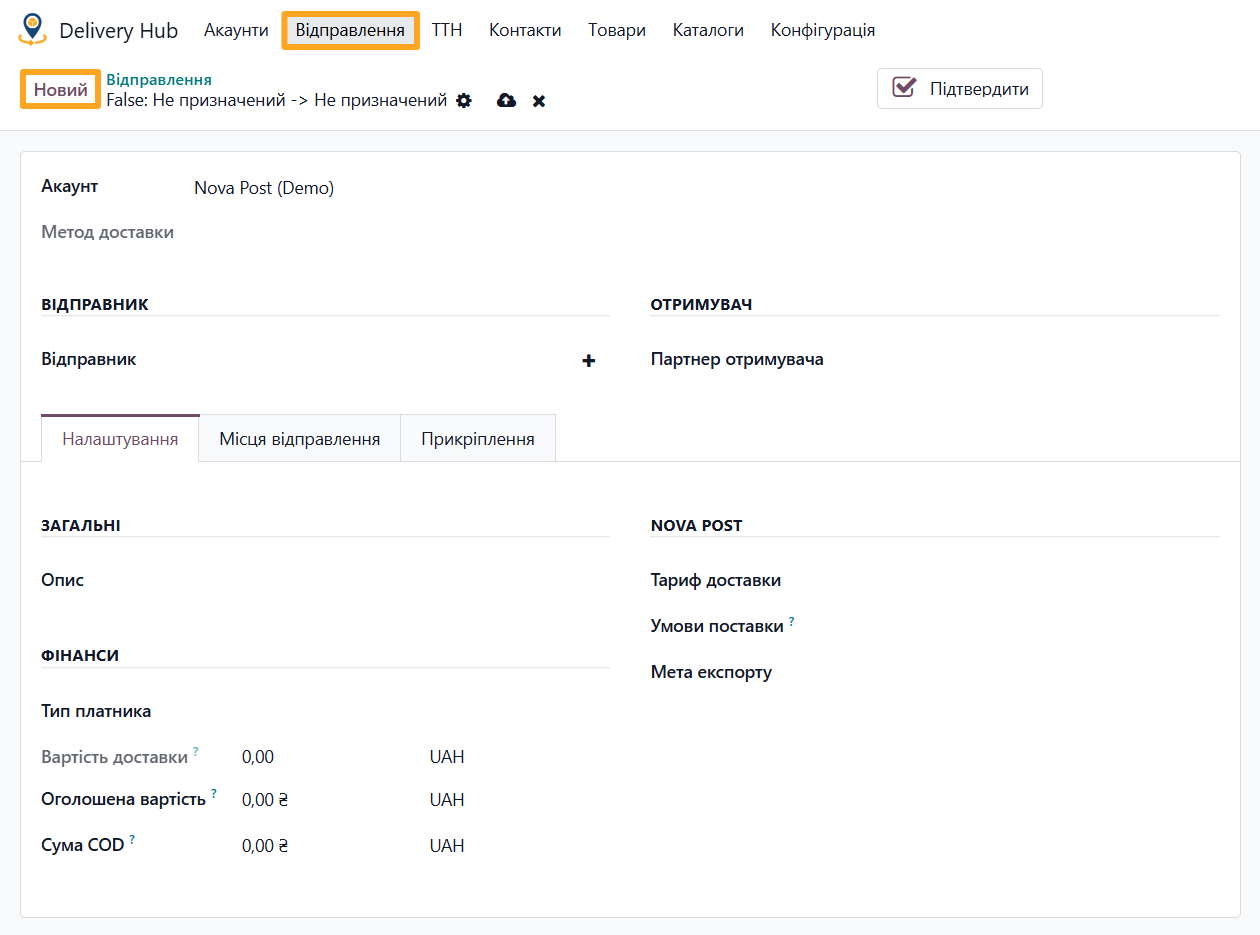
You can also create a delivery note manually via the menu path Delivery Hub — Notes if it does not link to a specific sales order.
Configuring Delivery Note Places and Rate Calculation
To ensure correct pricing and document generation, you must specify the cargo parameters accurately:
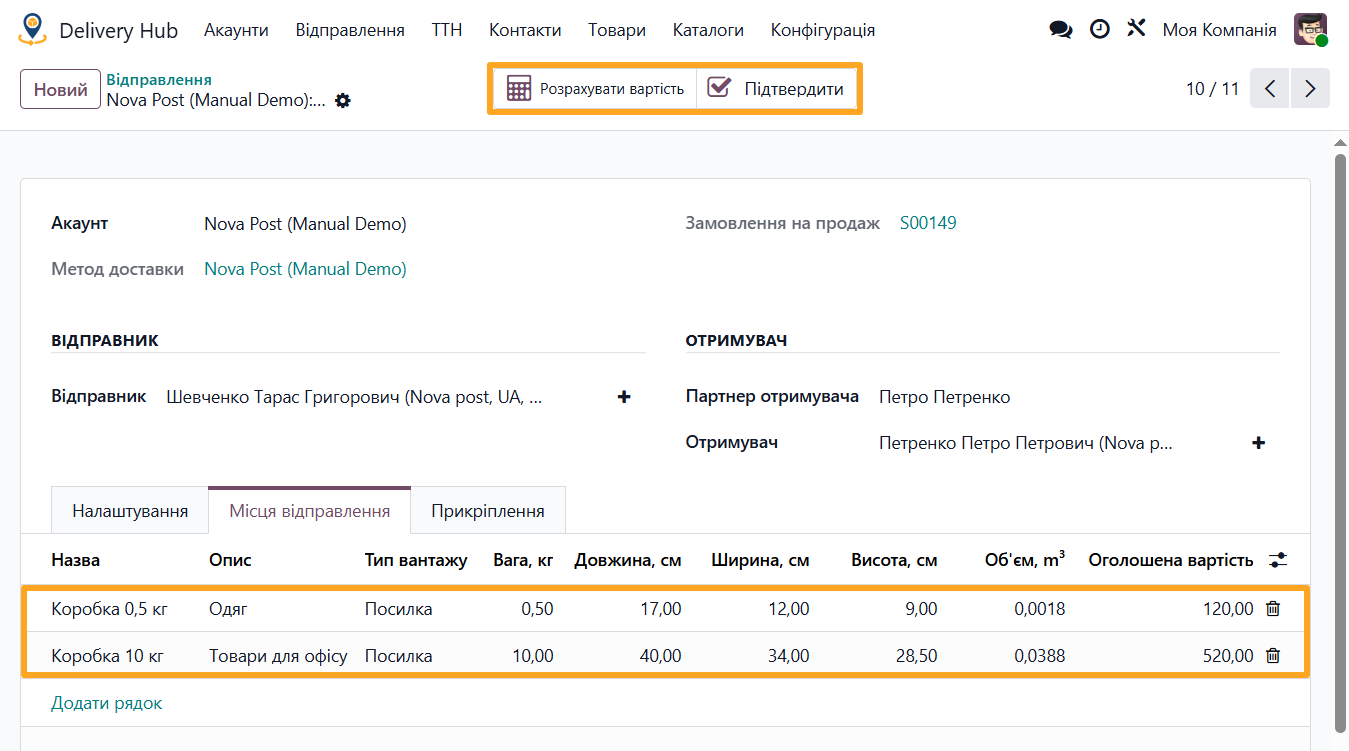
- Dimensions and Places: On the corresponding tab, you can add multiple items for a single parcel, specifying their weight, dimensions, and description.
- Cost Calculation: Use the Get Rate button to get the current tariff from Nova Post based on the provided data.
- Waybill Generation: After verifying all data, click Confirm to generate the waybill instantly.
Nova Post in Your Online Store
By using the Odoo Nova Post Delivery for eCommerce module, your website customers get a user-friendly interface for selecting a delivery destination.
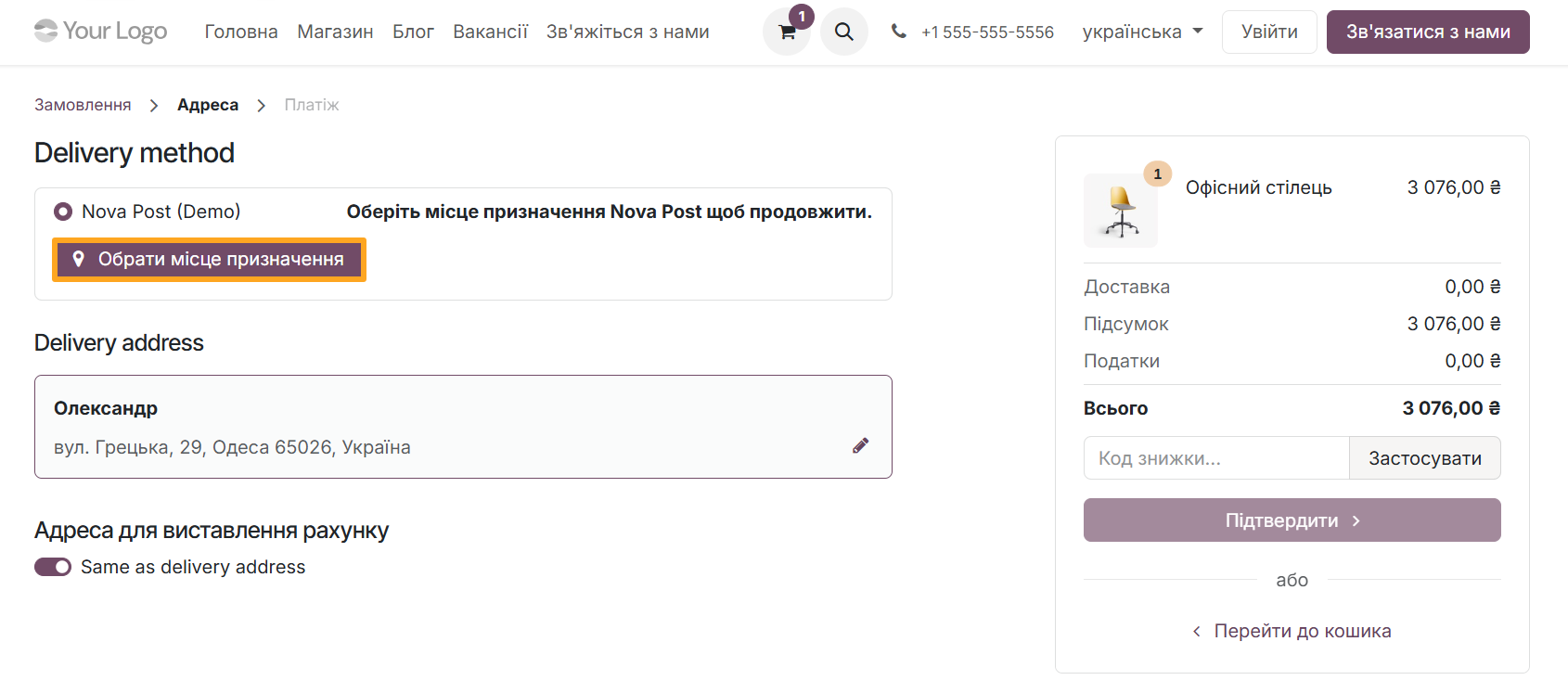
During checkout, buyers can click Specify Destination and use an interactive popup window to find the needed division or parcel locker in their city.
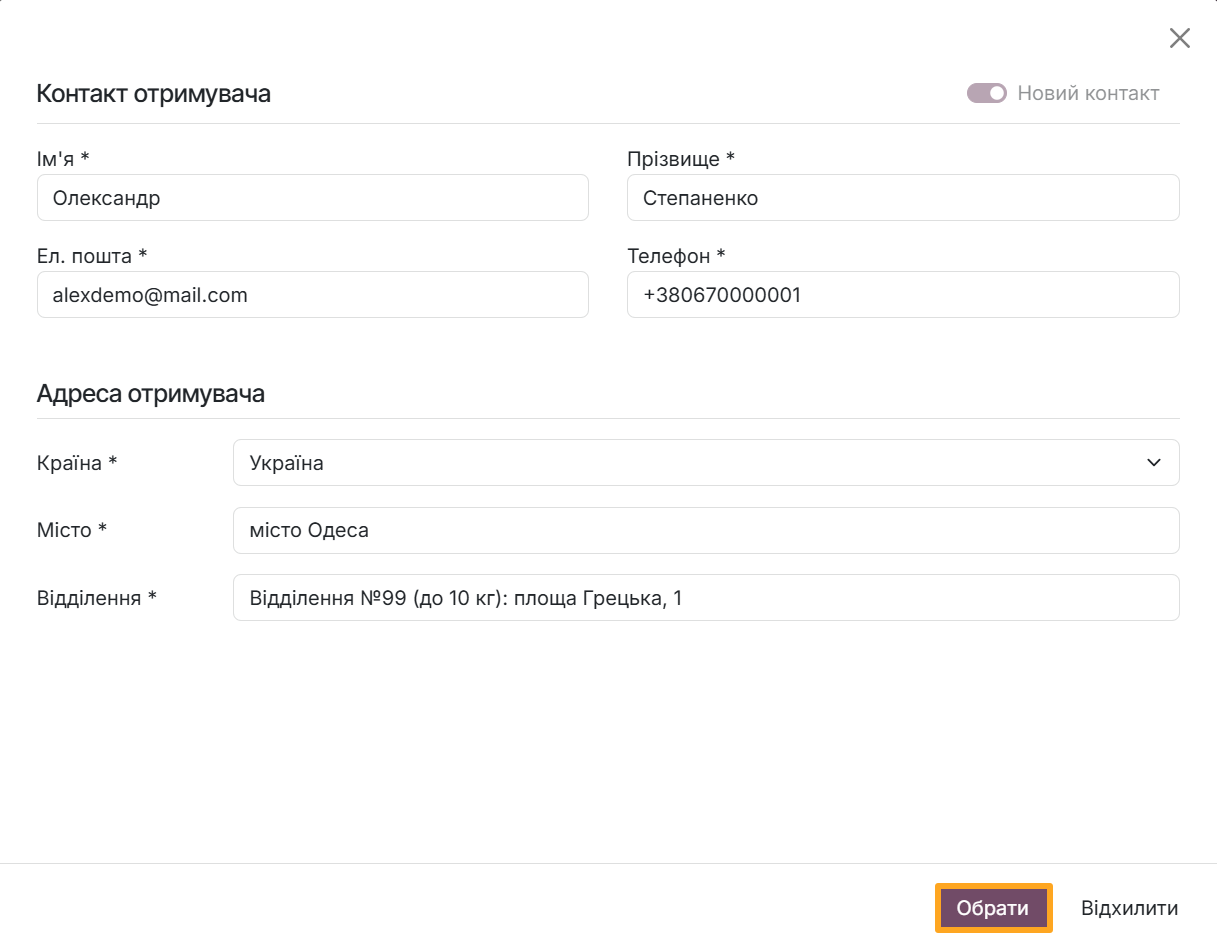
After order confirmation on the website, the module automatically creates a delivery note in Odoo and pulls all customer contact details. The manager only needs to confirm the waybill creation with a single button click.
Summary
With Nova Post integration in Odoo, daily shipping operations move into a single workspace: from order creation and filling delivery note parameters to cost calculation and waybill generation. Automatic directory updates, support for international delivery notes, and the ability to work with both sales orders and standalone delivery notes help prevent manual data duplication and reduce the risk of errors.
Integration with the online store plays a special role: buyers select a division or parcel locker themselves via a convenient interface, and all necessary data automatically populates in Odoo. With the Odoo Nova Post Delivery module, you gain control over delivery note statuses and convenient tools for international shipping. This approach serves as a useful foundation for further process configuration in your system.