

Provide your Odoo product ratings to Google Shopping as product reviews via XML feeds
The Odoo Google Product Review Feeds module complements the Google Merchant Center Feeds and Google Merchant Center Professional solutions, enabling you to transfer Odoo product ratings from your e-commerce store directly to Google Merchant Center.
Product ratings collected on your website are provided as XML product review feeds, complete with product IDs, product URLs, detailed reviewer information, and overall ratings.
All required review data fully complies with the Google Product Review Feeds specifications: https://developers.google.com/product-review-feeds.
| Availability |
Odoo Online
Odoo.sh
On Premise
|
|---|---|
| Compatibility |
Community
Enterprise
|
| Technical Name | product_data_feed_gmc_rating |
| Version | 20.0.1.0.0 |
| License | OPL-1 |
| Category | |
| Support | Free 60 days support and 360 days bug-fixing |
Use Case

Jorem ipsum dolor sit amet, consectetur adipiscing elit. Nunc vulputate libero et velit interdum, ac aliquet odio mattis. Class aptent taciti sociosqu ad litora torquent per conubia nostra, per inceptos himenaeos.
Forem ipsum dolor sit amet, consectetur adipiscing elit. Nunc vulputate libero et velit interdum, ac aliquet odio mattis. Class aptent taciti sociosqu ad litora torquent per conubia nostra, per inceptos himenaeos.
Dorem ipsum dolor sit amet, consectetur adipiscing elit. Nunc vulputate libero et velit interdum, ac aliquet odio mattis.
It is a long established fact that a reader will be distracted by the readable content of a page
Korem ipsum dolor sit amet, consectetur adipiscing elit. Nunc vulputate libero et velit interdum, ac aliquet odio mattis. Class aptent taciti sociosqu ad litora torquent per conubia nostra, per inceptos himenaeos.
Korem ipsum dolor sit amet, consectetur adipiscing elit. Nunc vulputate libero et velit interdum, ac aliquet odio mattis.
Odoo App Installation
Upload modules
Upload modules from the ZIP archive to your Odoo hosting, or a GitHub repository connected there.
Place the unzipped modules in your custom add-on directory and restart the Odoo system service.
Update App List
After restarting, activate the Developer Mode, and go to the Apps menu.

Click on Update Apps List to fetch the new modules in the list.
Activate the App
Install the new module, finding it by name and clicking on the Activate button.
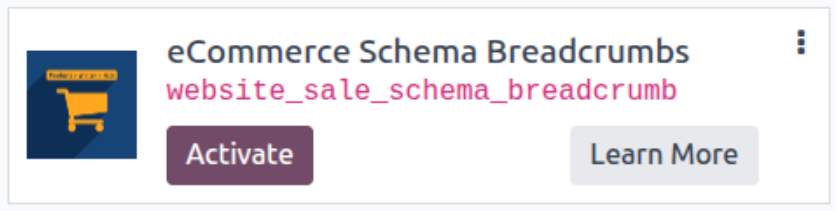
* If you don't see the module, try to remove the default Apps filter from the search bar.
Configuration
Follow the instructions in the module description to complete the installation process and start using the app.
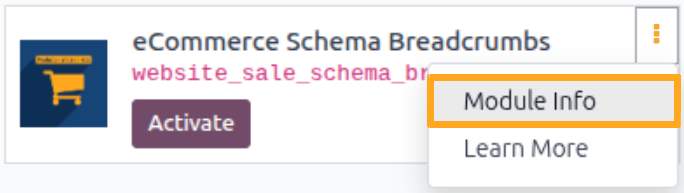

Manual

Configuration
To create a product reviews and ratings feed in Odoo, configure a product feed template for Google Merchant Center, then add an associated ratings feed.

Adding a Rating Feed
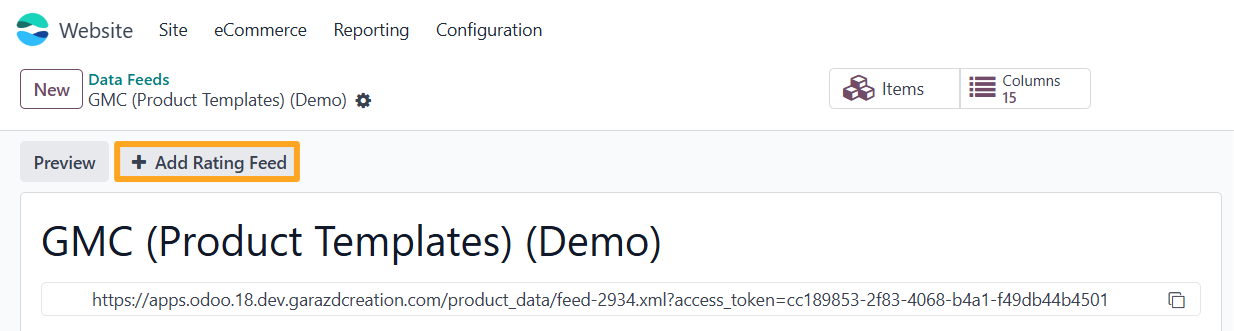
First, open the preconfigured Google Merchant Center product feed that contains the reviews you want to send to Google. Click Add Rating Feed to add an associated data feed containing reviews and ratings for those products.
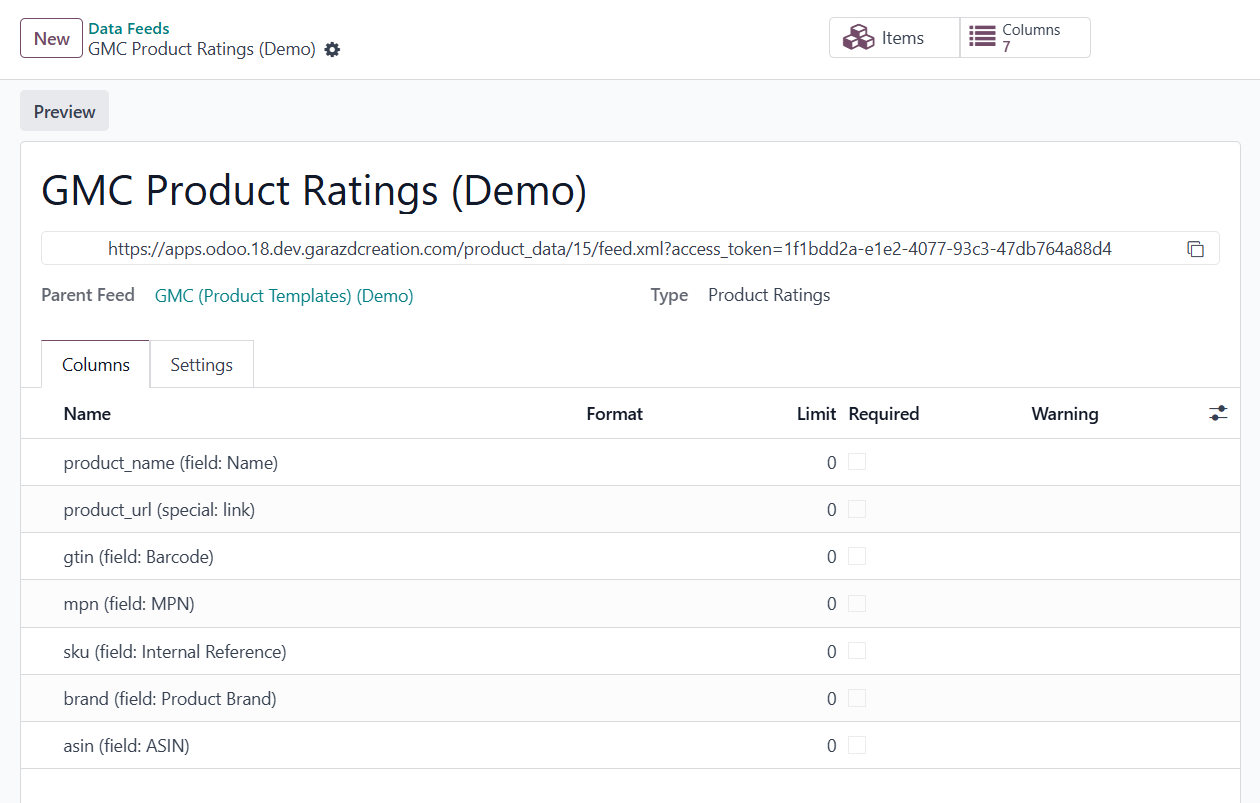
The ratings feed includes predefined columns that are mapped to the corresponding product fields.
Product Configuration
Odoo product data feed modules by Garazd Creation include extensions that allow you to enrich your products in Odoo with additional information and share it via the feed:
- Product Brands for Data Feeds — adds the ability to specify the product brand
- Number Fields for Data Feeds — adds fields for international numbers and product codes
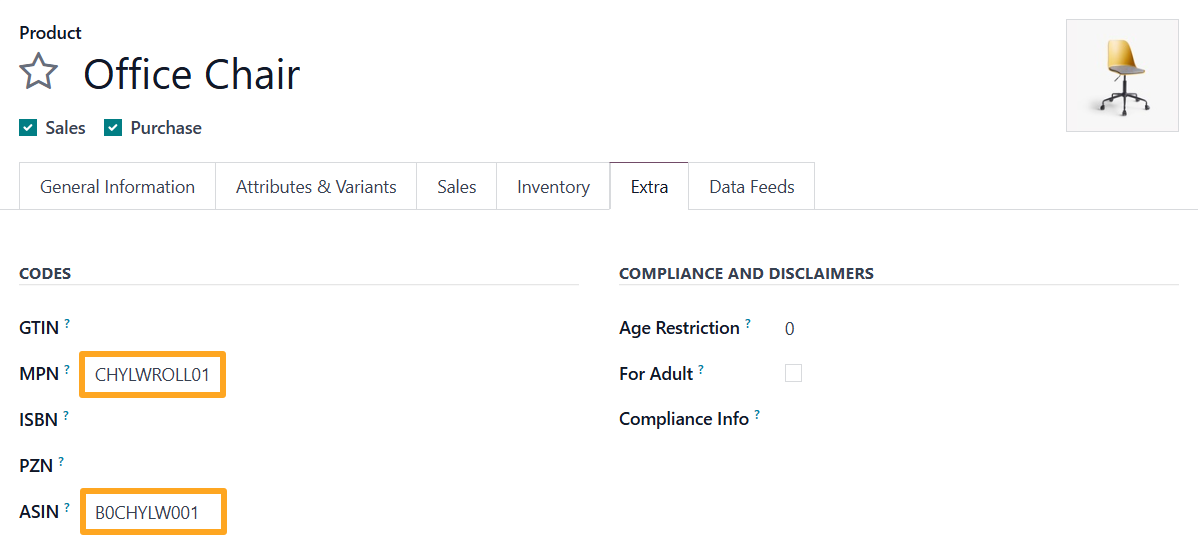
To link ratings and reviews to products in Google Merchant Center, fill in at least one unique product identifier:
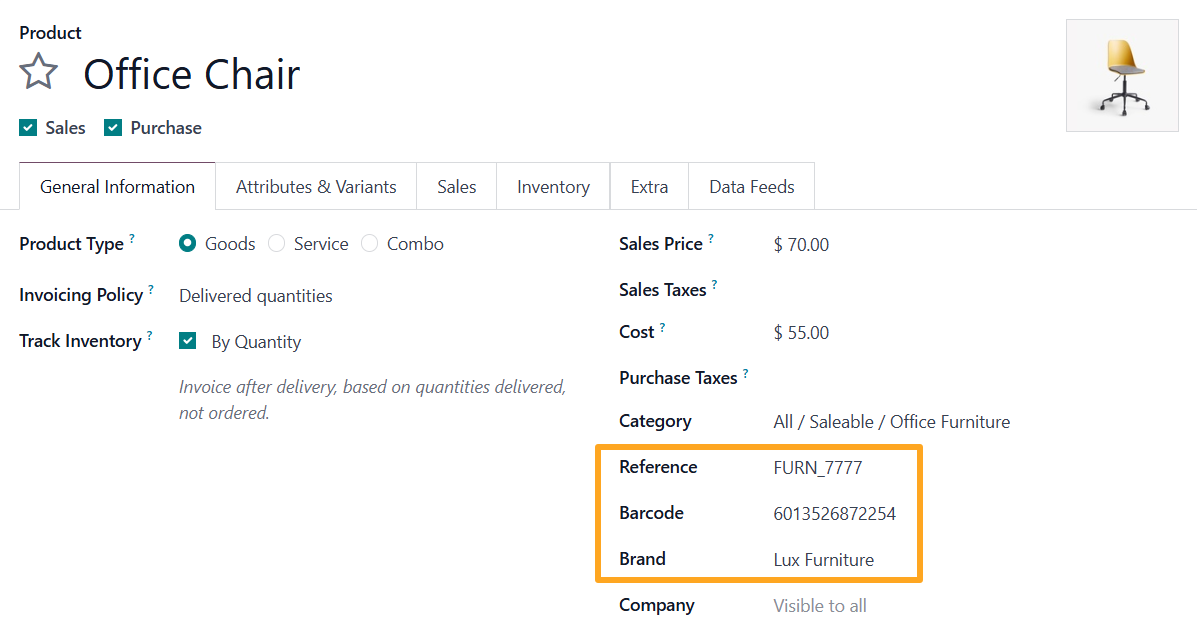
- Reference on the General Information tab
- Barcode on the General Information tab
- Brand on the General Information tab and MPN on the Extra tab
- ASIN on the Extra tab
Preview
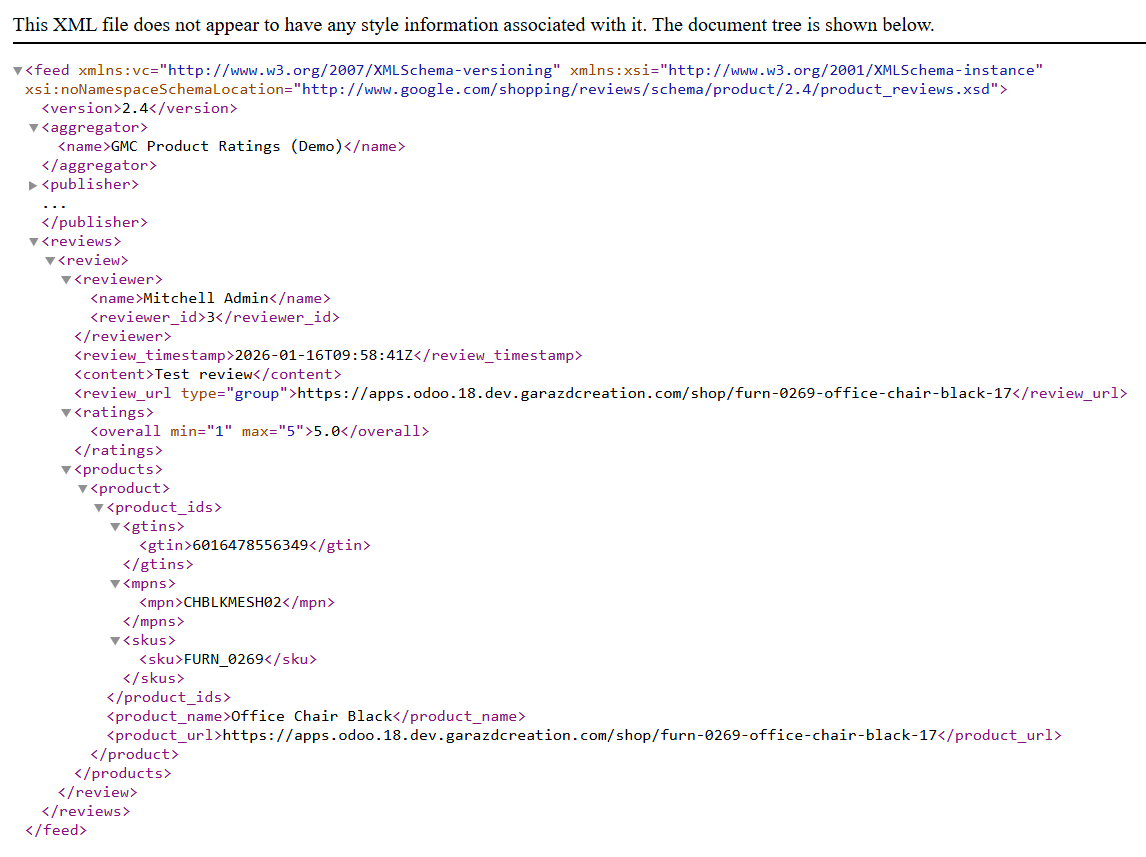
To preview the configured data feed before connecting it to Google Merchant Center, click the Preview button.

Generated XML file of the product reviews and ratings feed.

Connecting the Feed
To connect your product ratings feed to Google Merchant Center:
-
01Copy the URL link to the product ratings feed from Odoo
-
02Join the Google Product Ratings program
-
03Add the product review data source in Google Merchant Center
Odoo Side
Before connecting the ratings feed to Google Merchant Center, copy the URL of this feed.

Google Product Ratings Program
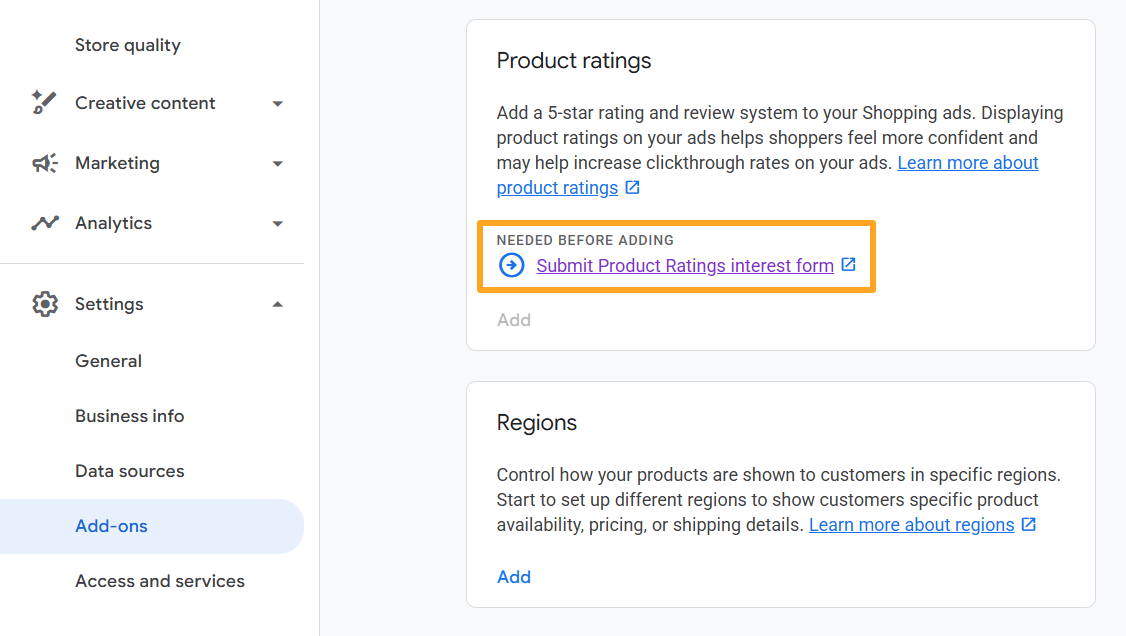
If you do not participate in the Google Product Ratings program, submit the interest form first. To do this, log in to your Google Merchant Center account, navigate to Settings — Add-ons — Product Ratings, and click the Submit Product Ratings interest form link.
Google Merchant Center Side
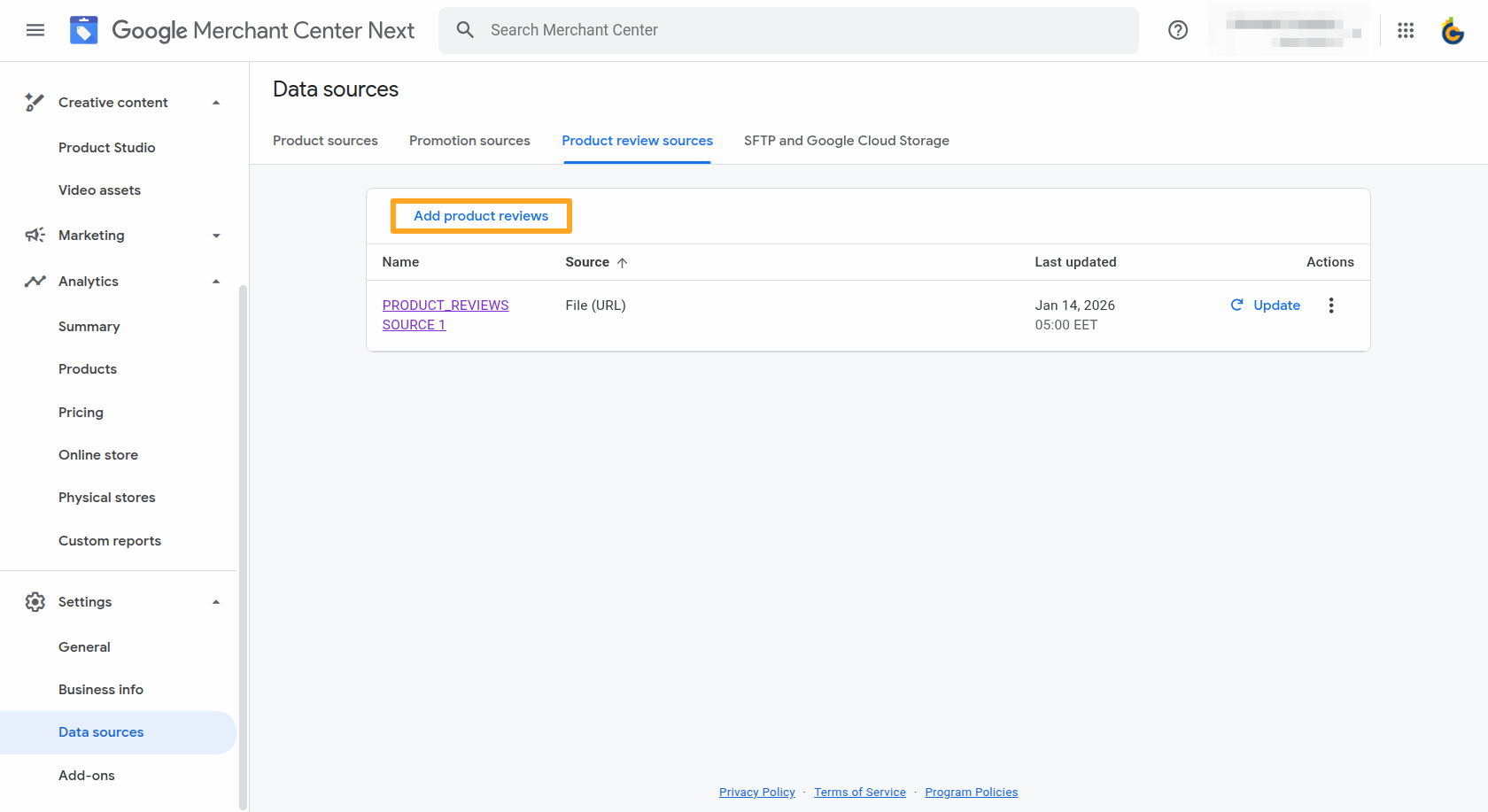
Once you join the program and receive approval to display product ratings, navigate to the Settings — Data Sources menu, open the Product Review Sources tab, and click Add Product Reviews.
Then complete the following steps:
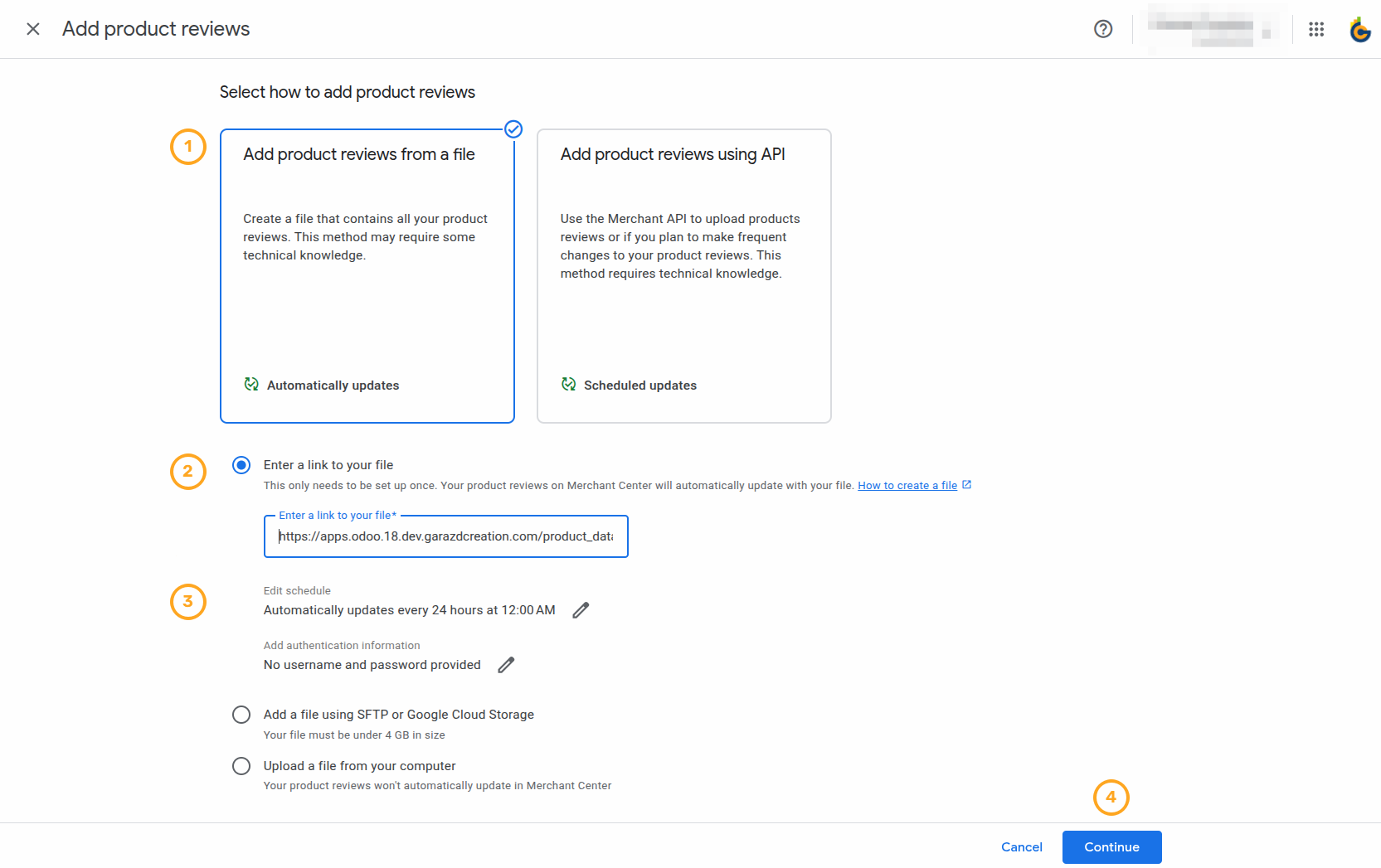
-
01Select Add product reviews from a file
-
02Choose Enter a link to your file and paste your copied feed URL into the field
-
03Set the data refresh frequency and time in the Edit schedule section
-
04Click Continue

Changelog
18.0.1.0.2 2026-07-21
18.0.1.0.1 2026-07-09
- Add a new required column "review_id".
18.0.1.0.0 2025-12-23
- Migration from 16.0.
19.0.1.0.2 2026-07-21
- Improve product rating feed columns for product variants.
19.0.1.0.1 2026-07-09
- Add a new required column "review_id".
19.0.1.0.0 2026-01-06
- Migration from 18.0.
17.0.1.0.0 2026-01-06
- Migration from 18.0.
20.0.1.0.0 2026-09-23
- Migration from 19.0.
Resources
How to Automate Your Launch on Europe’s Leading Marketplace