
Introduction
In modern e-commerce, expanding your sales channels is a critical driver for growth. Integrating with Digitec Galaxus, one of the largest marketplaces in Switzerland and Germany, unlocks massive audience potential for business owners. However, manually managing thousands of product listings can quickly turn into an operational challenge.
The Odoo Galaxus Product Data Feeds module by Garazd Creation is specifically designed to streamline this process, ensuring rapid partner onboarding and automated, hands-free data transmission.
Why Choose Integration Via Product Data Feeds?
This solution delivers far more than a simple product export. It provides a robust data flow management system tailored to fit your unique business operations.
Key benefits of the module include:

Multifunctionality
Connect multiple feeds to a single marketplace and configure them seamlessly for different Odoo websites.
Localization Support
Generate product feeds in multiple languages to engage with Galaxus’s multilingual audience effectively.
Security and Reliability
Every feed URL is protected by a unique security token, preventing unauthorized access to your sensitive commercial data.
Guaranteed Compatibility
Feed templates come with pre-configured columns that perfectly match the technical requirements of the Galaxus marketplace.
Three Stages of Integration: From Upload to Deep Customization
The data exchange process is split into three logical stages, each featuring a ready-to-use, built-in template.
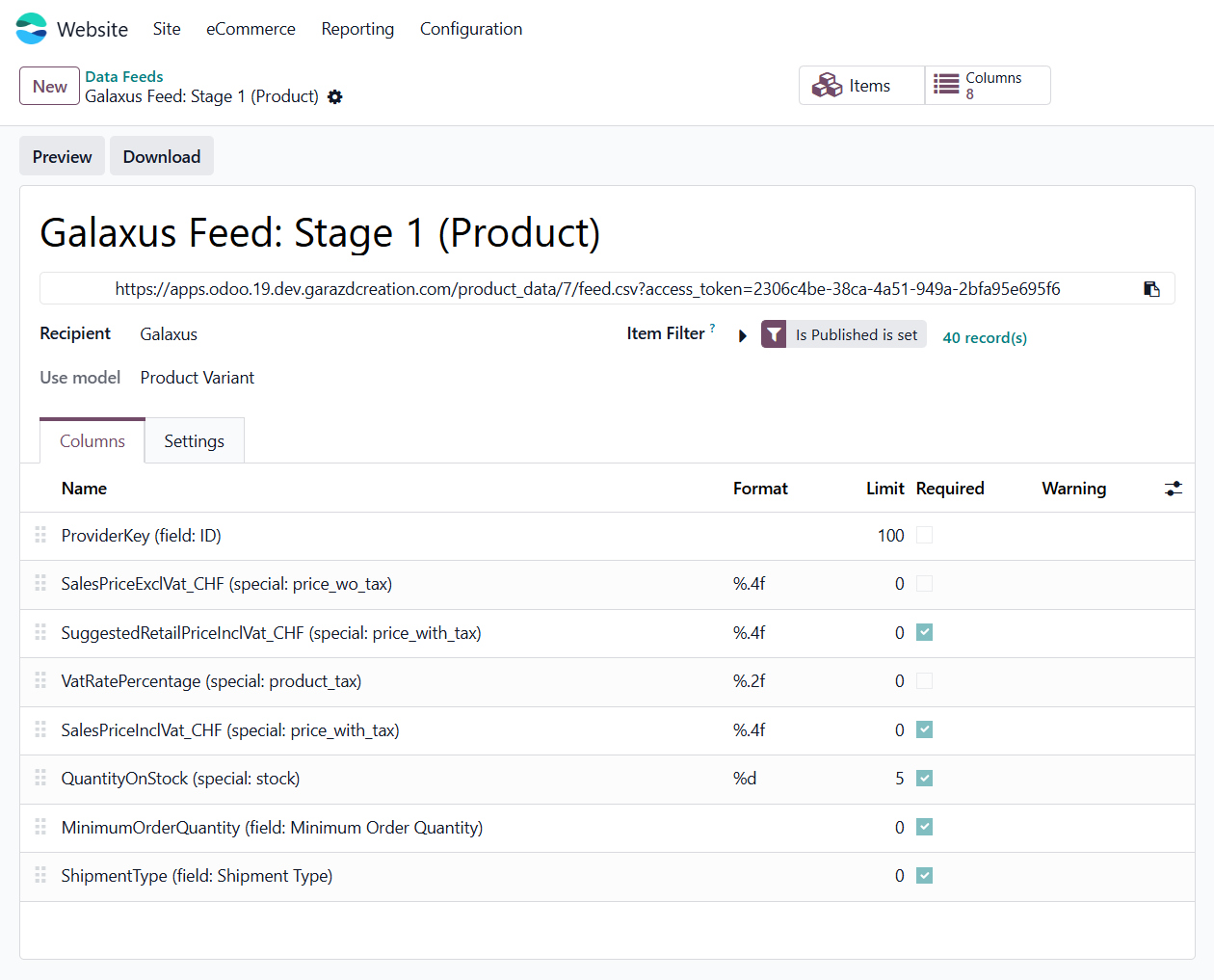
Stage 1 — Basic
Transmits the core information required for the initial upload of your product assortment to the platform:
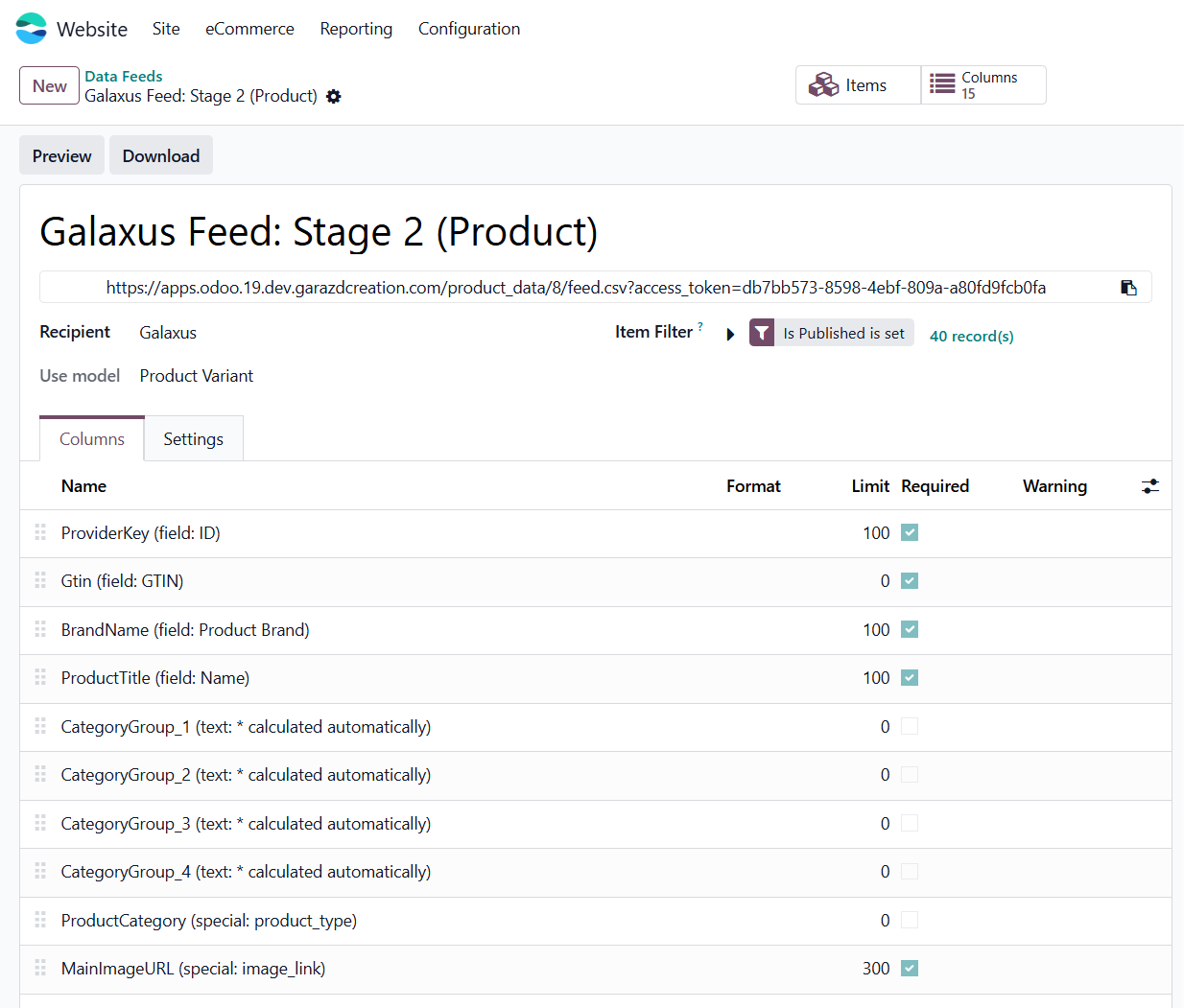
Stage 2 — Product Characteristics
Enriches your product listings with titles, brand names, categories, codes, and high-quality images:
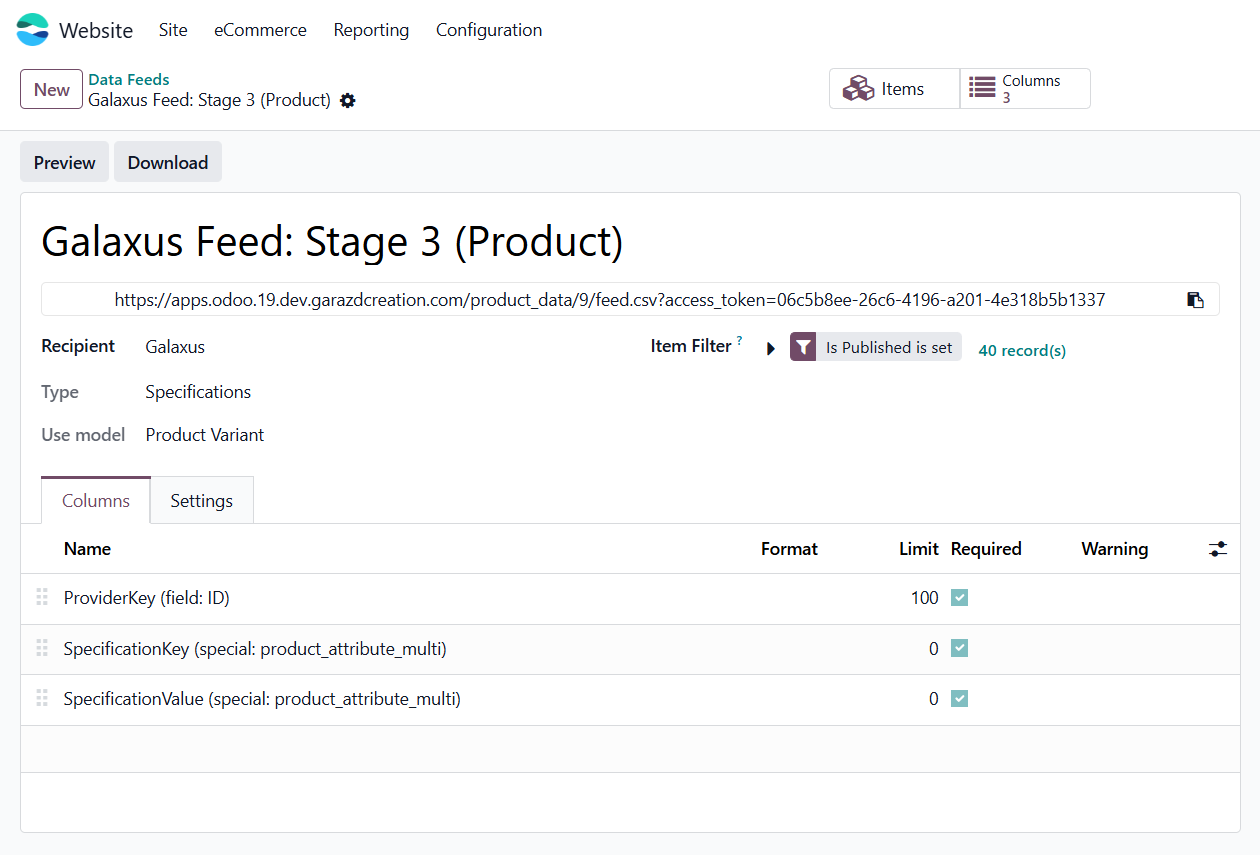
Stage 3 — Specifications
Adds deep technical specifications, custom attributes, and unique product features:
Product Configuration in Odoo
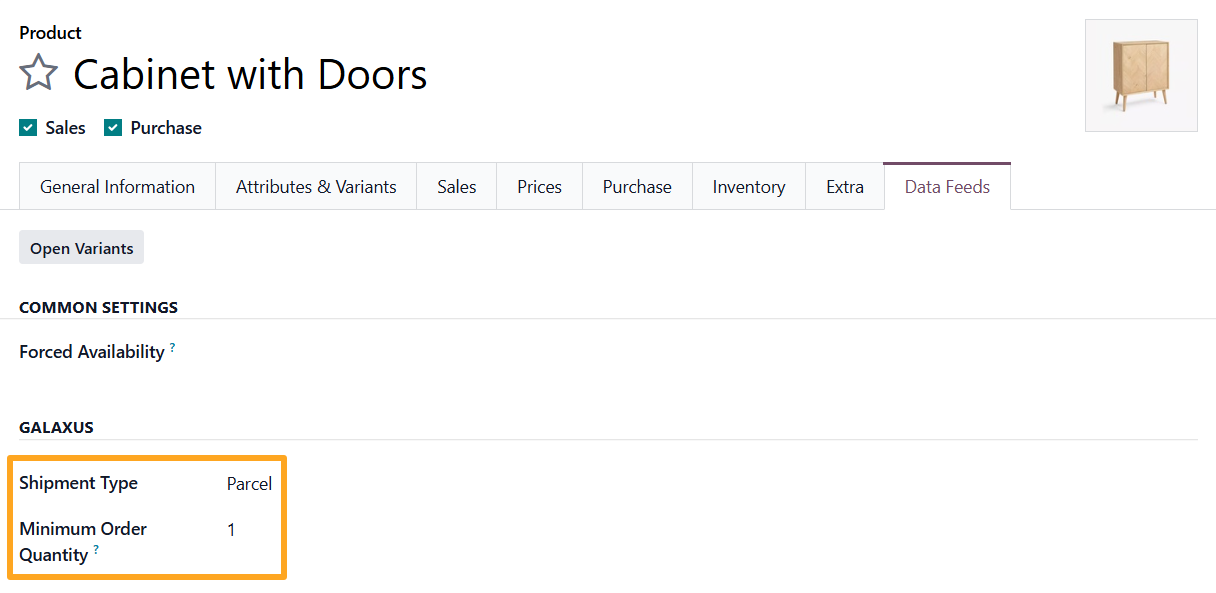
Before connecting your data feeds, ensure that your Odoo product variants contain all required marketplace data.
Navigate to the Galaxus section under the Data Feeds tab to specify the Shipment Type and Minimum Order Quantity:
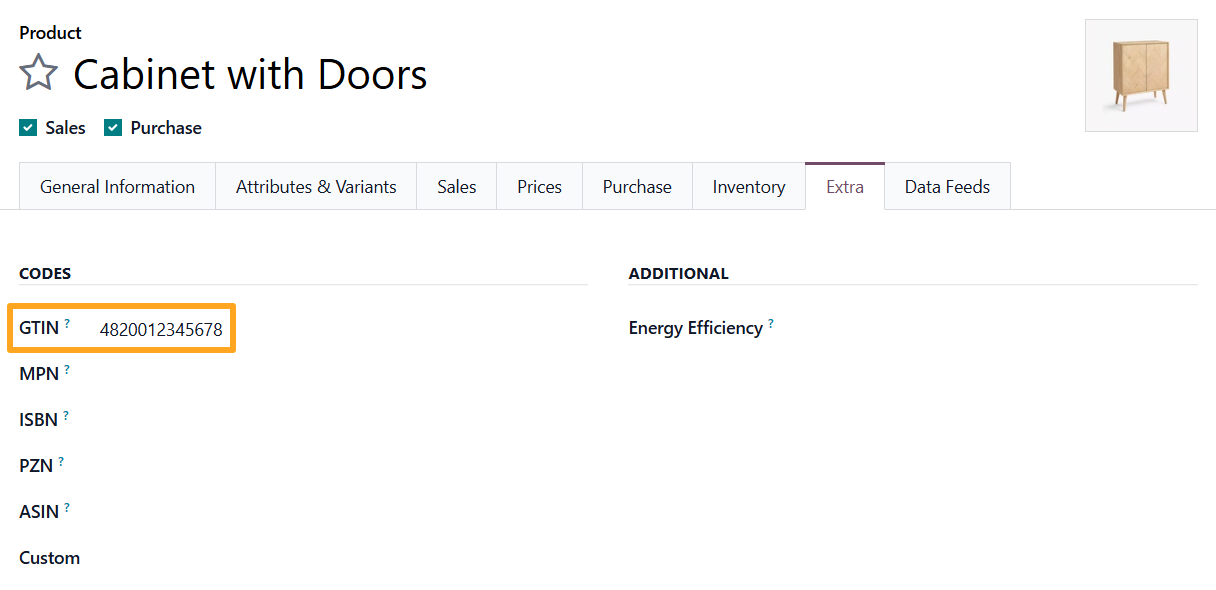
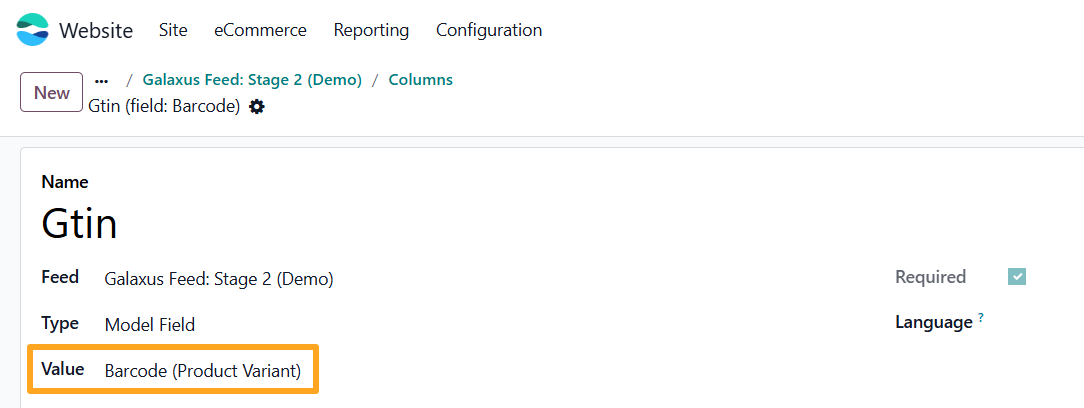
A product GTIN is mandatory for Galaxus. You can provide this value through your data feed in two different ways:
- Since Odoo does not include a dedicated GTIN field, the module adds this field to the Extra tab. Navigate to this tab and fill out the GTIN field:
- Alternatively, if you already maintain the GTIN in a native Odoo product field — such as the Barcode field — simply modify the value mapping for the GTIN column in your Stage 2 data feed:
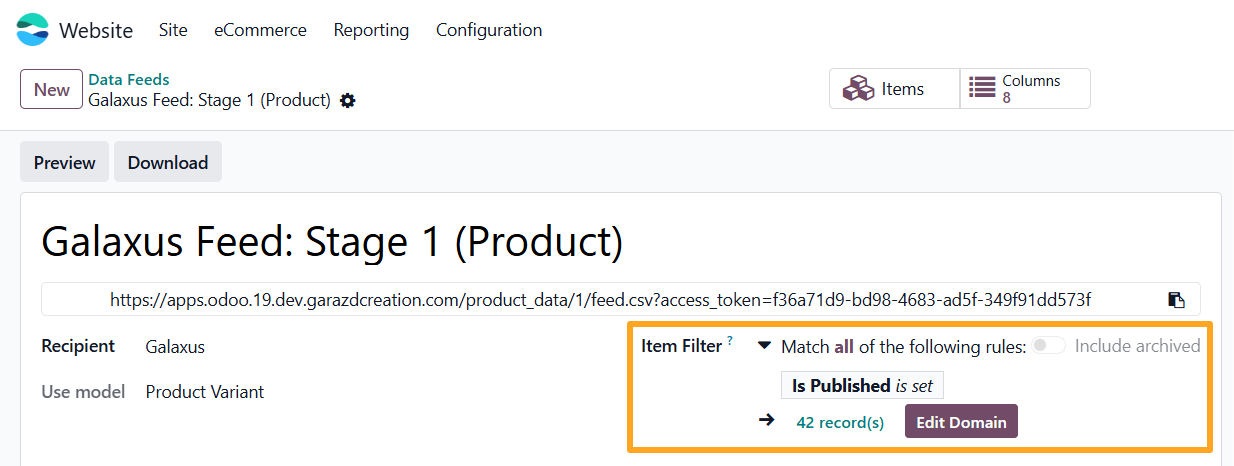
For precise inventory management, use the Item Filter tool. You can easily modify the Odoo domain to ensure your feed includes only specific products:
Flexible Price and Inventory Management
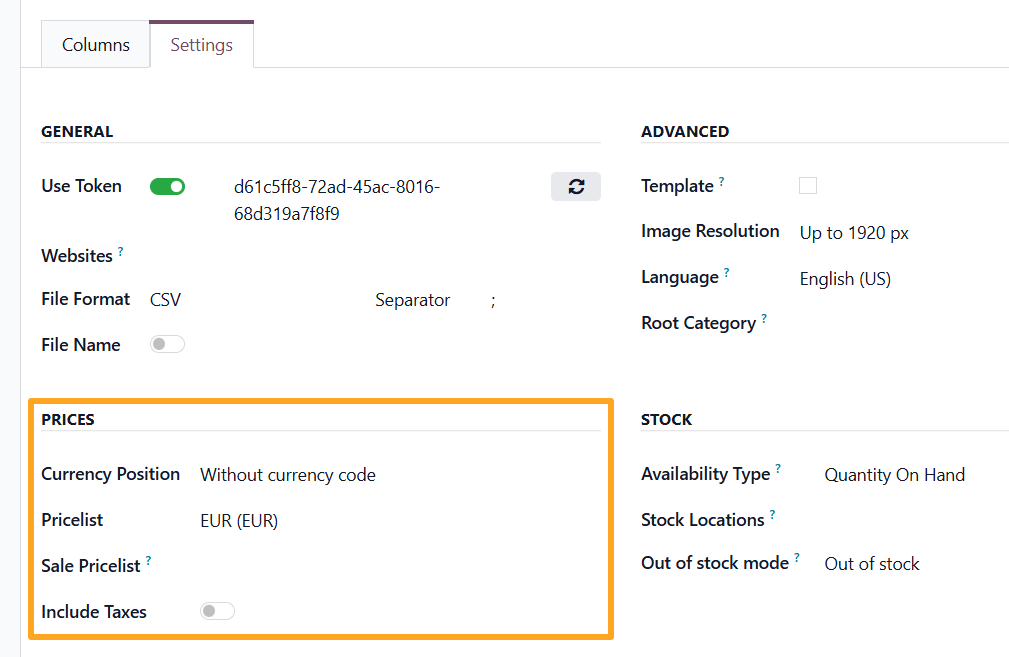
The module gives you detailed control over your financial and logistical parameters:
Pricing Strategies
Choose a specific Pricelist for each feed or fetch prices directly from the product cards. To push promotional offers and discounts, the module provides a dedicated Sale Pricelist field.
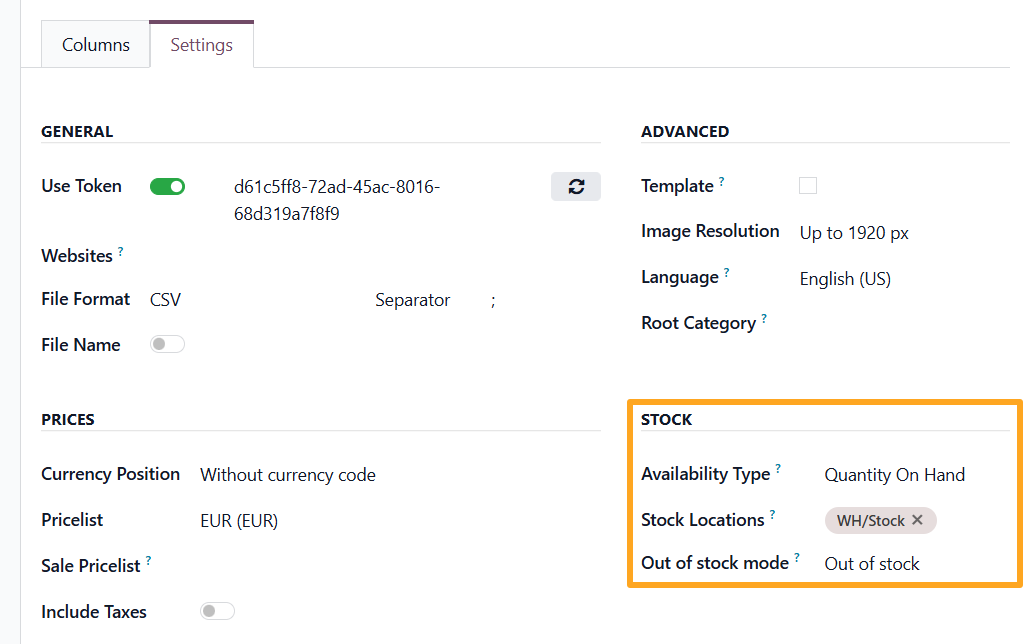
Stock Locations
Select specific warehouse locations to calculate available stock. This is critical if you only want to sell inventory on Galaxus from designated fulfillment centers.
How to Connect the Feed to Galaxus?
Once you have verified settings, the final step is straightforward. Simply copy the secure HTTPS URLs of the three feeds and provide them to the Digitec Galaxus support team:
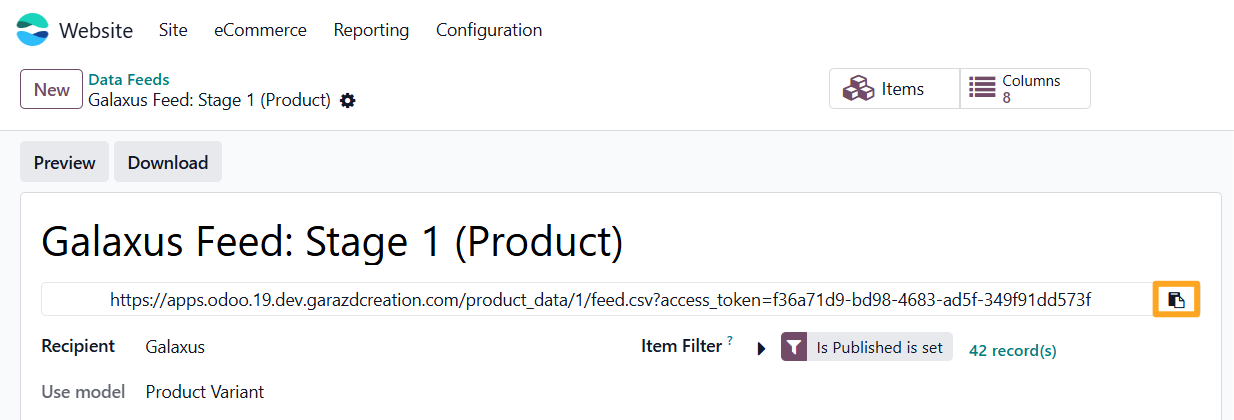
From this point forward, data exchange runs automatically via web services, keeping your marketplace storefront perfectly synchronized.
The Complete Solution: Full Automation via Merchant Flow
It is worth noting that the product data feeds module is a core component of a larger, comprehensive solution: the Odoo Galaxus Integration Merchant Flow. While data feeds keep your storefront up to date, the Merchant Flow module automates the entire order lifecycle.
Key capabilities of the full integration include:
- Order Automation: Seamless Electronic Data Interchange processing, including Order Placement (ORDP), Order Response (ORDR), and Dispatch Notification (DELR).
- Customer Management: Automated creation of customer profiles and delivery addresses in Odoo based on marketplace data.
- Real-Time Synchronization: Order statuses and inventory levels update automatically, eliminating manual data entry and minimizing fulfillment errors.

Summary
Using the Odoo Product Data Feeds module is the fastest, most direct route to driving successful sales on Galaxus. By automating routine technical operations, you can stop fighting data mismatches and focus entirely on marketing, scaling, and growing your business.