

Automate HR recruitment processes using Odoo integration with the robota.ua service
Use Case

Jorem ipsum dolor sit amet, consectetur adipiscing elit. Nunc vulputate libero et velit interdum, ac aliquet odio mattis. Class aptent taciti sociosqu ad litora torquent per conubia nostra, per inceptos himenaeos.
Forem ipsum dolor sit amet, consectetur adipiscing elit. Nunc vulputate libero et velit interdum, ac aliquet odio mattis. Class aptent taciti sociosqu ad litora torquent per conubia nostra, per inceptos himenaeos.
Dorem ipsum dolor sit amet, consectetur adipiscing elit. Nunc vulputate libero et velit interdum, ac aliquet odio mattis.
It is a long established fact that a reader will be distracted by the readable content of a page
Korem ipsum dolor sit amet, consectetur adipiscing elit. Nunc vulputate libero et velit interdum, ac aliquet odio mattis. Class aptent taciti sociosqu ad litora torquent per conubia nostra, per inceptos himenaeos.
Korem ipsum dolor sit amet, consectetur adipiscing elit. Nunc vulputate libero et velit interdum, ac aliquet odio mattis.
Odoo App Installation
Upload modules
Upload modules from the ZIP archive to your Odoo hosting, or a GitHub repository connected there.
Place the unzipped modules in your custom add-on directory and restart the Odoo system service.
Update App List
After restarting, activate the Developer Mode, and go to the Apps menu.

Click on Update Apps List to fetch the new modules in the list.
Activate the App
Install the new module, finding it by name and clicking on the Activate button.
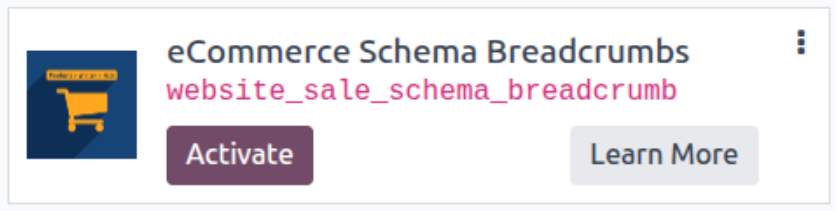
* If you don't see the module, try to remove the default Apps filter from the search bar.
Configuration
Follow the instructions in the module description to complete the installation process and start using the app.
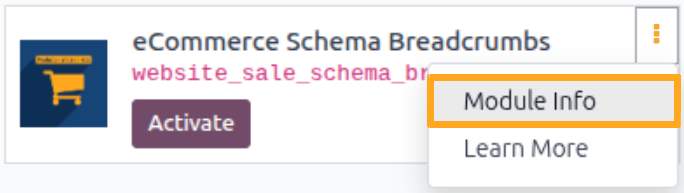

Manual

Account Setup
After installing the module, integrate robota.ua with Odoo by creating an account and synchronizing it with robota.ua.
To create a new account, go to Recruitment — Configuration — Robota.UA — Accounts and click New.
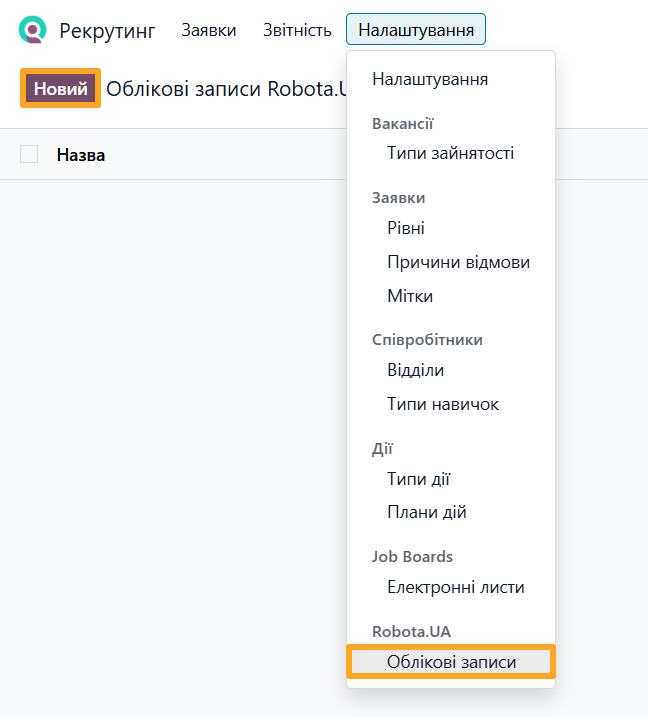
Fill out the form:
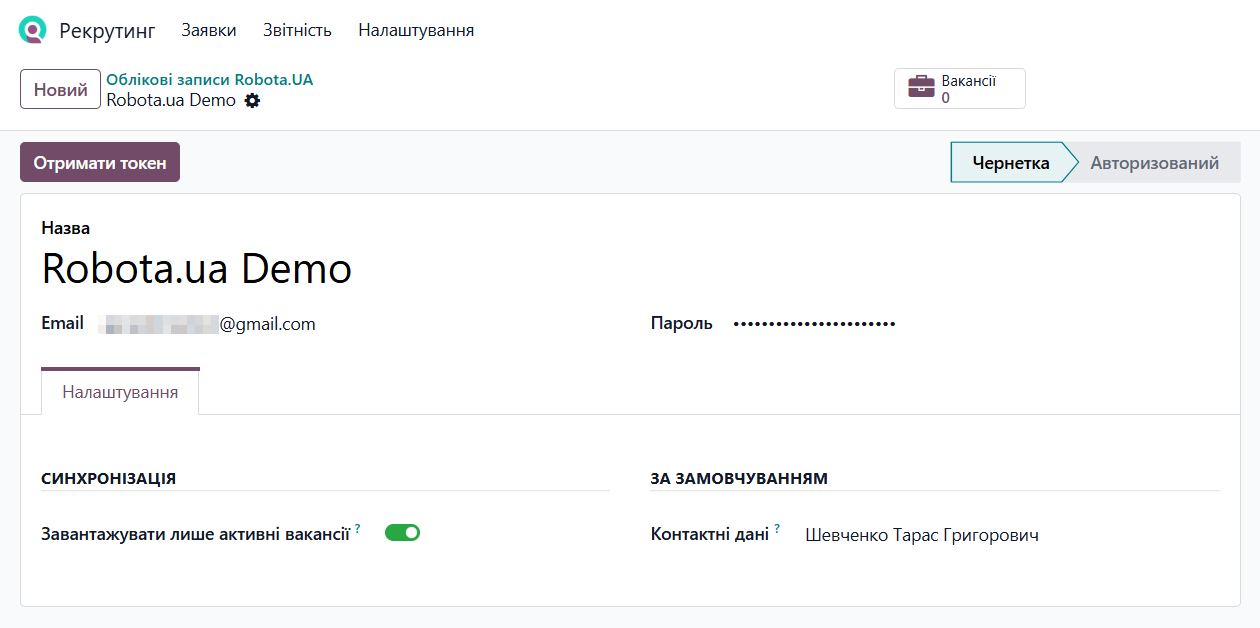
- Enter the account Name and your robota.ua login credentials (Email and Password)
- If you do not need to import hidden job positions, enable the Only Active Vacancies option on the Options tab
- Select a contact in the Contact Data field to use their name, phone number, and email address for job positions
Next, click Get Token to authorize the account and prepare it for synchronization. Once the account status changes to Authorized, click Synchronization.
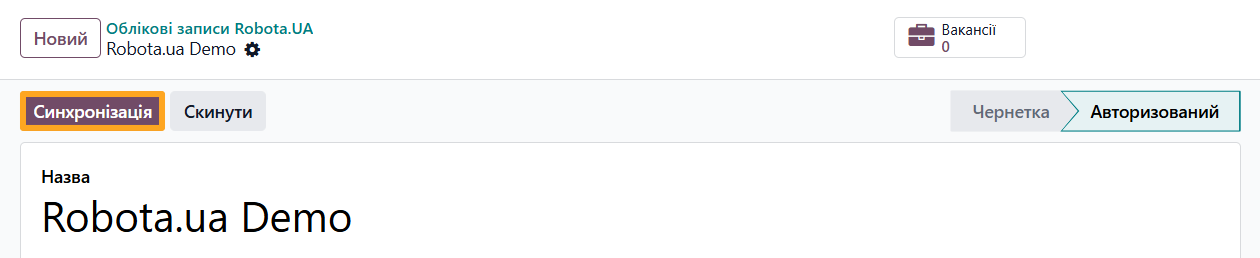
This action performs the initial data synchronization with robota.ua. Going forward, Odoo scheduled actions handle future synchronizations automatically.
Automatic Synchronization
The module automatically retrieves catalogs, job positions, and job applications from robota.ua. Odoo scheduled actions synchronize this data at configured intervals.
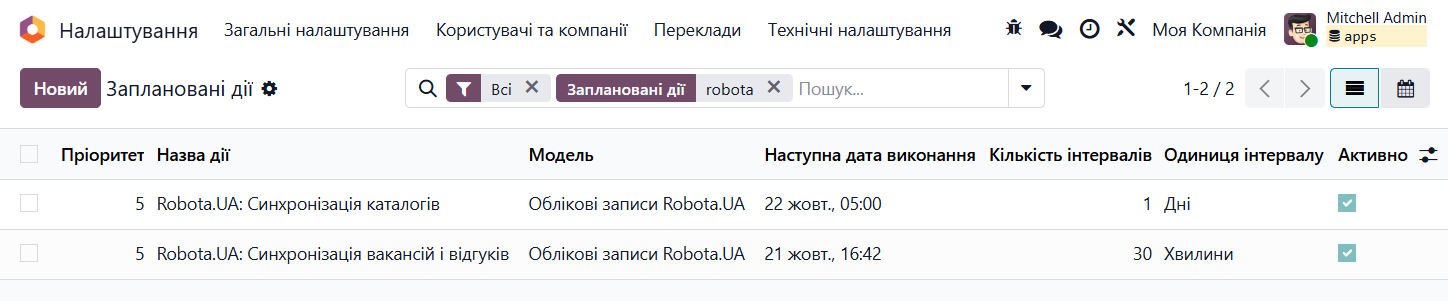
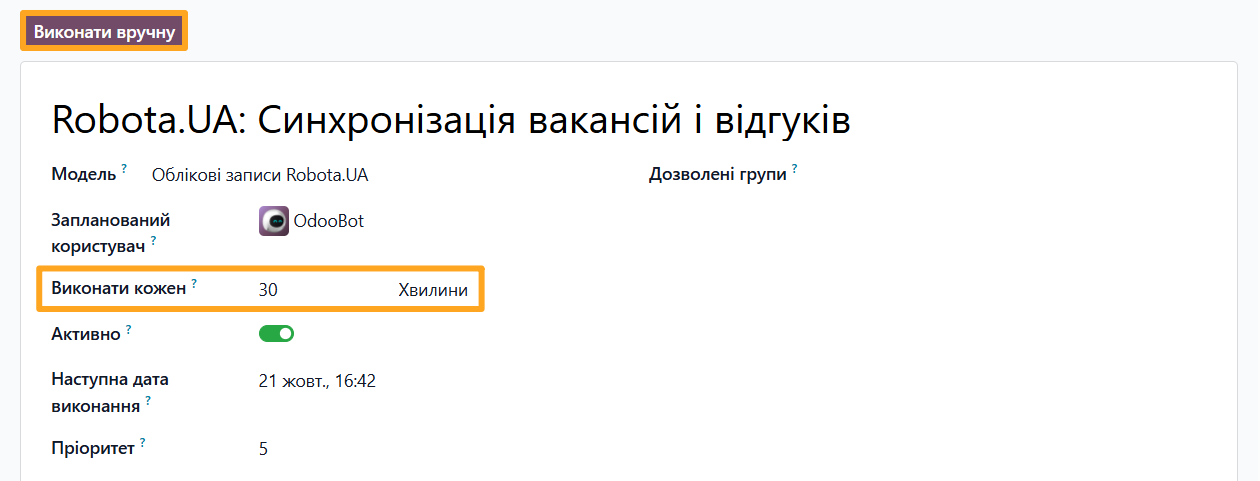
You can adjust the synchronization interval for each scheduled action or run a sync manually.
Synchronization Settings
The module adds an UA Service Integration section to the recruitment settings. This section is shared across other recruitment integration modules by Garazd Creation, such as Work.UA and Djinni.
The following options are available for robota.ua:
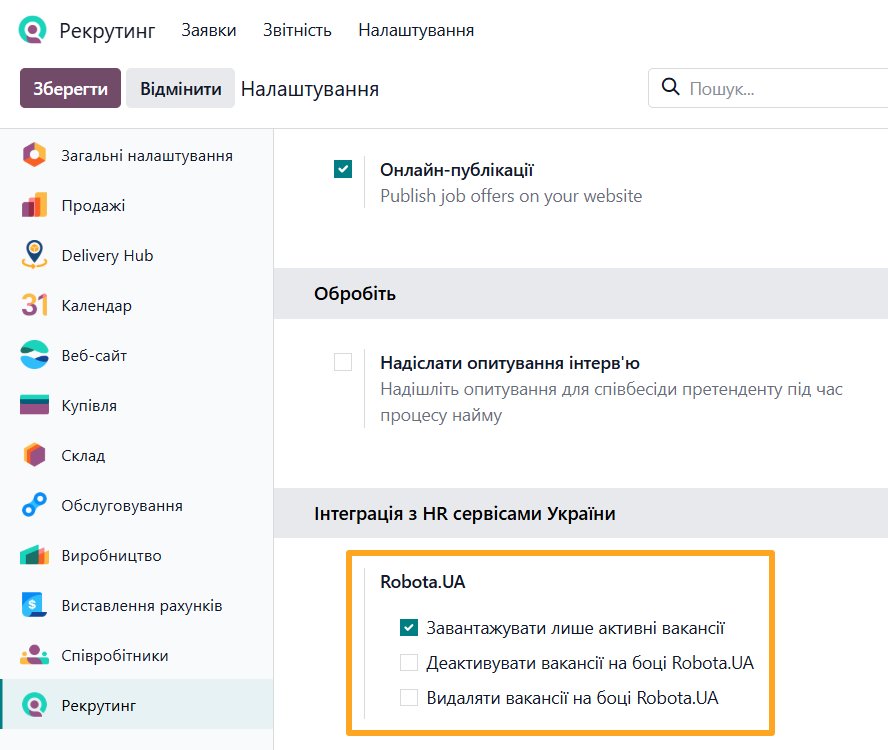
- Upload only active vacancies — whether to synchronize active job positions only or include inactive ones as well
- Deactivate Vacancy on Robota.UA — whether to deactivate job positions on robota.ua after archiving them in Odoo
- Delete Vacancy on Robota.UA — whether to remove job positions from robota.ua after deleting them in Odoo


Managing Job Positions
After account synchronization, the module creates job positions in Odoo and fills them with data from robota.ua.
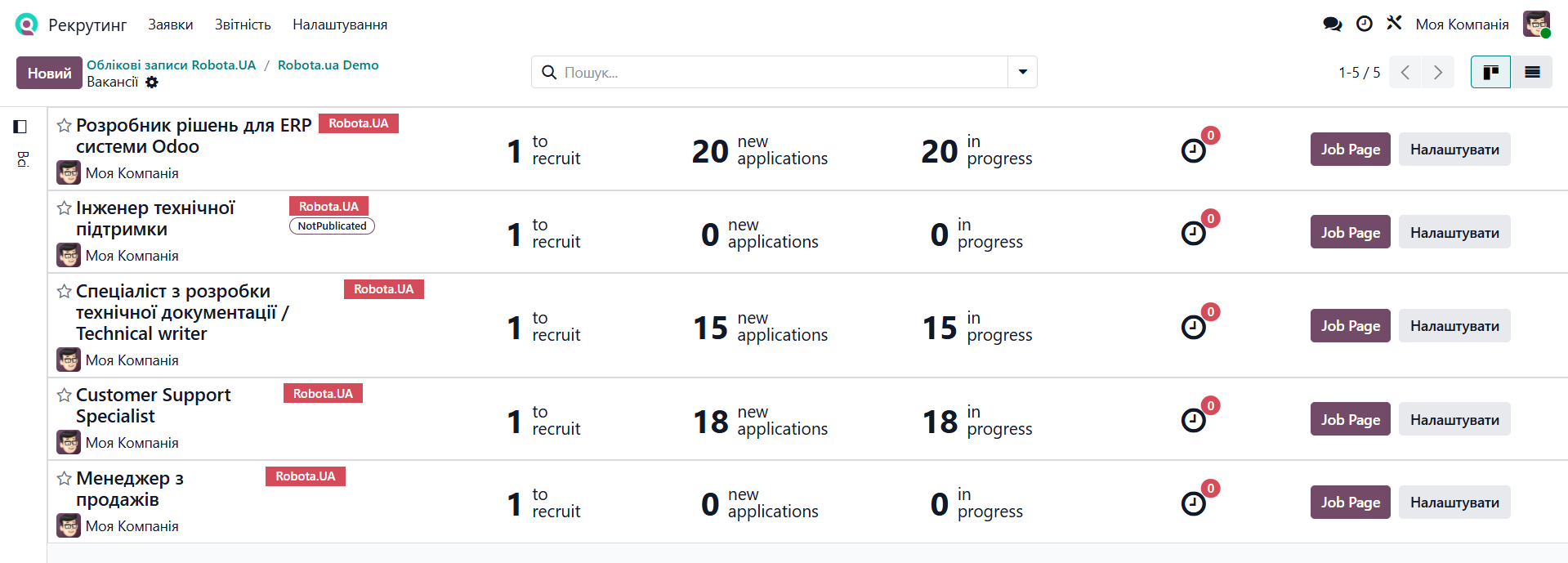
The module allows you to perform the following actions with job positions:
- Publish job positions directly from Odoo
- Manage job position visibility (published/unpublished)
- Edit job position information
- Link an existing Odoo job position to a robota.ua posting
- Delete job positions
Publishing a Job Position
To publish a job position on robota.ua from Odoo, follow the steps below.
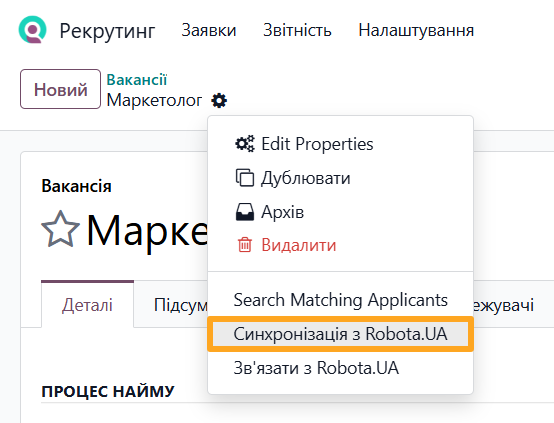
Create a new job position in Odoo or open an existing one, then select the Sync with Robota.UA action.
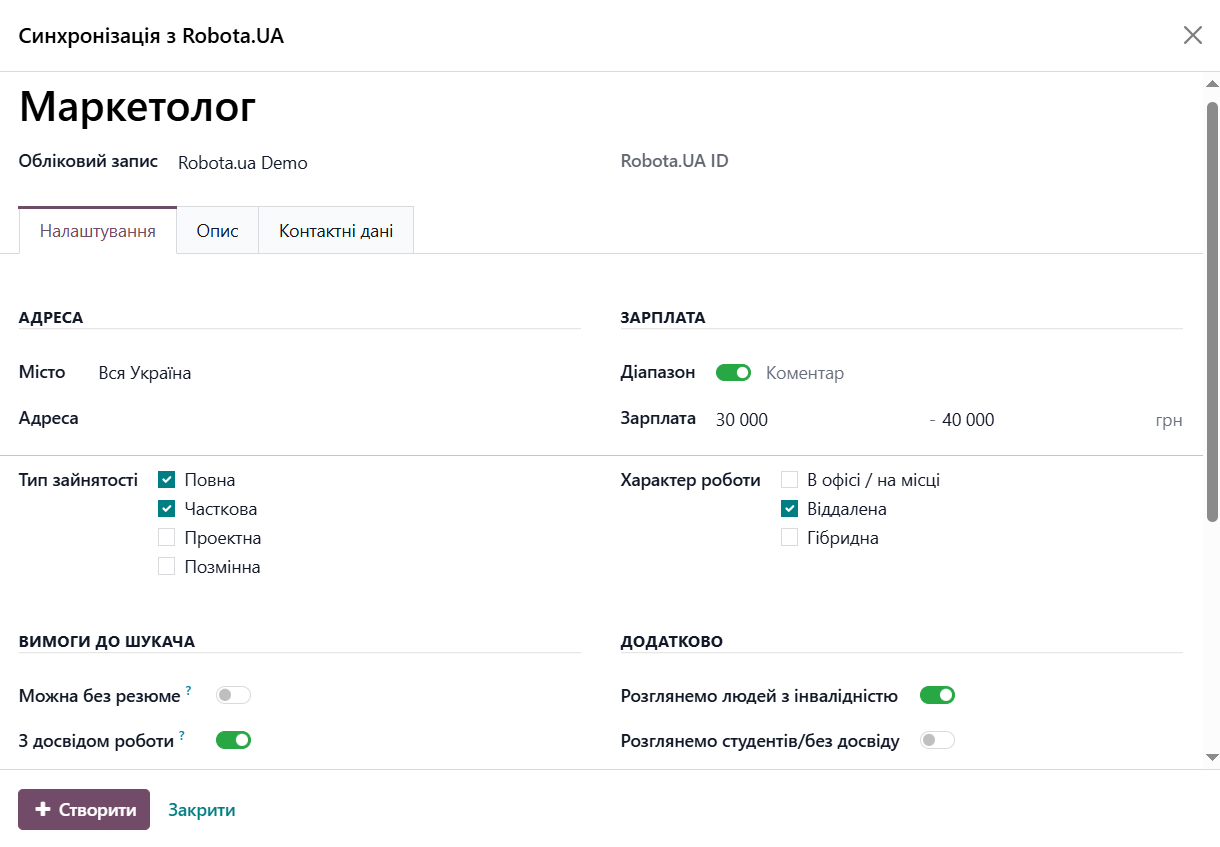
On the Settings tab, fill in the Address, Salary, Requirements, Additional, and Posting sections as needed.
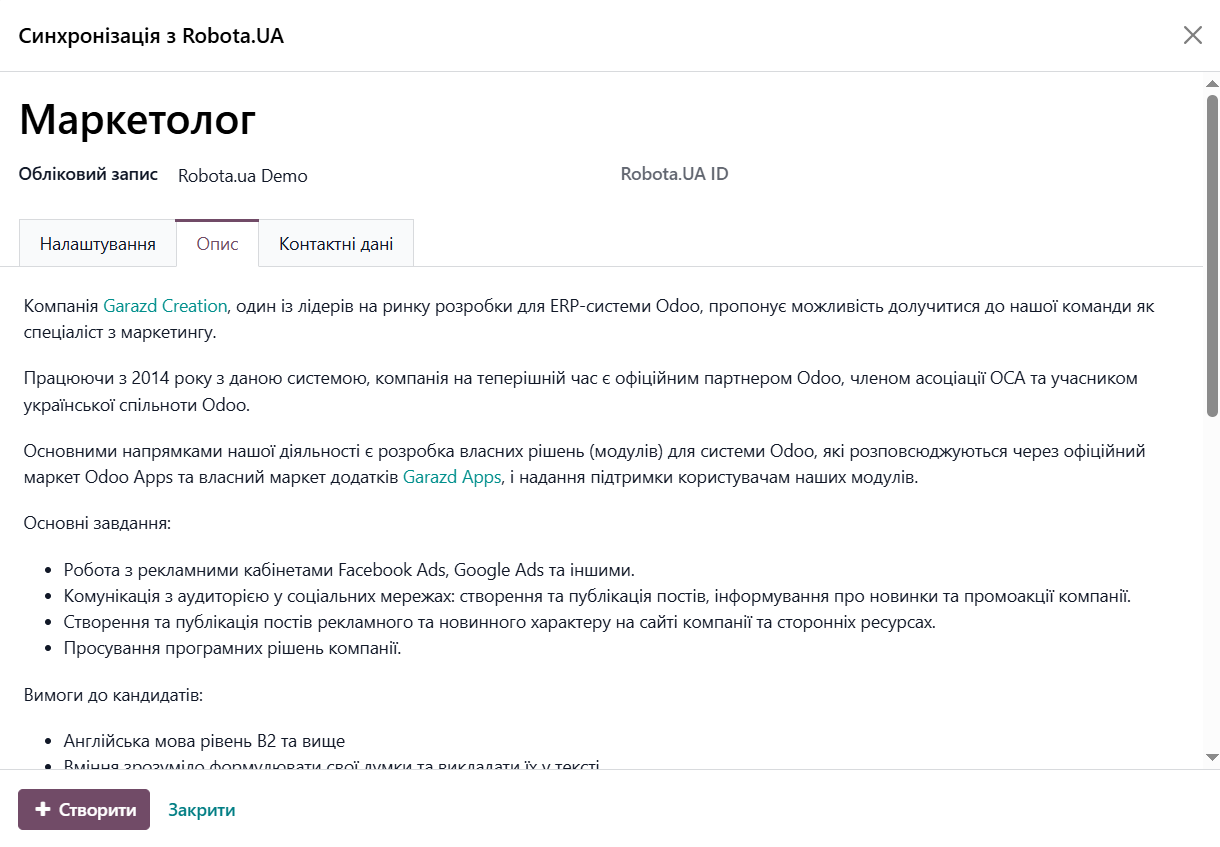
Add a job description on the corresponding tab using HTML formatting if desired.
On the Contact Data tab, you can select a different contact for the job position than the default contact set in account settings.
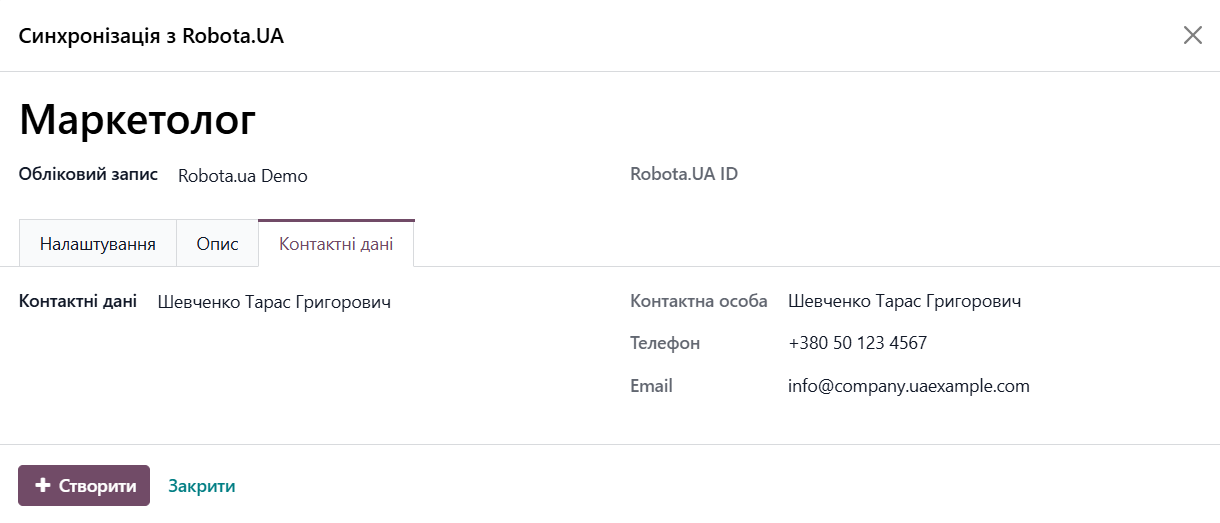
Once all required details are filled in, click Create to generate a job position ID on robota.ua. To finalize publication, activate the listing (see the Job Position Visibility section below).
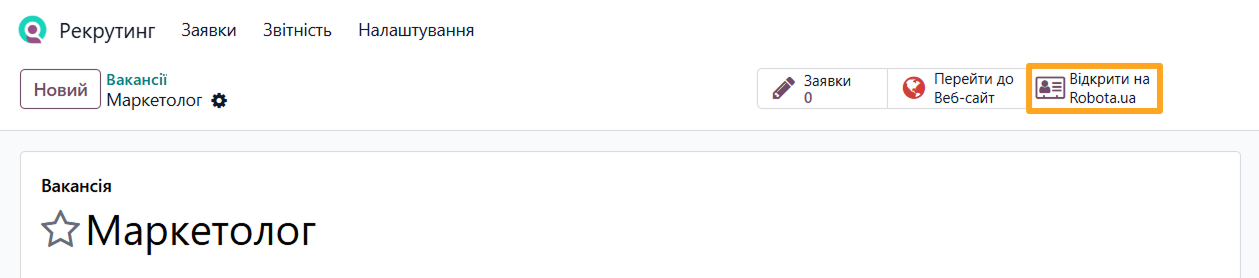
To view the published listing, click Open on robota.ua.
Job Position Visibility
Dedicated action buttons allow you to manage job position visibility on robota.ua:
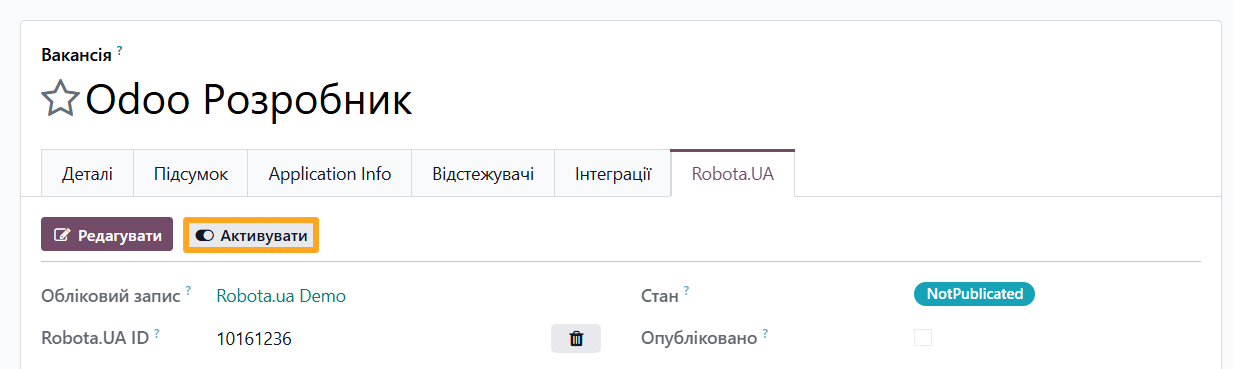
- To publish a job position on robota.ua, click Activate
- To hide a published job position on robota.ua, click Deactivate or archive it in Odoo
Editing a Job Position
To update job position details, go to the Robota.UA tab and click Edit.
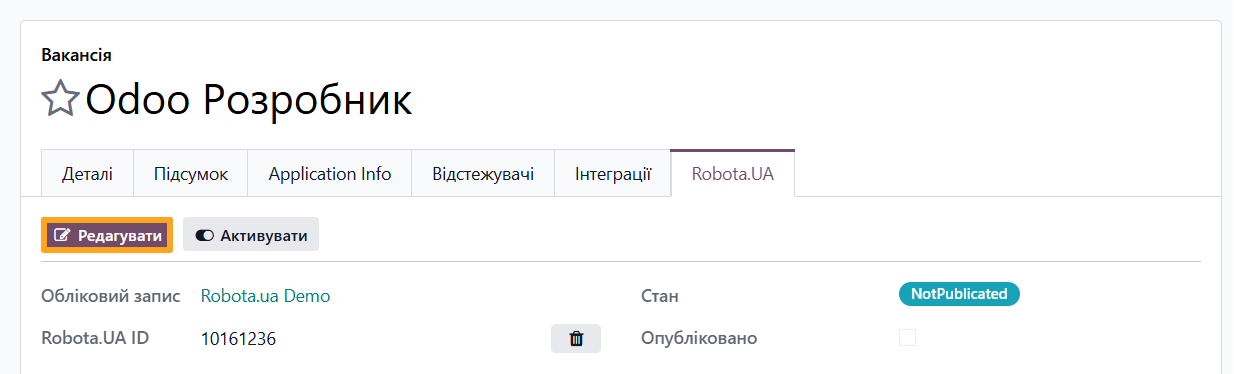
After making your changes, click Sync to update the listing on robota.ua.

Linking a Job Position to robota.ua
To avoid duplicate job positions, you can link matching listings in Odoo with existing postings on robota.ua. Open the target job position and select Link with Robota.UA.
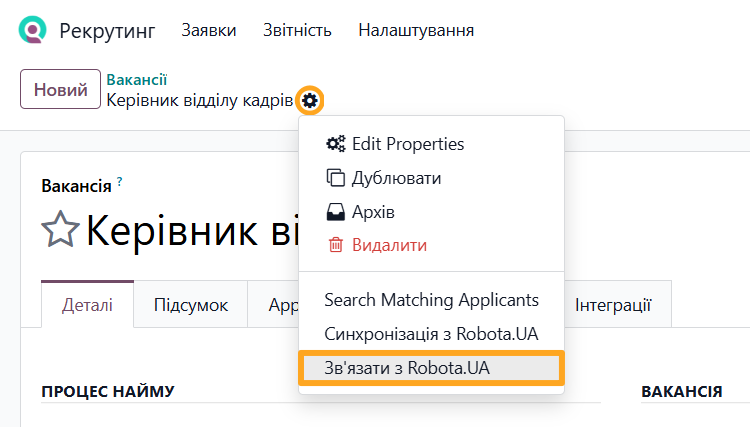
In the pop-up window:
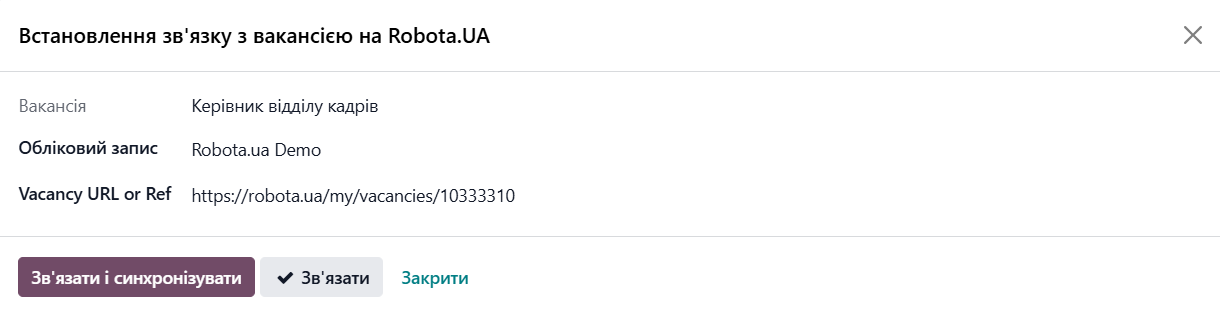
-
01Select your robota.ua Account
-
02Enter the Vacancy URL or Ref
-
03Click Link and Sync or Link to pair without synchronizing
https://robota.ua/my/vacancies/10333310
Additionally, you can re-link a different Odoo job position to the same robota.ua ID:
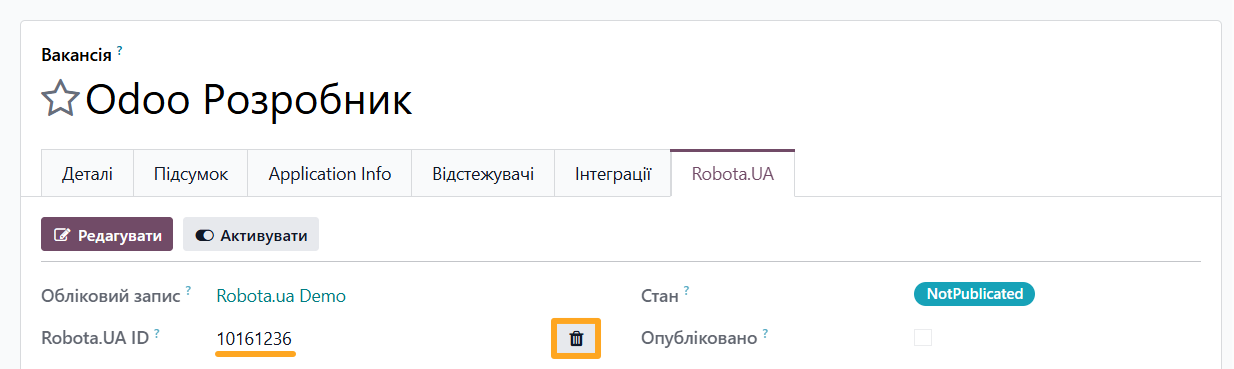
-
01Open the job position you wish to replace on the Robota.UA tab
-
02Copy the Robota.UA ID
-
03Click the delete icon in the Robota.UA ID field
-
04Open the new job position you want to pair and select Link with Robota.UA
-
05In the pop-up window, paste the copied Robota.UA ID
Deleting a Job Position
To remove a job position, select the Delete action.

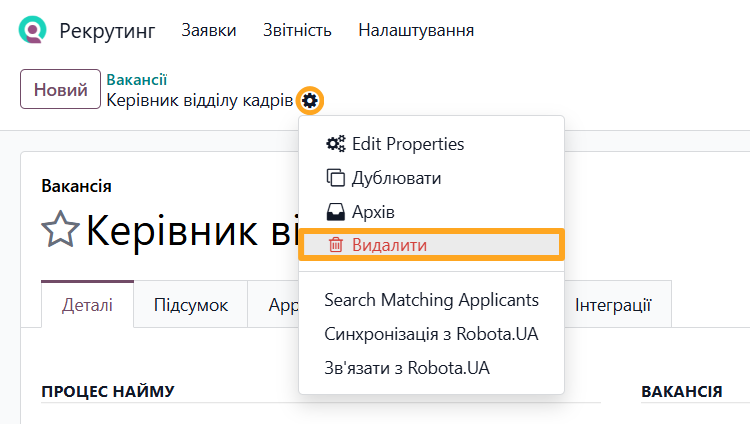

Job Applications
For robota.ua job positions, the module imports job applications complete with full applicant profiles and attached resume files.
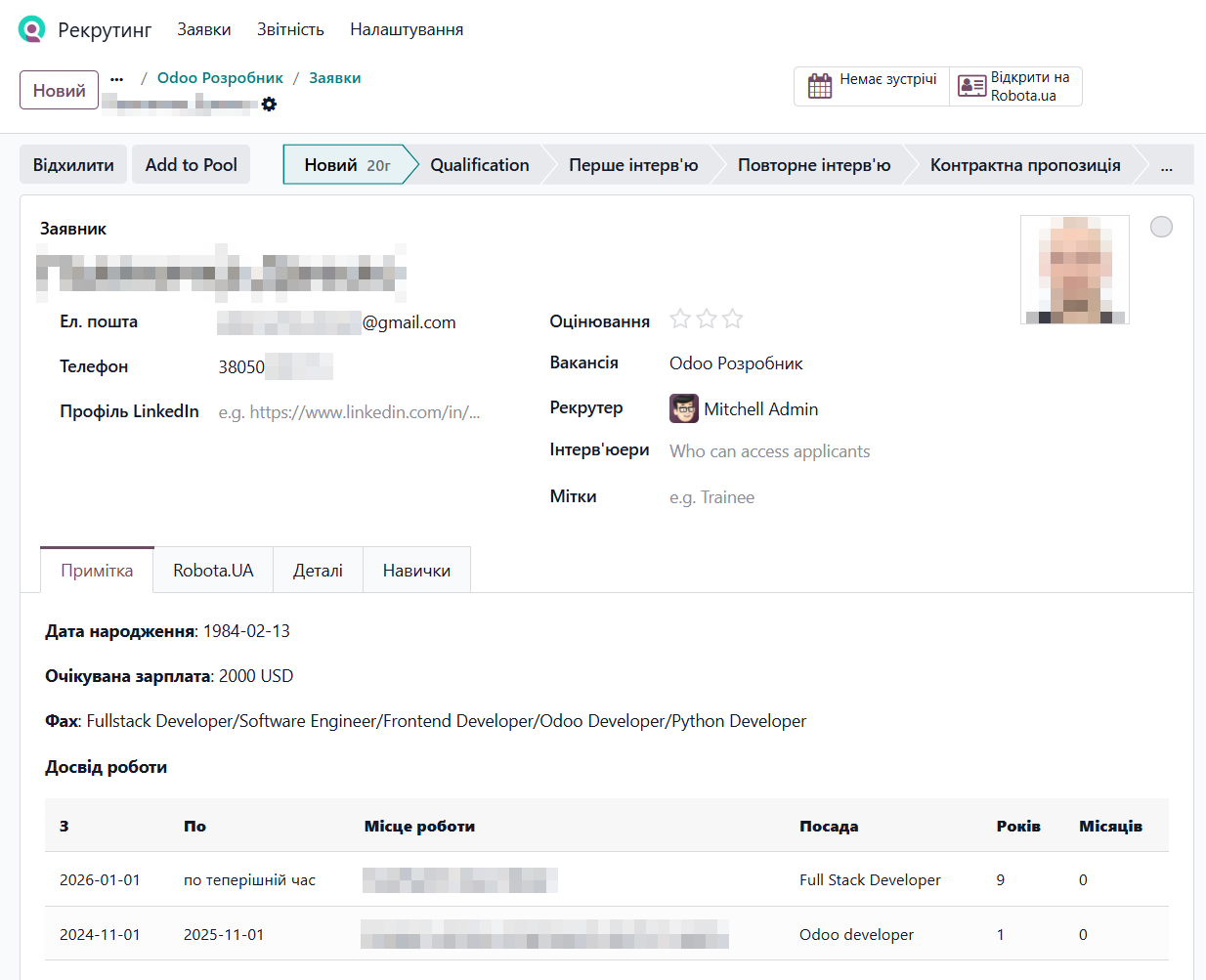
The Note tab displays applicant profile details from robota.ua, including birth date, expected salary, specialty, and work experience. The Robota.UA tab contains the following details:
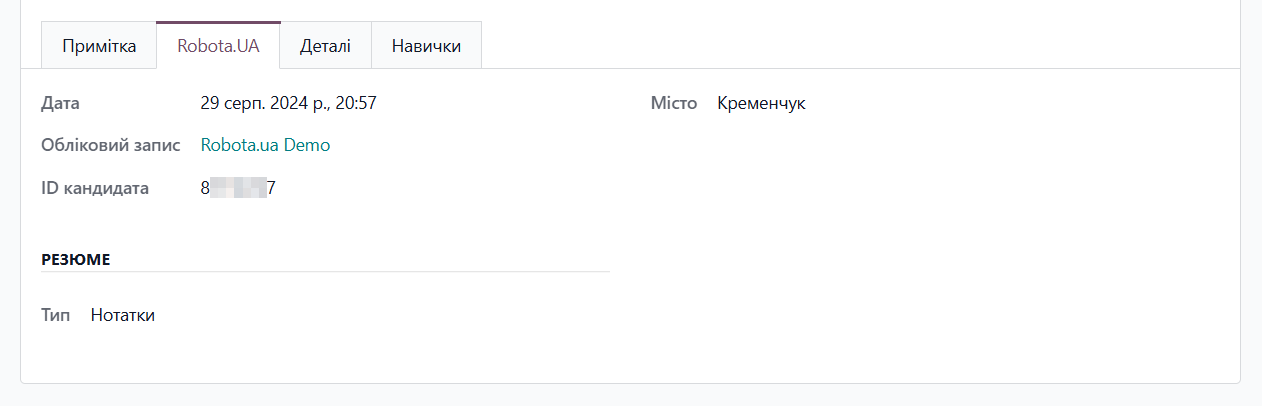
- Date — application synchronization date
- Account — account associated with the job application
- Applicant ID — applicant identifier on robota.ua
- City — city specified by the applicant in their application or profile
- Type — resume attachment type
To view the list of applicant submissions, open a job position and click the Applications button at the top of the page.

To view an applicant's response on robota.ua, open their job application and click Open on Robota.ua.

Changelog
15.0.1.0.1 2026-04-09
- Improve synchronization for candidate data.
15.0.1.0.0 2022-09-24
- Migration from 14.0.
14.0.1.2.1 2026-04-09
- Improve synchronization for candidate data.
14.0.1.2.0 2024-08-16
- Change the API URL from "rabota.ua" to "robota.ua".
14.0.1.1.0 2021-06-25
14.0.1.0.0 2021-05-11
- Init version.
16.0.1.1.2 2026-04-09
- Improve synchronization for candidate data.
16.0.1.1.1 2024-12-10
- Improve UA translations.
- Improve logic to change a vacancy state.
- Add the internal Robota.ua errors and warnings hadling.
16.0.1.1.0 2024-12-06
- Improve the job form view for Robota.ua data.
- Add settings for synchronization.
- Implement additional actions with the Robota.UA jobs: creating, editing, deactivating, deleting.
16.0.1.0.0 2023-01-03
- Migration from 15.0.
17.0.1.3.0 2026-08-19
- Adapt module's logic Rabota UA API changes.
17.0.1.2.3 2026-06-04
- Improve API authorization request error handling.
17.0.1.2.2 2026-04-08
- Fixed a bug with candidate data synchronization.
17.0.1.2.1 2024-12-16
- Improve UA translations.
- Improve logic to change a vacancy state.
- Add the internal Robota.ua errors and warnings hadling.
17.0.1.2.0 2024-12-07
- Improve the job form view for Robota.ua data.
- Add settings for synchronization.
- Implement additional actions with the Robota.UA jobs: creating, editing, deactivating, deleting.
17.0.1.1.0 2024-05-31
- Improve the brief resume view, rebuild with HTML.
17.0.1.0.1 2024-05-28
- Implement handling of cases when an applicant name is not specified.
17.0.1.0.0 2024-02-02
- Migration from 16.0.
18.0.1.1.0 2026-08-19
- Adapt module's logic Rabota UA API changes.
18.0.1.0.2 2026-06-04
- Improve API authorization request error handling.
18.0.1.0.1 2026-04-08
- Fixed a bug with candidate data synchronization.
18.0.1.0.0 2024-12-07
- Migration from 17.0.
19.0.1.1.1 2026-09-16
- Improve UA translations.
- Improve processing for the new vacancy states.
- Improve views.
19.0.1.1.0 2026-08-19
- Adapt module's logic Rabota UA API changes.
19.0.1.0.4 2026-08-14
- Add an option to sync published or unpubliched vacancies to the Robota.ua accounts.
- Improve views.
19.0.1.0.3 2026-06-25
- Add button to unlink Rabota.UA reference for vacancy on job form.
- Add buttons to activate/deactivate vacancy on Rabota.UA from job form.
19.0.1.0.2 2026-06-04
- Improve API authorization request error handling.
19.0.1.0.1 2026-04-08
- Improve synchronization for candidate data.
19.0.1.0.0 2025-10-24
- Migration from 18.0.
20.0.1.0.0 2026-10-07
- Migration from 19.0.
Resources


Automate your HR recruitment in Odoo by integrating with Robota.ua

Automate your recruitment process by integrating the Work.ua job search service with Odoo