
Introduction
In today’s fast-paced business environment, the speed at which you fill vacancies directly depends on the efficiency of your recruitment tools. If your company uses Odoo, you already know the benefits of managing your processes within a single ecosystem. However, manually copying applications from Work.ua can slow down your hiring process.
The Odoo Work.ua integration module by Garazd Creation solves this problem by creating a direct connection between Ukraine’s leading job search service and your ERP system.
Why Does Your HR Department Need the Integration?
The Work.ua integration turns the Odoo Recruitment app into a powerful talent management center. Instead of dealing with a cluttered inbox and many browser tabs, you get:
- Automatic import of applications with resume files
- Job position management directly from Odoo
- Background data synchronization
Get Started Quickly: Configure Your Account
The integration process is simple. After installing the module:
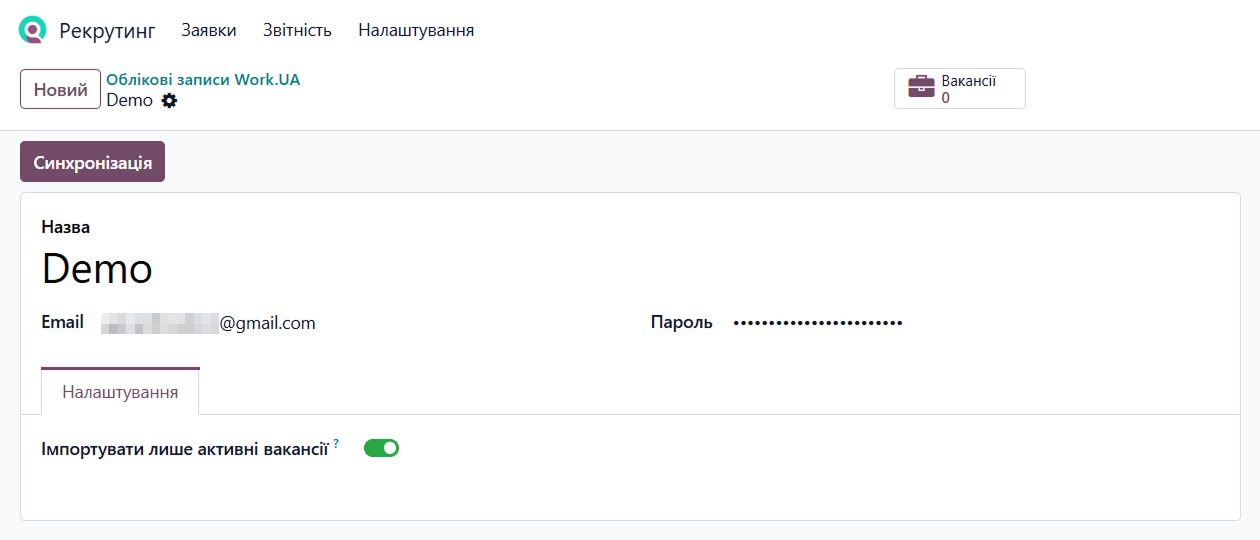
- Go to Recruitment — Configuration — Work.UA — Accounts
- Create a new account and enter a name and your Work.ua credentials (Email and Password)
- Click Synchronization to import your existing data
Full Control Over Job Positions
The module lets you perform all key job position management tasks without visiting the Work.ua website.
Publishing
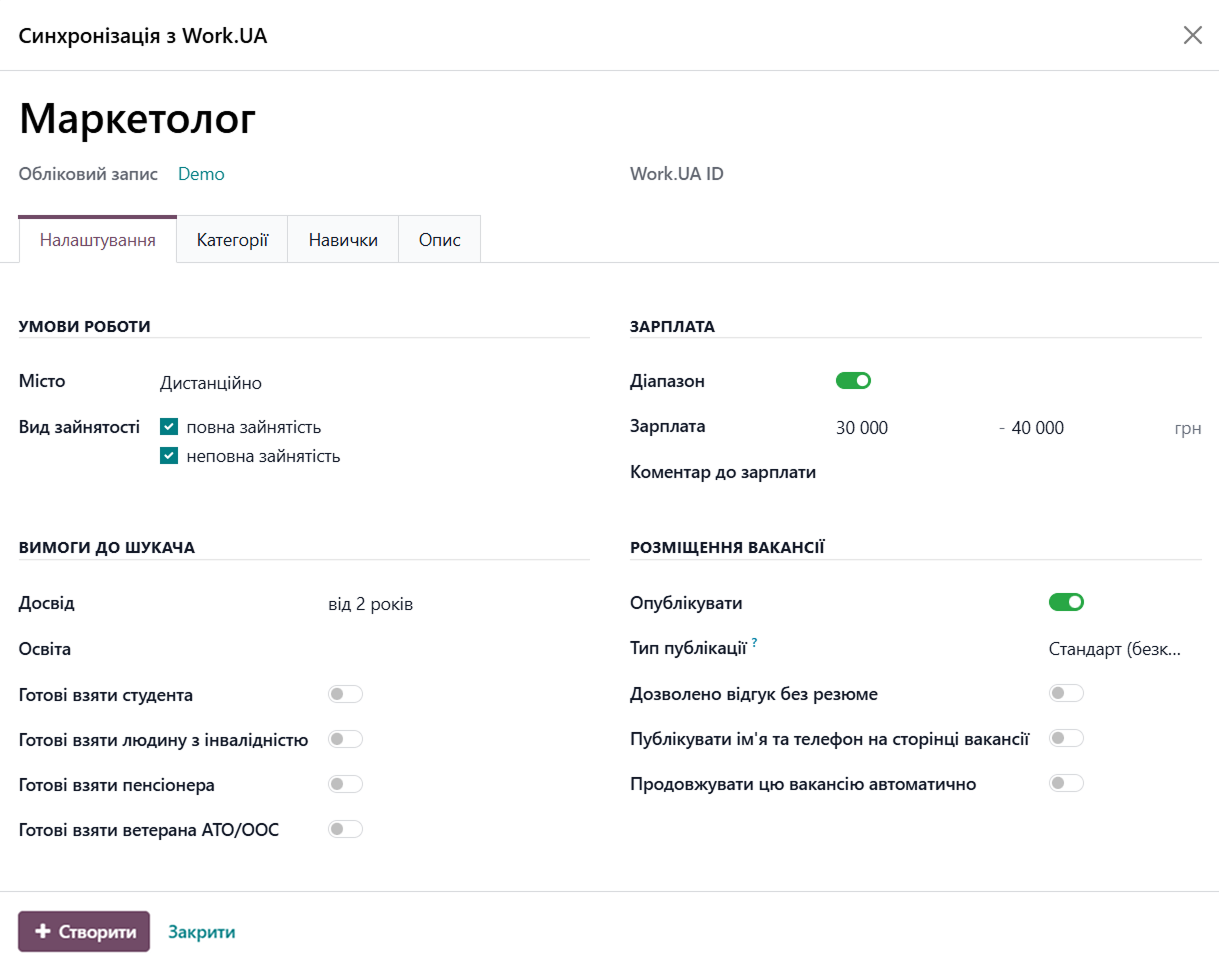
Create a vacancy in Odoo, select the categories, skills, and publication type, and it appears on Work.ua as soon as you click Create.
Editing
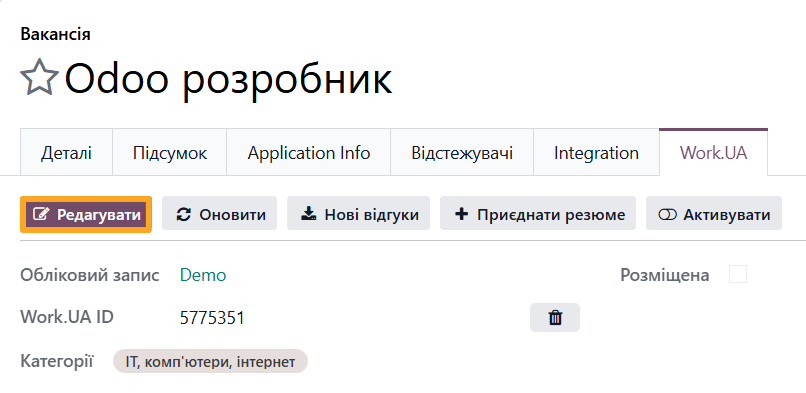
Update job conditions or requirements in Odoo and synchronize the changes with Work.ua with one click.
Linking
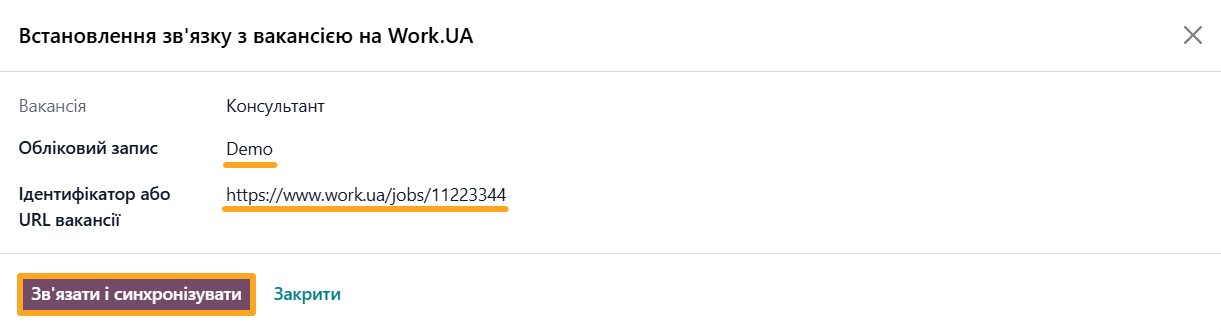
If you have already published a vacancy on Work.ua, you can link it to the corresponding Odoo record using its ID or URL.
Automatic Management
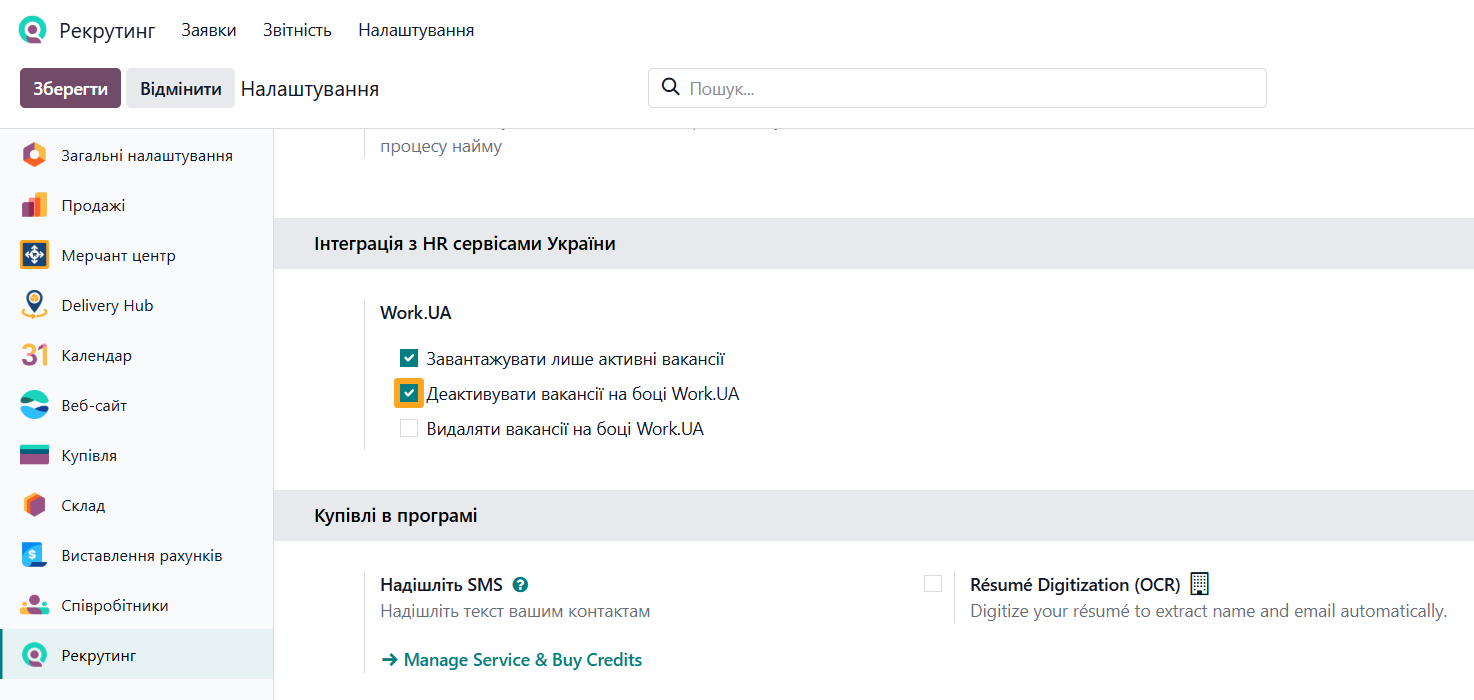
Configure the system to automatically deactivate a vacancy on Work.ua when you archive it in Odoo.
Managing Candidates: Keep Resumes at Hand
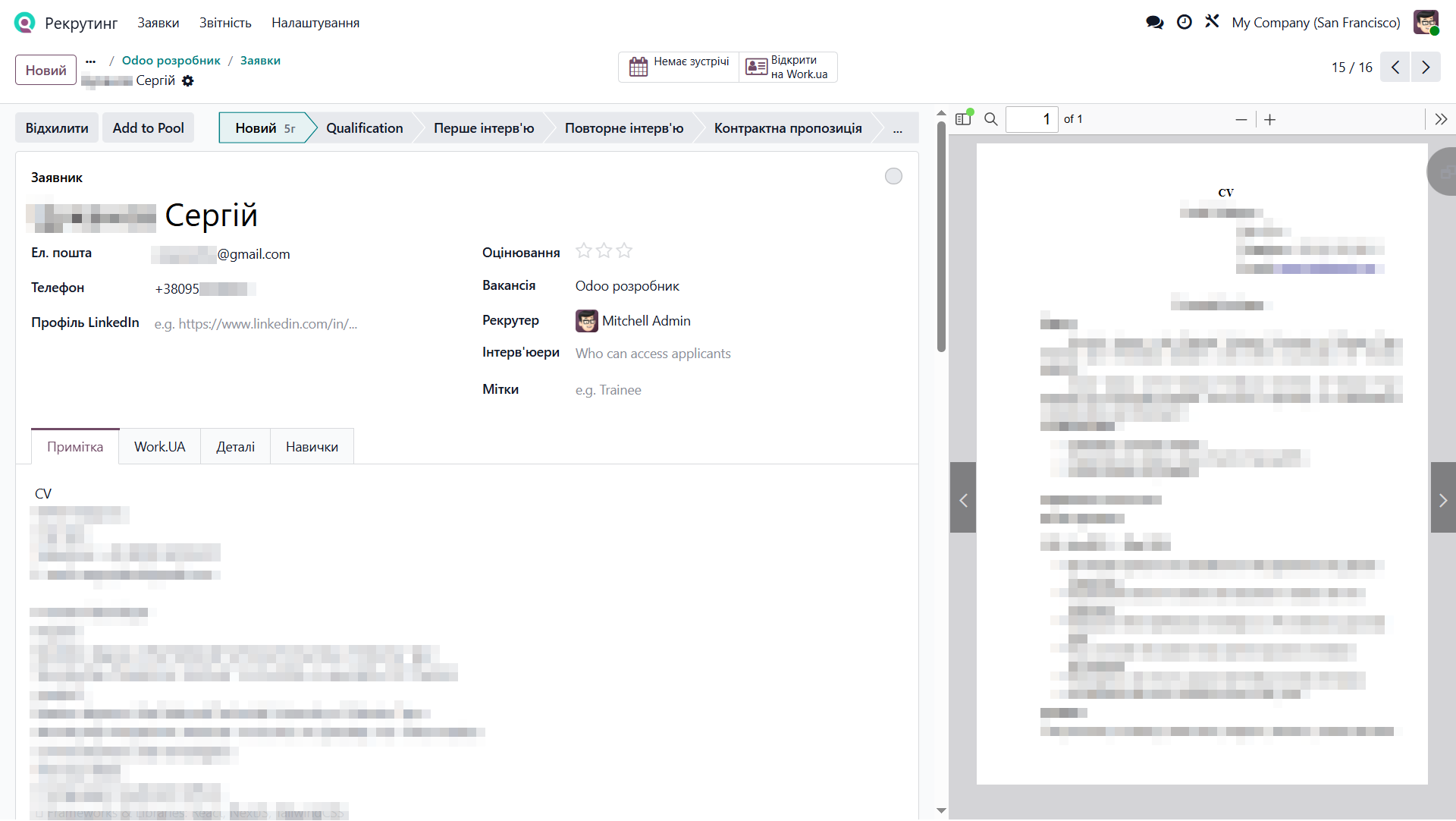
The main advantage of the integration is streamlined application management. When a candidate applies through Work.ua, the module automatically creates an application in Odoo.
You can view the candidate’s complete details and the attached resume directly in the application form.
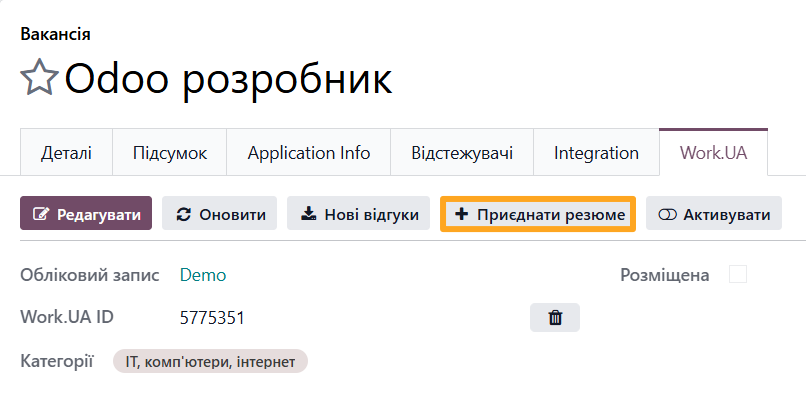
If you find a promising candidate yourself, use the Add Resume feature to add the candidate to your Odoo database using their Work.ua profile link.
Smart Automation
With Odoo scheduled actions, the module automatically synchronizes catalogs, vacancies, and applications at a specified interval, such as every 30 minutes. This helps ensure that you do not miss any promising candidates.

In addition, Garazd Creation offers other HR service integrations, including Robota.UA and Djinni, so you can scale your recruitment strategy without adding extra manual work.
Summary
Ready to take your recruitment process to the next level? The Odoo Work.ua Integration by Garazd Creation saves your team time and helps you maintain a high-quality candidate database. Eliminate routine tasks and focus on finding the right people.