
Overview
Implementing the module automates the creation of Nova Poshta shipments across Ukraine directly in Odoo.
| Availability |
Odoo Online
Odoo.sh
On Premise
|
|---|---|
| Compatibility |
Community
Enterprise
|
| Technical Name | website_delivery_np |
| Version | 19.0.1.0.0 |
| License | OPL-1 |
| Category | |
| Support | Free 60 days support and 360 days bug-fixing |
Use Case

Jorem ipsum dolor sit amet, consectetur adipiscing elit. Nunc vulputate libero et velit interdum, ac aliquet odio mattis. Class aptent taciti sociosqu ad litora torquent per conubia nostra, per inceptos himenaeos.
Forem ipsum dolor sit amet, consectetur adipiscing elit. Nunc vulputate libero et velit interdum, ac aliquet odio mattis. Class aptent taciti sociosqu ad litora torquent per conubia nostra, per inceptos himenaeos.
Dorem ipsum dolor sit amet, consectetur adipiscing elit. Nunc vulputate libero et velit interdum, ac aliquet odio mattis.
It is a long established fact that a reader will be distracted by the readable content of a page
Korem ipsum dolor sit amet, consectetur adipiscing elit. Nunc vulputate libero et velit interdum, ac aliquet odio mattis. Class aptent taciti sociosqu ad litora torquent per conubia nostra, per inceptos himenaeos.
Korem ipsum dolor sit amet, consectetur adipiscing elit. Nunc vulputate libero et velit interdum, ac aliquet odio mattis.
Odoo App Installation
Upload modules
Upload modules from the ZIP archive to your Odoo hosting, or a GitHub repository connected there.
Place the unzipped modules in your custom add-on directory and restart the Odoo system service.
Update App List
After restarting, activate the Developer Mode, and go to the Apps menu.

Click on Update Apps List to fetch the new modules in the list.
Activate the App
Install the new module, finding it by name and clicking on the Activate button.
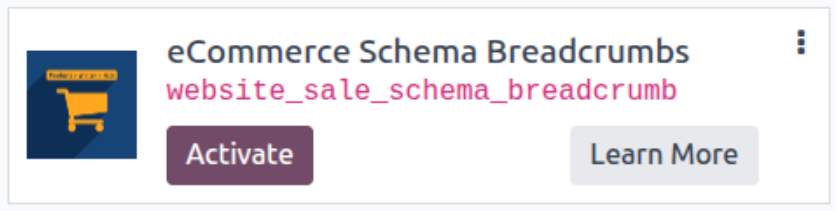
* If you don't see the module, try to remove the default Apps filter from the search bar.
Configuration
Follow the instructions in the module description to complete the installation process and start using the app.
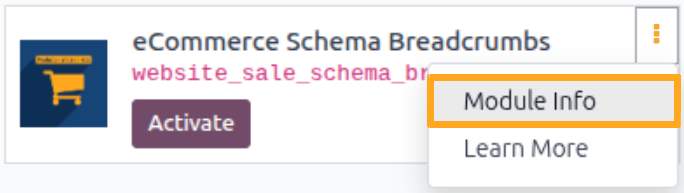

Manual

Configuration
To allow website customers to place orders with delivery to Nova Poshta branches and postomats, configure and publish the delivery method.
After installing the module, go to Nova Poshta — Configuration — Shipping Methods to set up the Nova Poshta delivery method.
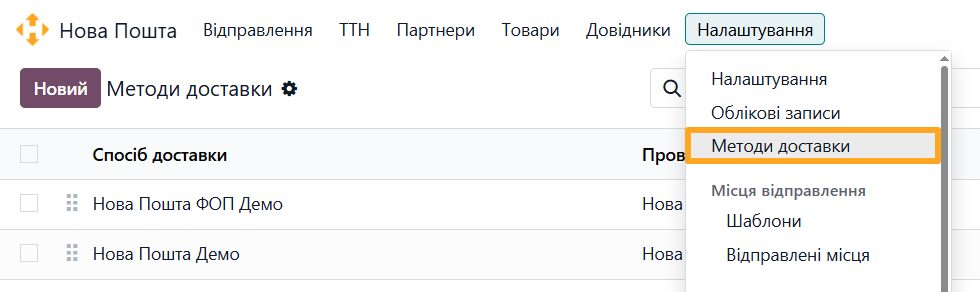

To create a new delivery method, click New and complete the form:
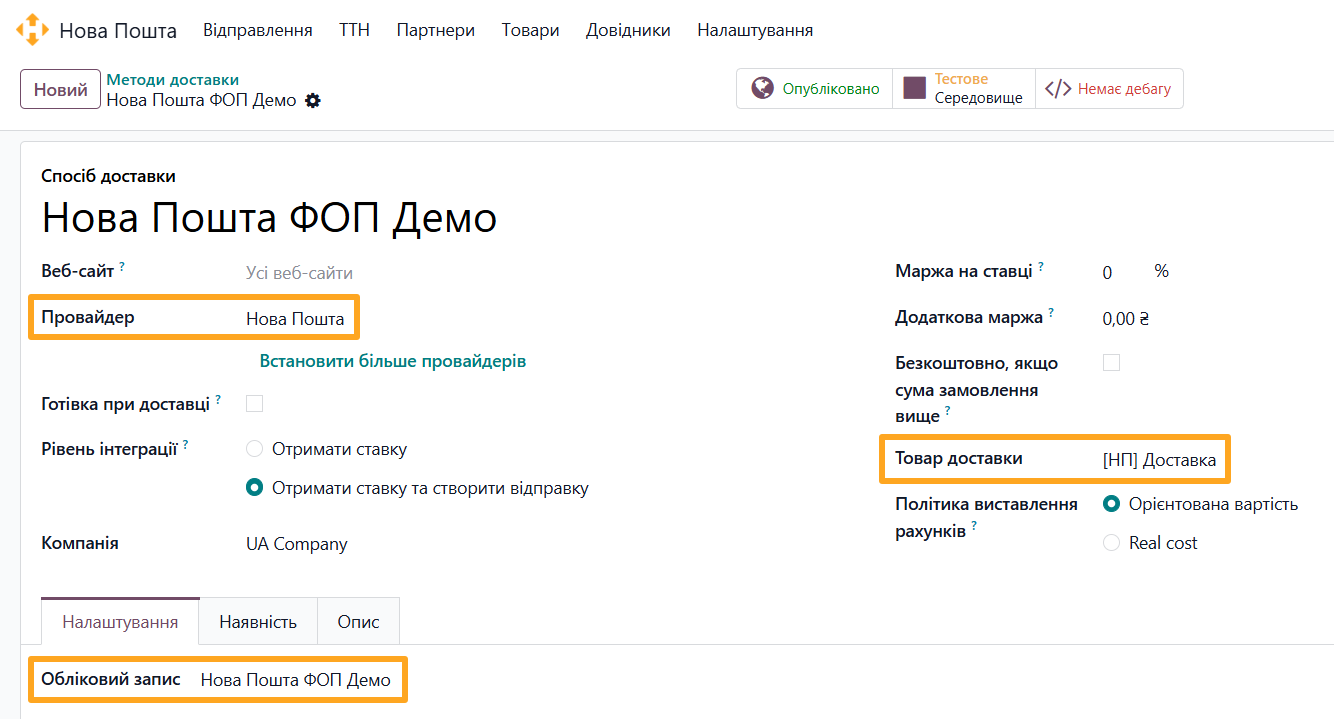
- Select Nova Poshta as the Provider
- Choose a configured Account
- Select the automatically created [NP] Delivery as the Delivery Product
To make the Nova Poshta delivery method available on the website, set its status to Published.


Usage
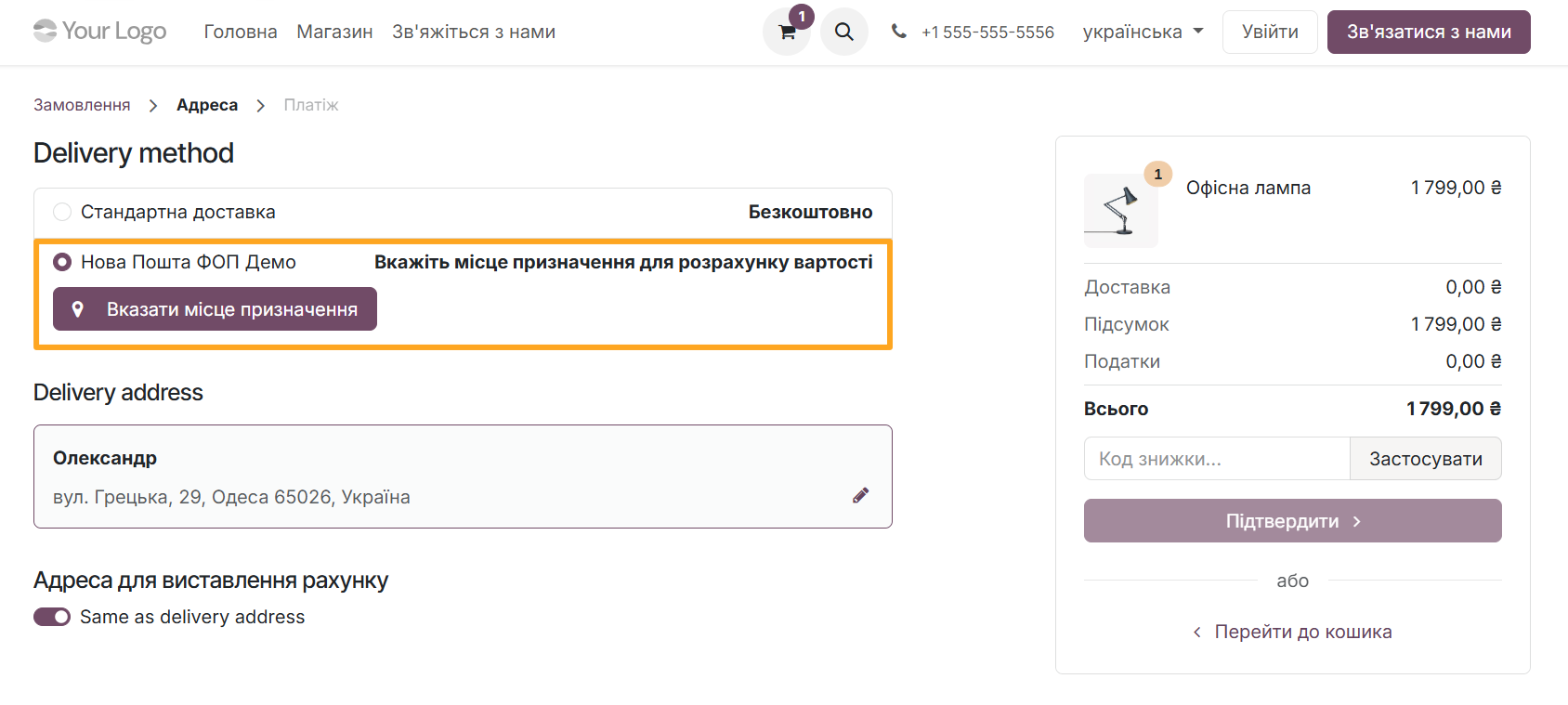
The published Nova Poshta delivery method becomes available on your Odoo website during checkout. To create a shipment from the website, select this method and click Specify Destination to set the delivery location.
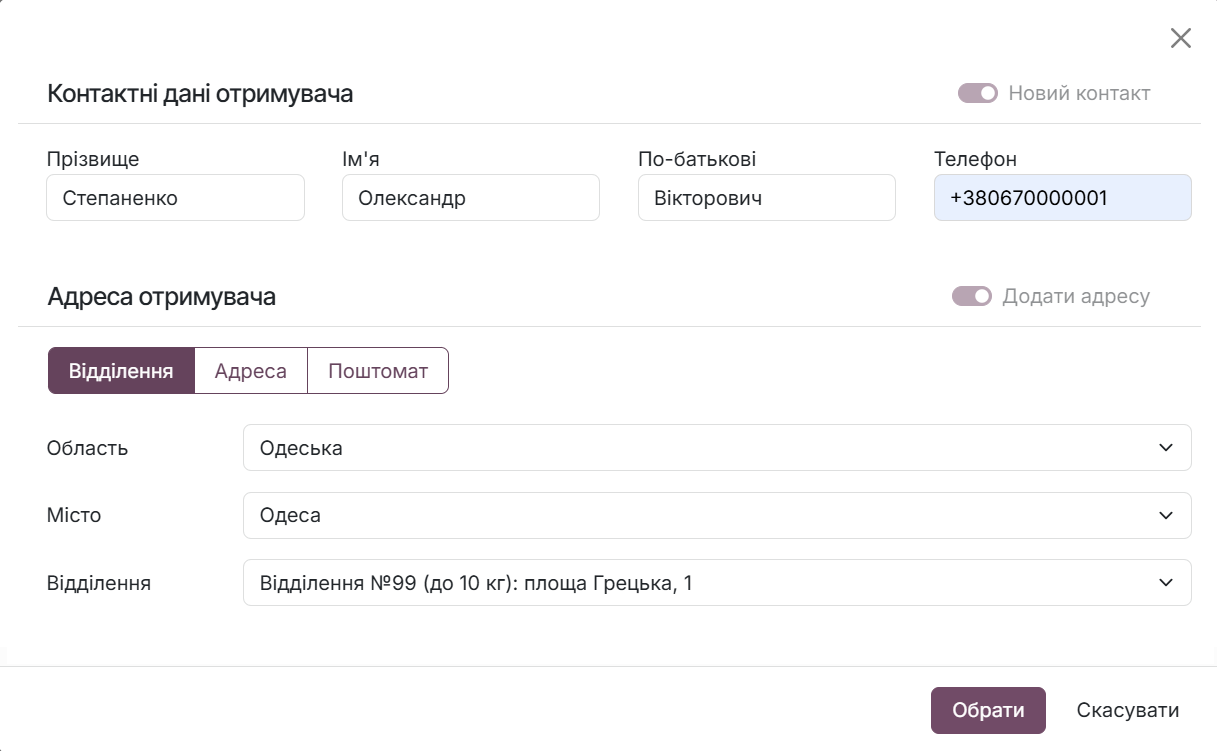
In the pop-up window, enter contact details and select a Nova Poshta warehouse, postomat, or courier delivery address.
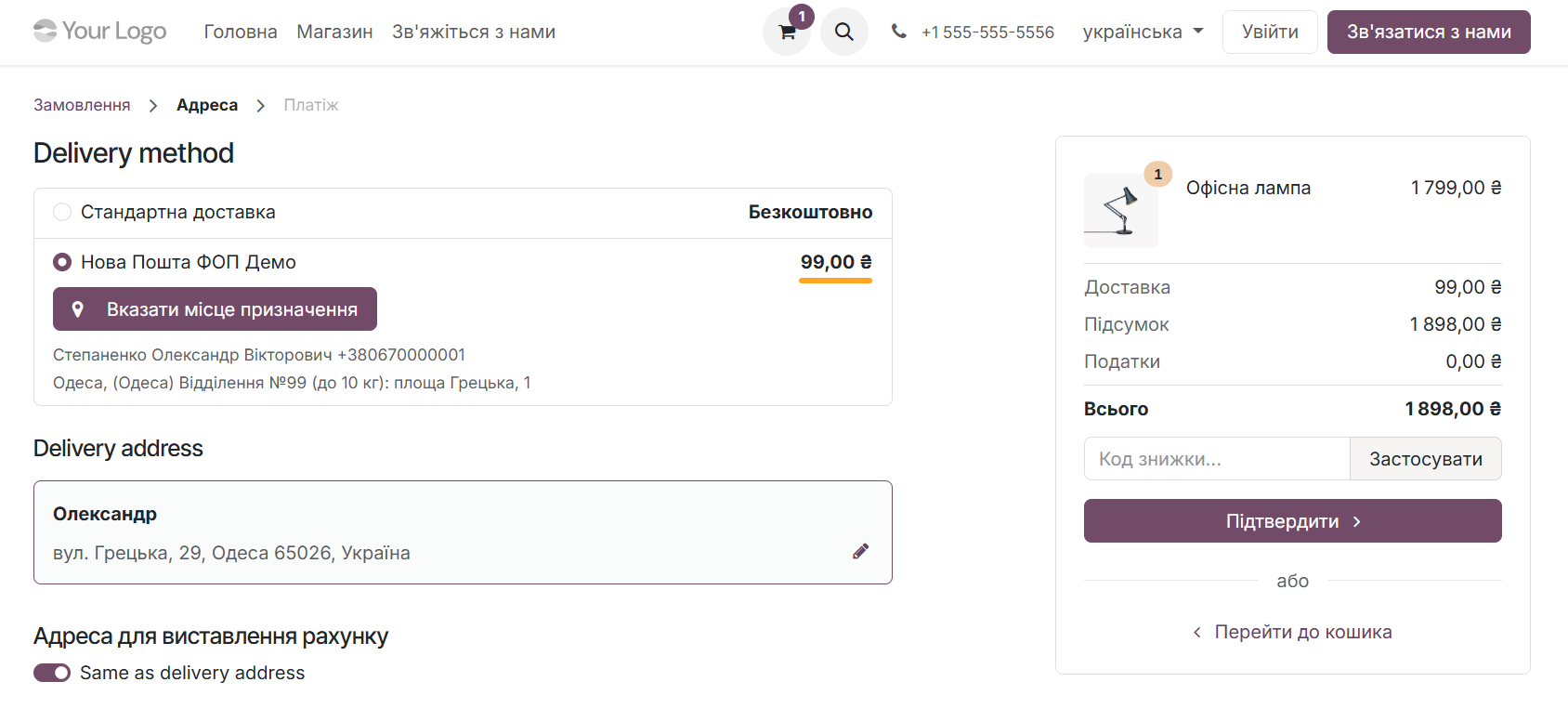
Upon confirmation, the module automatically calculates the shipping cost and creates the shipment.
Changelog
19.0.1.0.0 2025-10-24
- Migration from 16.0.
18.0.1.0.0 2026-04-06
- Migration from 19.0.
Resources


Learn how to configure data synchronization with Nova Post and connect a real-time waybill status update mechanism


How to ship products across Ukraine and worldwide via Nova Post delivery service in Odoo