
What are GS1 Barcodes?
GS1 barcodes are an international labeling standard used for the unified identification of products, logistics units, locations, batches, and business processes across global supply chains. Thanks to consistent encoding rules, they ensure a common understanding of data across different countries, companies, and software systems.
In Odoo, GS1 barcodes can be used to label products, packages, pallets, serial numbers, expiration dates, batches, logistics units, and more. This simplifies scanning and tracking products at every stage — from production to the end consumer.
The Odoo Label Builder GS1 Barcodes module extends the capabilities of the Odoo Label Builder Professional Edition by adding support for GS1 barcodes on product labels. It enables barcode appearance customization, provides single and multiple values per barcode, and offers flexible data management for encoding.
Sample 100x150 mm label with GS1 barcodes in PDF format:
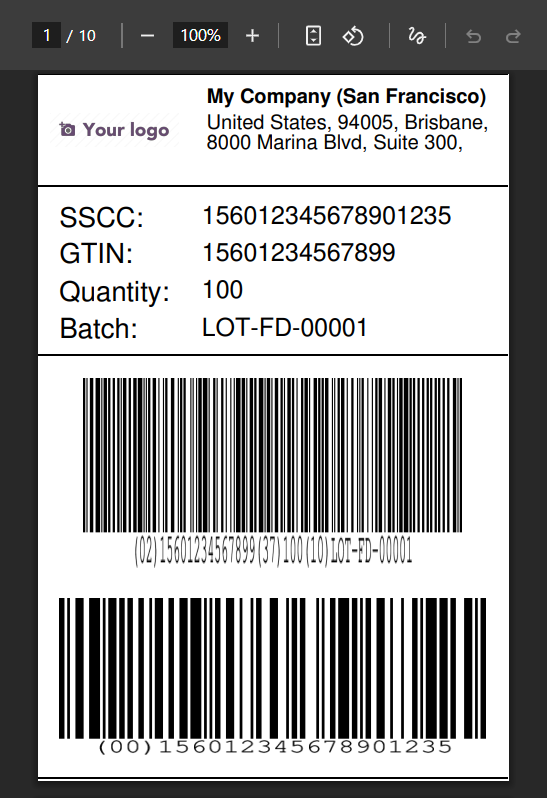
Setup and Usage of GS1 Barcodes
The module includes a sample label template with pre-configured GS1 barcodes:
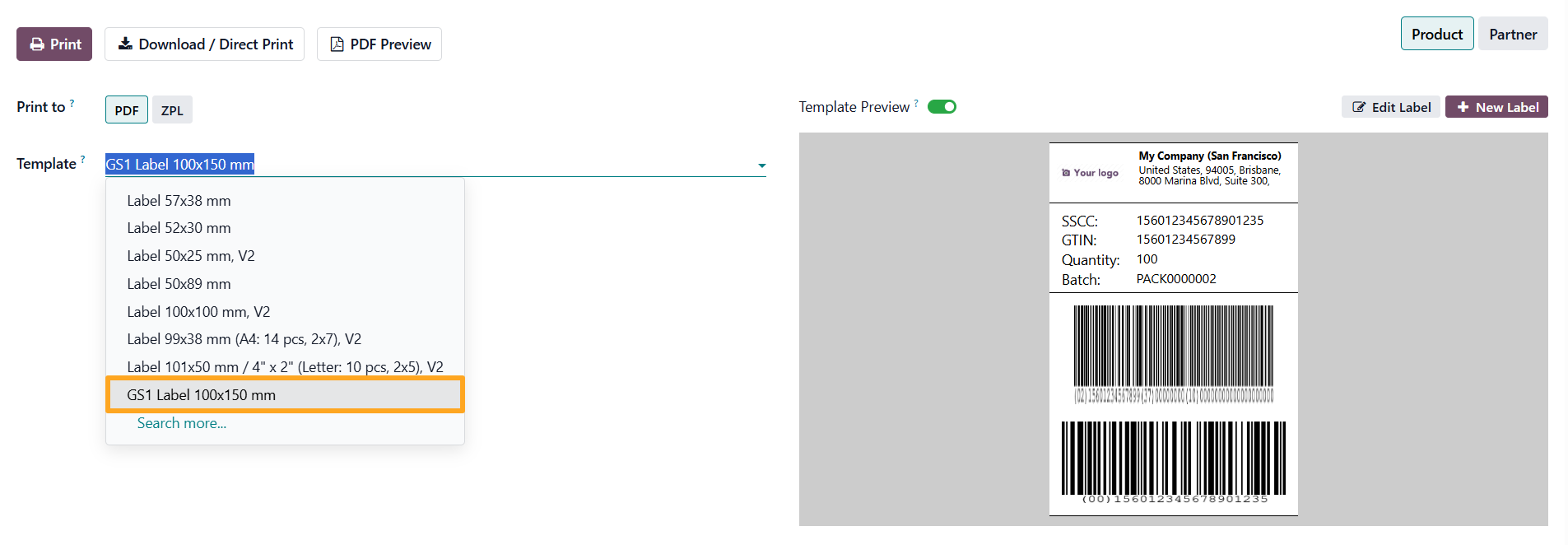
The template is fully editable and can serve as a basis for custom designs.
GS1 with a Single Value
To add a GS1 barcode with a single value to a label:
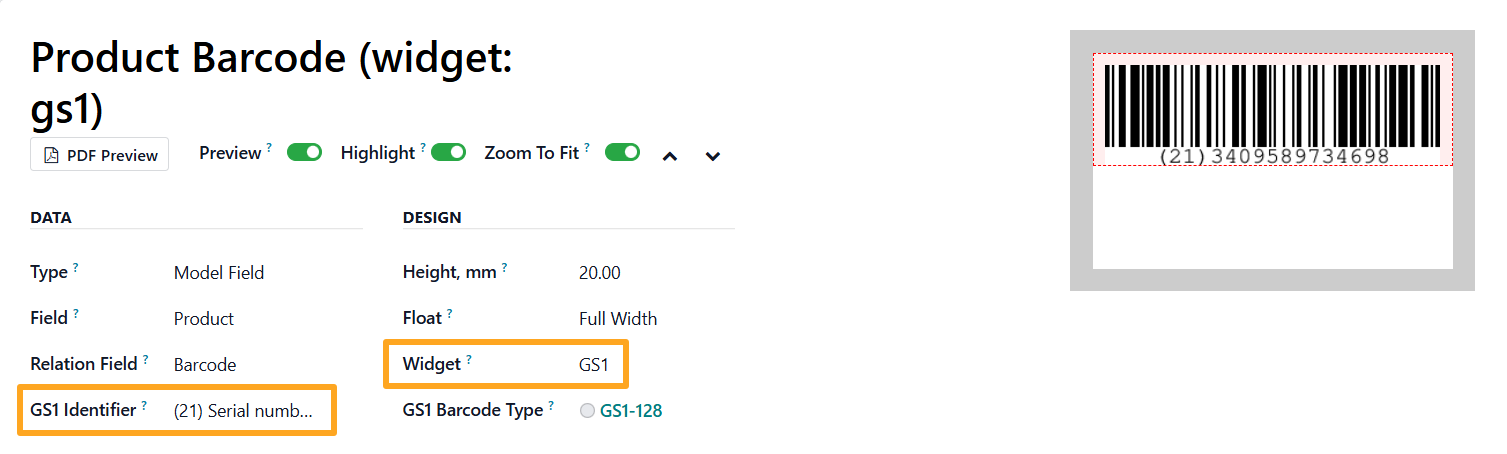
- Go to the label template section
- In the Data section, specify the field to encode (e.g., product barcode, serial number, or batch number)
- In the Design section, select the GS1 widget
- In the Data section, choose the appropriate GS1 Identifier that matches the selected field
To control the barcode appearance, select a GS1 Barcode Type in the Design section:
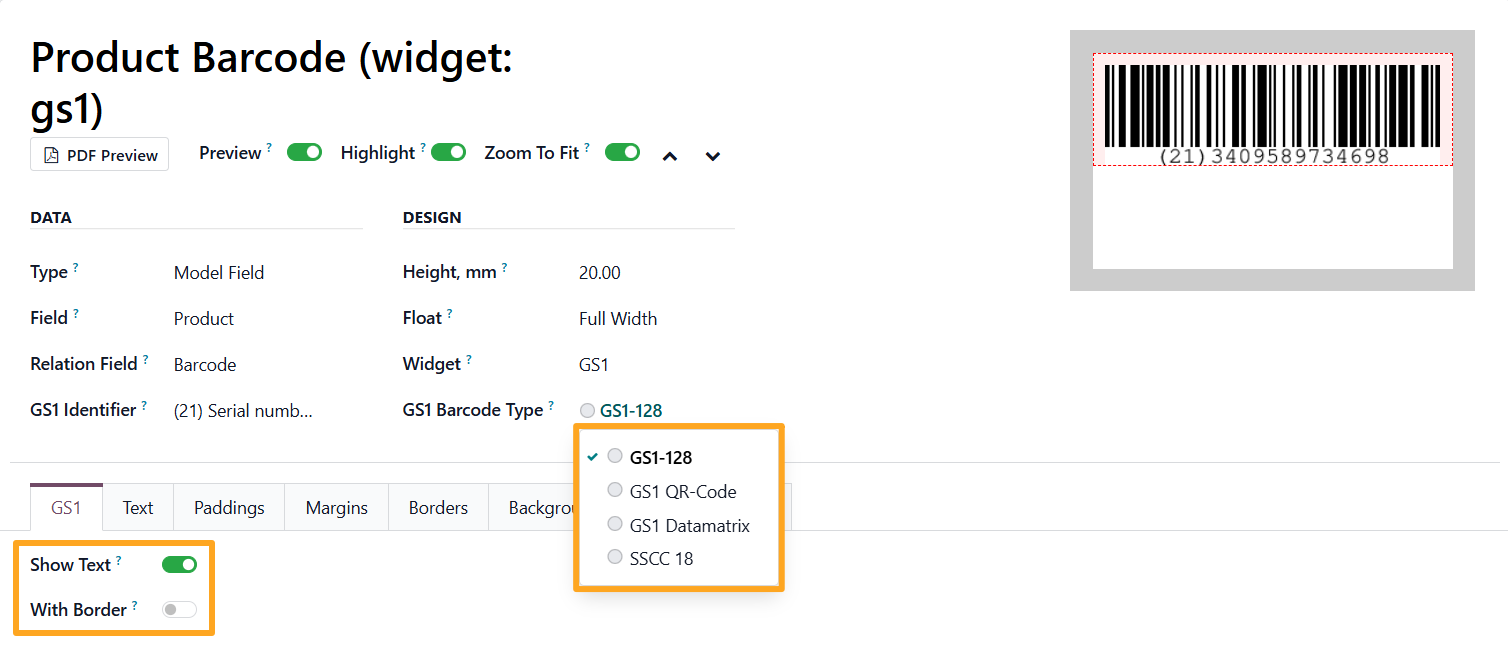
Additional options are available in the GS1 tab:
- Show Tex — display the text value under the barcode
- With Border — add a border around the barcode
GS1 with Multiple Values
To encode multiple parameters (e.g., GTIN, expiration date, and batch number) into a single GS1 barcode, use a group section:
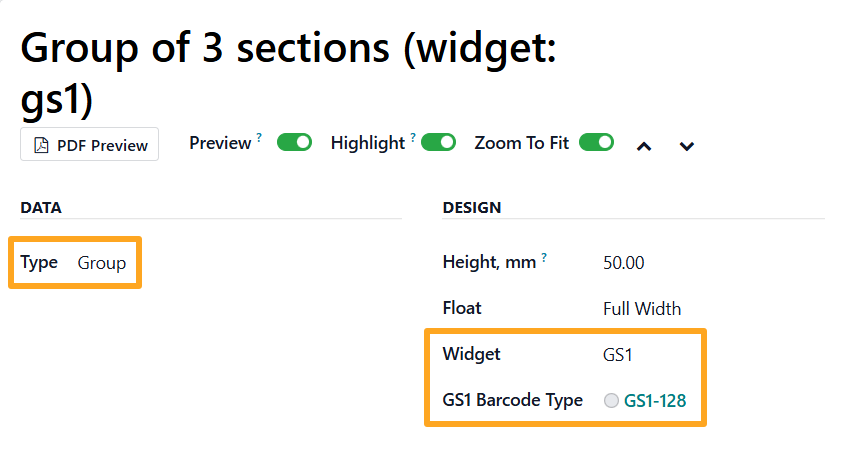
- Go to the label template section
- In the Data section, select Group as a Type
- In the Design section, choose GS1 as a Widget, and select a GS1 Barcode Type
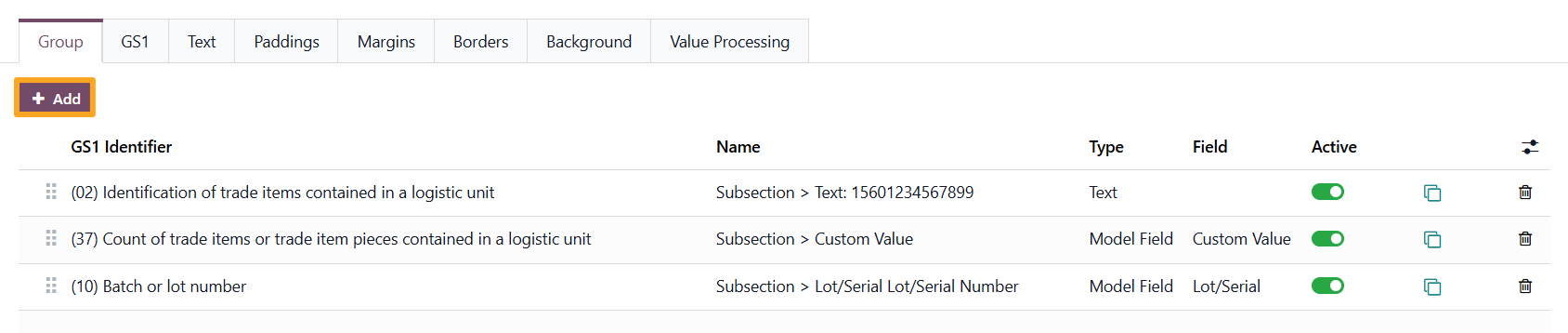
In the Group tab, click Add to create a new subsection:
In the pop-up window for each subsection, select the desired field or enter a custom value, then choose the appropriate GS1 identifier from the list:
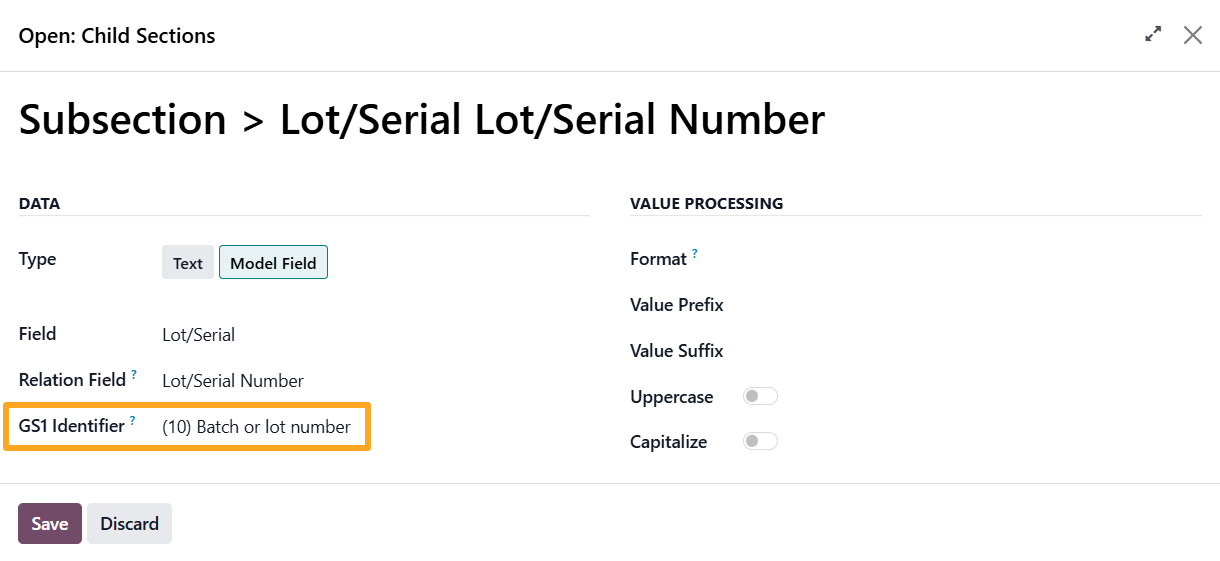
This way, combine multiple values into a single barcode, each with its own identifier and specific format and length requirements.
GS1 Identifiers
The list of GS1 identifiers is available from any label template section. Click GS1 Application Identifiers in the action menu:
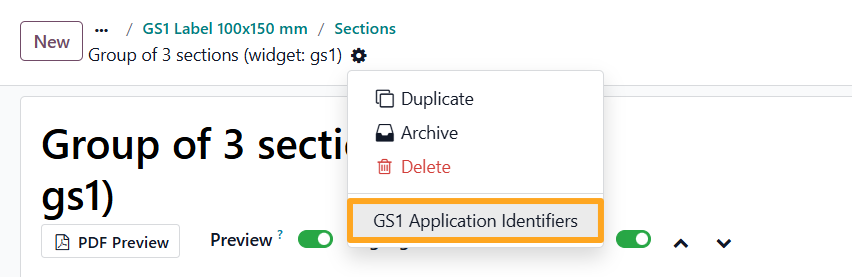
The list contains information about each identifier: its purpose, format, allowed length, data type, and more:
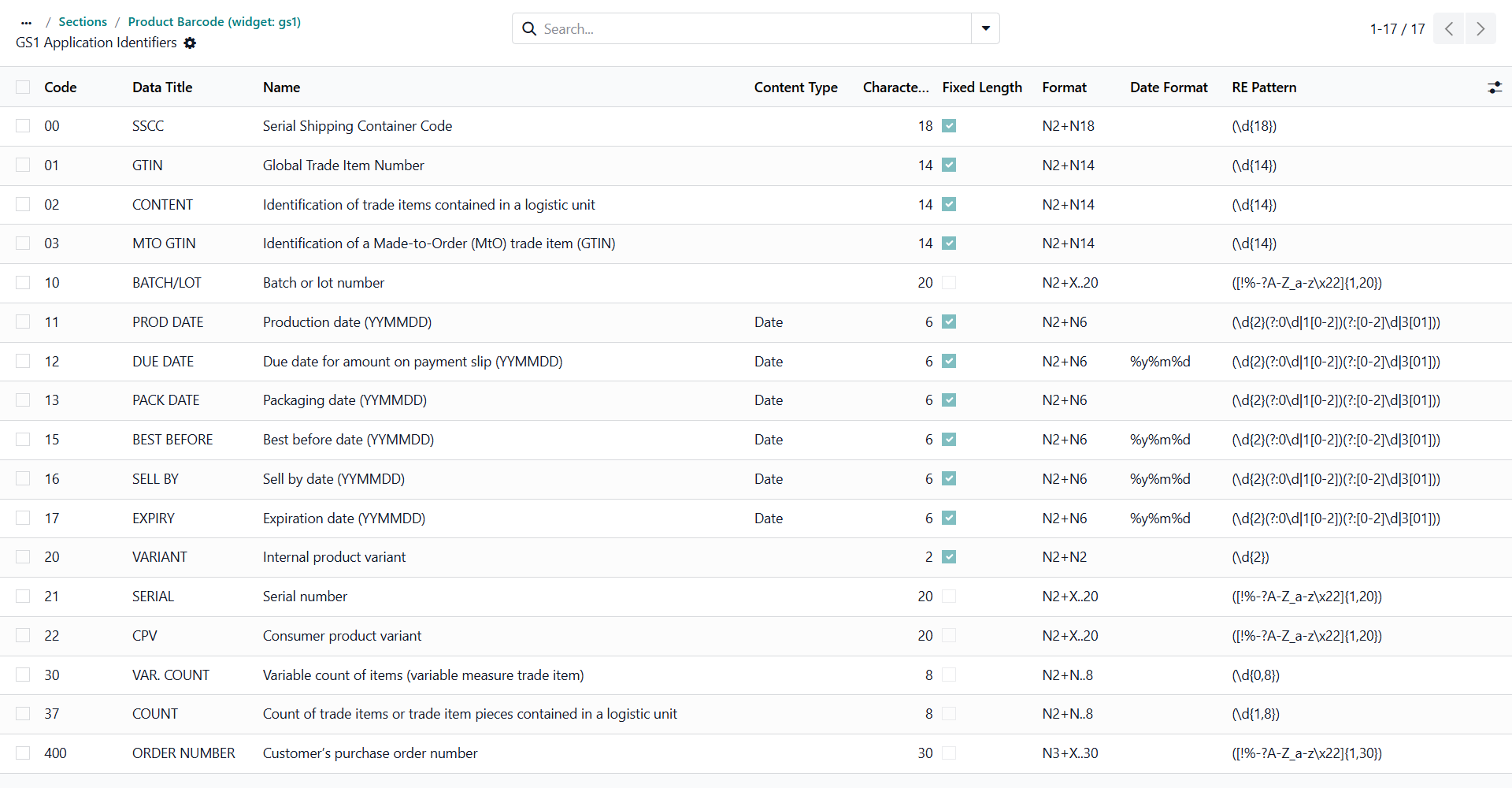
This helps correctly match identifiers to fields and avoid encoding errors.
GS1 Validation
When working with GS1 barcodes, it is important to follow the data length and format requirements. Different GS1 identifiers may require fixed or variable-length values, as well as specific character restrictions (numeric values only, dates in a defined format, alphanumeric values, etc.). Some barcode components also require related companion values.
The Odoo Label Builder GS1 Barcodes module includes built-in hints that help identify which values need validation:
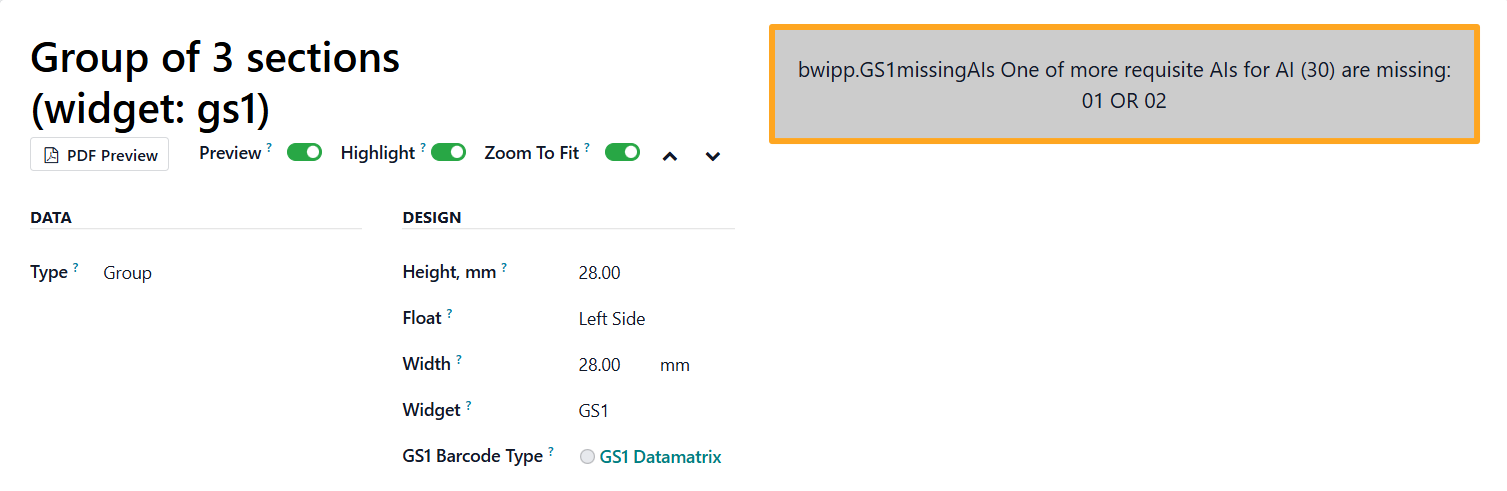
These messages ensure compliance with GS1 standards during template creation or field input. Combined with the GS1 Application Identifier list (including descriptions, formats, and constraints), they significantly reduce the risk of errors when generating barcodes and simplify implementing international labeling standards in Odoo.
Summary
If GS1 barcodes are required for product labeling in compliance with international standards and supply chain requirements, the Odoo Label Builder GS1 Barcodes module makes it possible to create and print the necessary labels. The ability to encode both single values and complete datasets within one barcode simplifies accounting, tracking, and product identification at every stage of the product lifecycle.
A dedicated list of GS1 identifiers with descriptions, formats, and constraints ensures transparency of encoding rules and helps select the correct identifiers for specific business processes. Built-in validation hints for value length and format further reduce the risk of errors by allowing corrections before label printing.
As a result, companies get a flexible barcode management tool in Odoo that combines GS1 compliance, convenient label configuration, and scalability—both in terms of supported barcode types and the expanding list of GS1 identifiers.