
OpenAI Ads Pixel Conversion Tracking Setup for Odoo eCommerce
The Odoo ChatGPT Pixel eCommerce Events Tracking module extends the standard integration by sending key eCommerce events to OpenAI Ads Manager, including product views, lead generation, add-to-cart actions, successful purchases, and more.
| Availability |
Odoo Online
Odoo.sh
On Premise
|
|---|---|
| Compatibility |
Community
Enterprise
|
| Technical Name | website_sale_openai_pixel |
| Version | 20.0.1.0.0 |
| License | OPL-1 |
| Category | |
| Support | Free 60 days support and 360 days bug-fixing |
Use Case

Jorem ipsum dolor sit amet, consectetur adipiscing elit. Nunc vulputate libero et velit interdum, ac aliquet odio mattis. Class aptent taciti sociosqu ad litora torquent per conubia nostra, per inceptos himenaeos.
Forem ipsum dolor sit amet, consectetur adipiscing elit. Nunc vulputate libero et velit interdum, ac aliquet odio mattis. Class aptent taciti sociosqu ad litora torquent per conubia nostra, per inceptos himenaeos.
Dorem ipsum dolor sit amet, consectetur adipiscing elit. Nunc vulputate libero et velit interdum, ac aliquet odio mattis.
It is a long established fact that a reader will be distracted by the readable content of a page
Korem ipsum dolor sit amet, consectetur adipiscing elit. Nunc vulputate libero et velit interdum, ac aliquet odio mattis. Class aptent taciti sociosqu ad litora torquent per conubia nostra, per inceptos himenaeos.
Korem ipsum dolor sit amet, consectetur adipiscing elit. Nunc vulputate libero et velit interdum, ac aliquet odio mattis.
Odoo App Installation
Upload modules
Upload modules from the ZIP archive to your Odoo hosting, or a GitHub repository connected there.
Place the unzipped modules in your custom add-on directory and restart the Odoo system service.
Update App List
After restarting, activate the Developer Mode, and go to the Apps menu.

Click on Update Apps List to fetch the new modules in the list.
Activate the App
Install the new module, finding it by name and clicking on the Activate button.
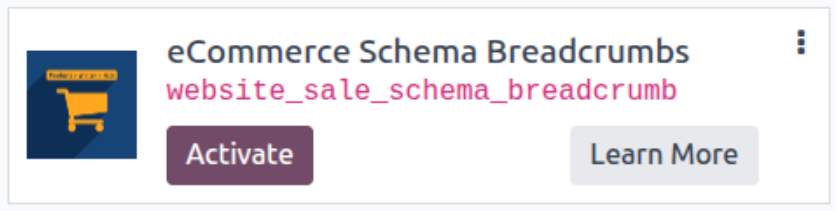
* If you don't see the module, try to remove the default Apps filter from the search bar.
Configuration
Follow the instructions in the module description to complete the installation process and start using the app.
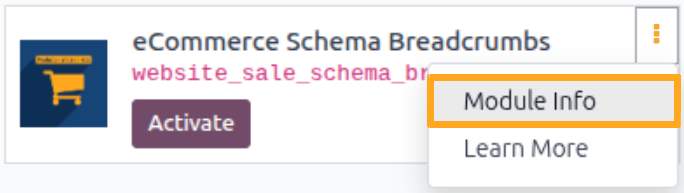

Manual

How to get Pixel ID
Before adding the JS script to your website, first obtain the Pixel ID. To do this, complete the following steps:
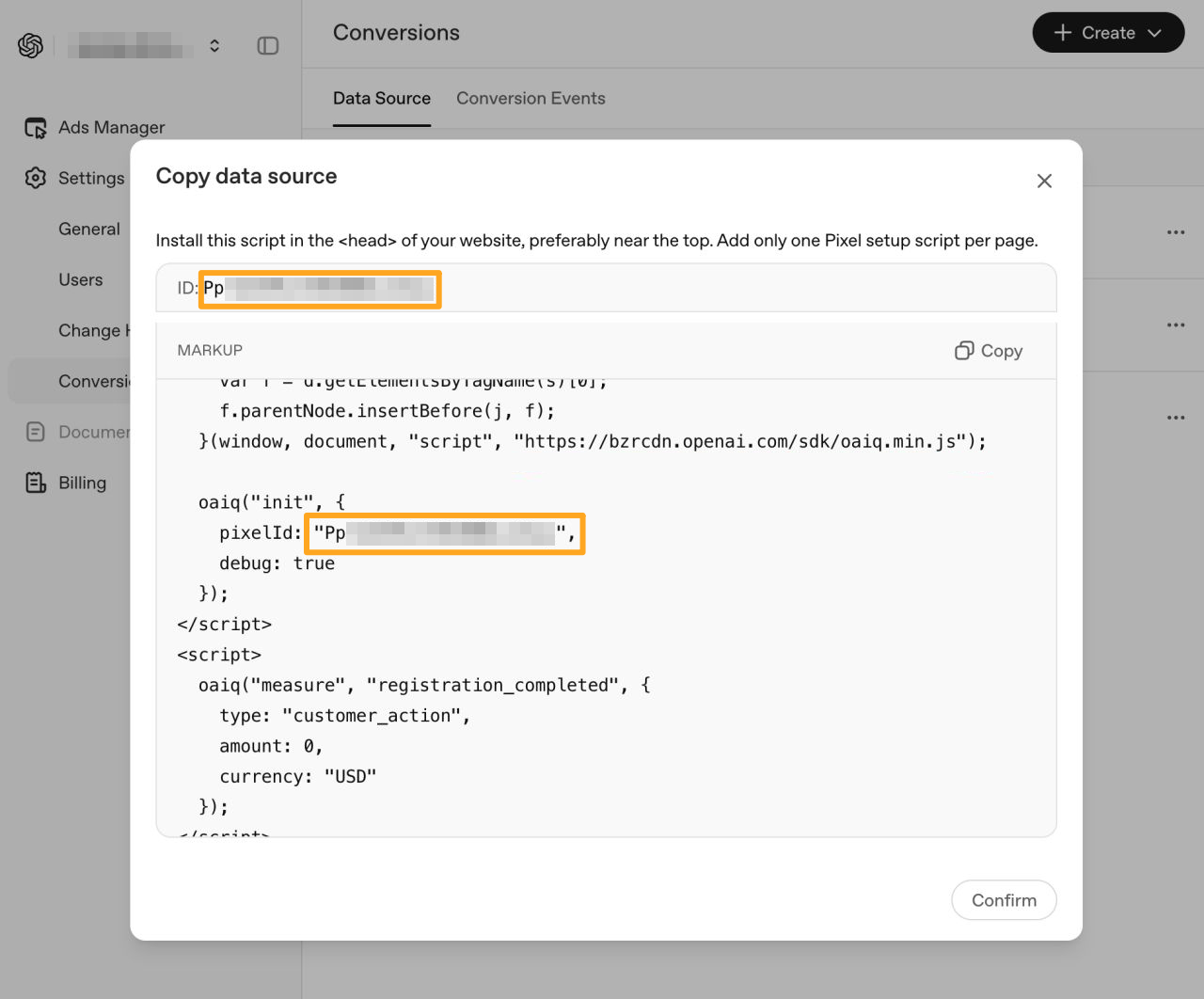
- Sign in to your OpenAI Ads Manager account
- Open the Settings — Conversions menu
- Click Create to add a data source
- On the Data Source tab, open one of the sources and copy the Pixel ID

Activation
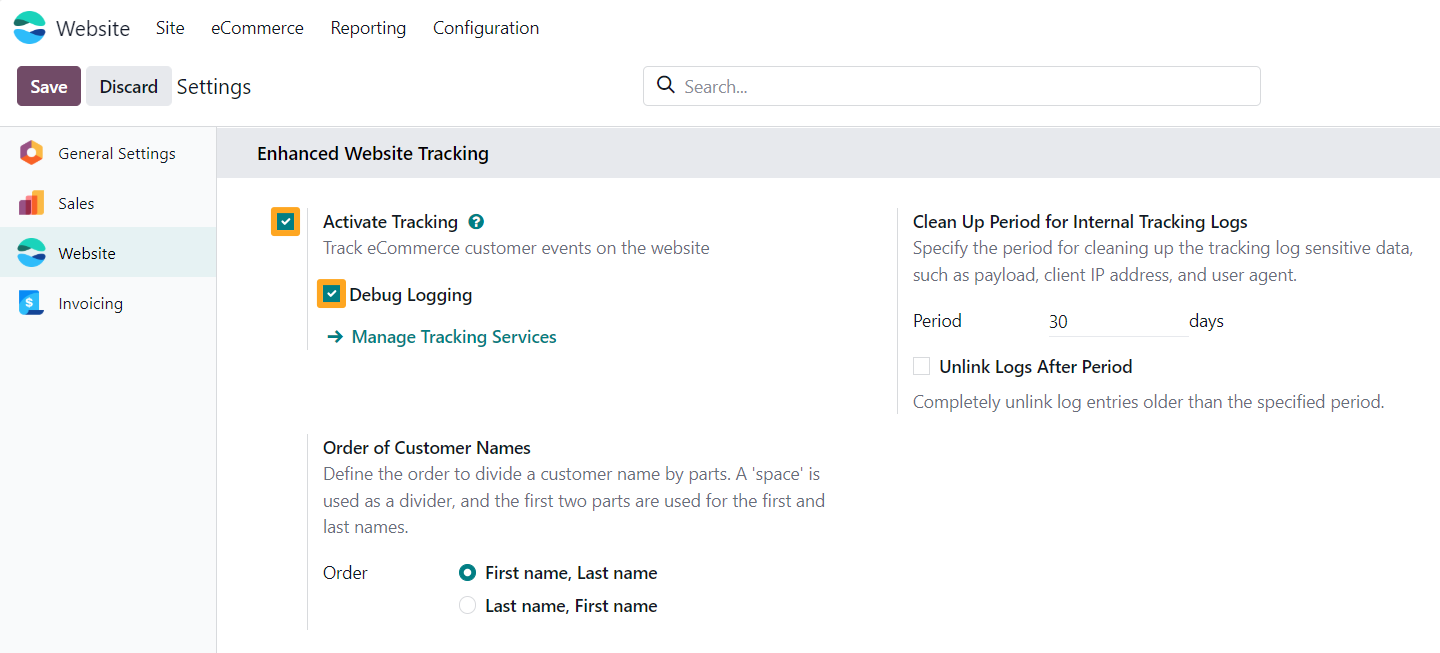
After installing the module, go to the website settings and enable the Activate Tracking option in the Enhanced Website Tracking section. To test your website tracking and view tracking events in the browser console, temporarily enable the Debug Logging feature.

Configuration
Adding a Tracking Service
Go to the Website — Configuration — Tracking — Services menu and click New to add a new tracking service for your Odoo website.
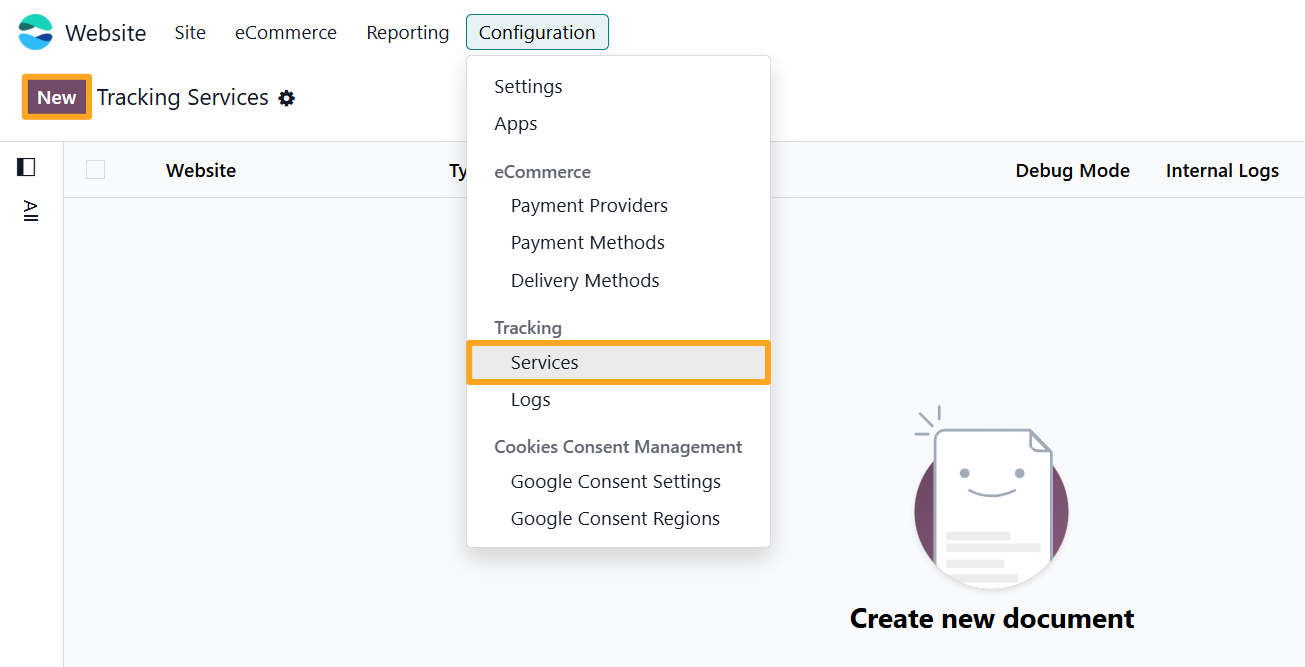
Firstly, fill in the following fields in the new tracking service:
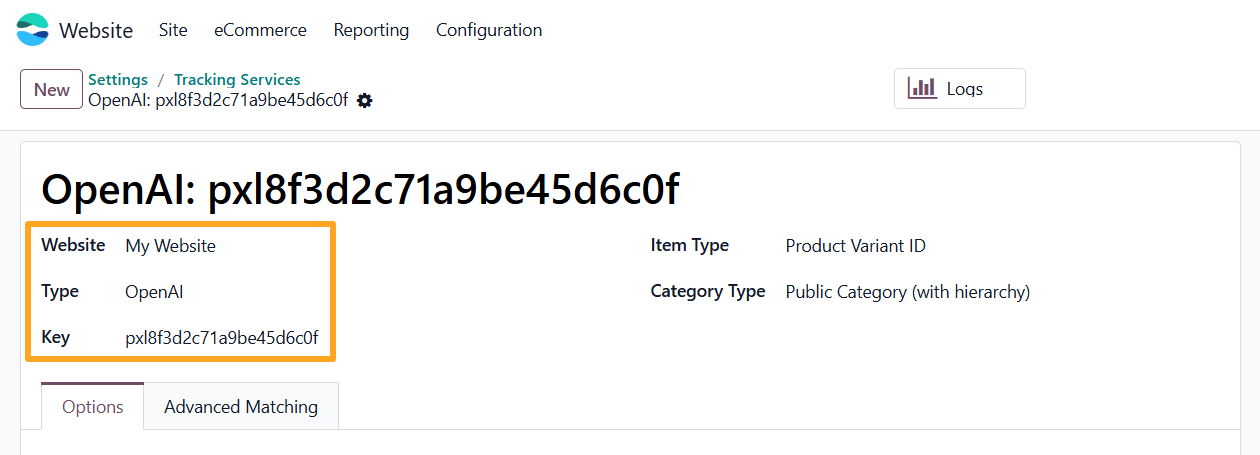
- Specify a Website (if using multiple websites)
- Select OpenAI as the service Type
- Paste your Pixel ID into the Key field
Then, specify the type of product identifier and product category sent to OpenAI Ads Manager.

If products have attributes and variants, choose Product Variant ID in the Item Type field; otherwise, select Product Template ID.
Select the desired Category Type: an eCommerce Public Category or an internal Product Category.
The next option is the Lead Value on the Options tab.
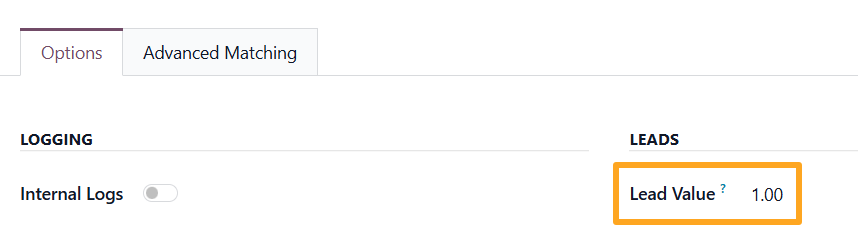
This field represents the monetary value of a lead generation, based on estimated evaluations.
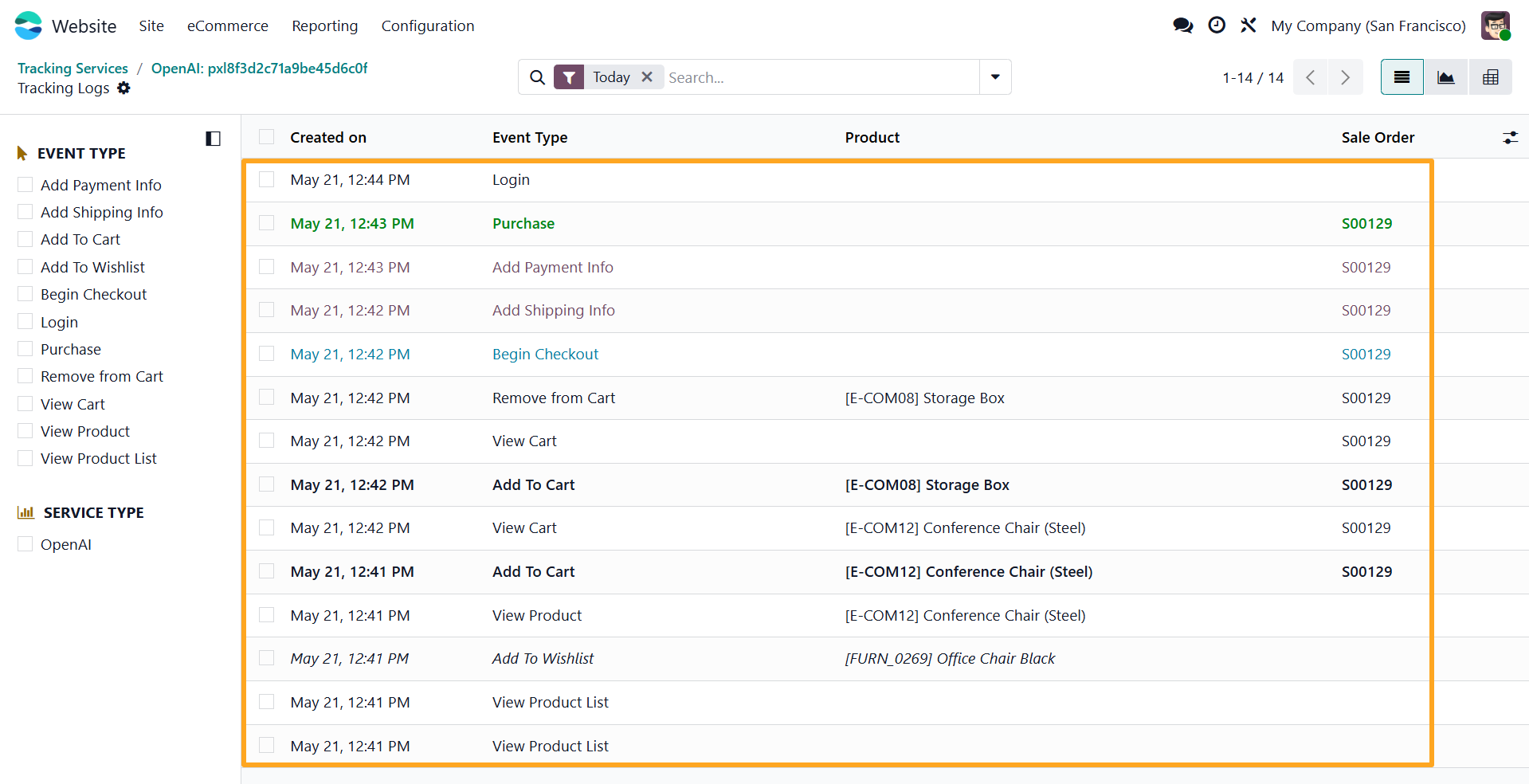
Tracking Logs
The module includes an internal logging feature. To activate it, enable the Internal Logs option.
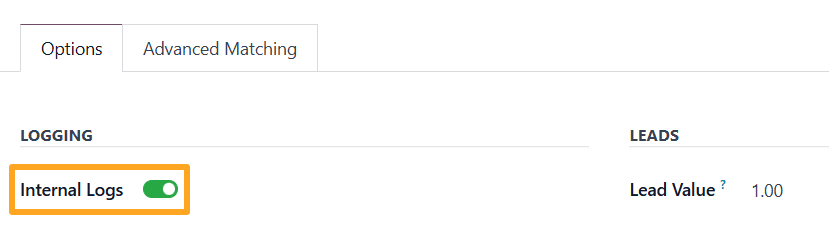
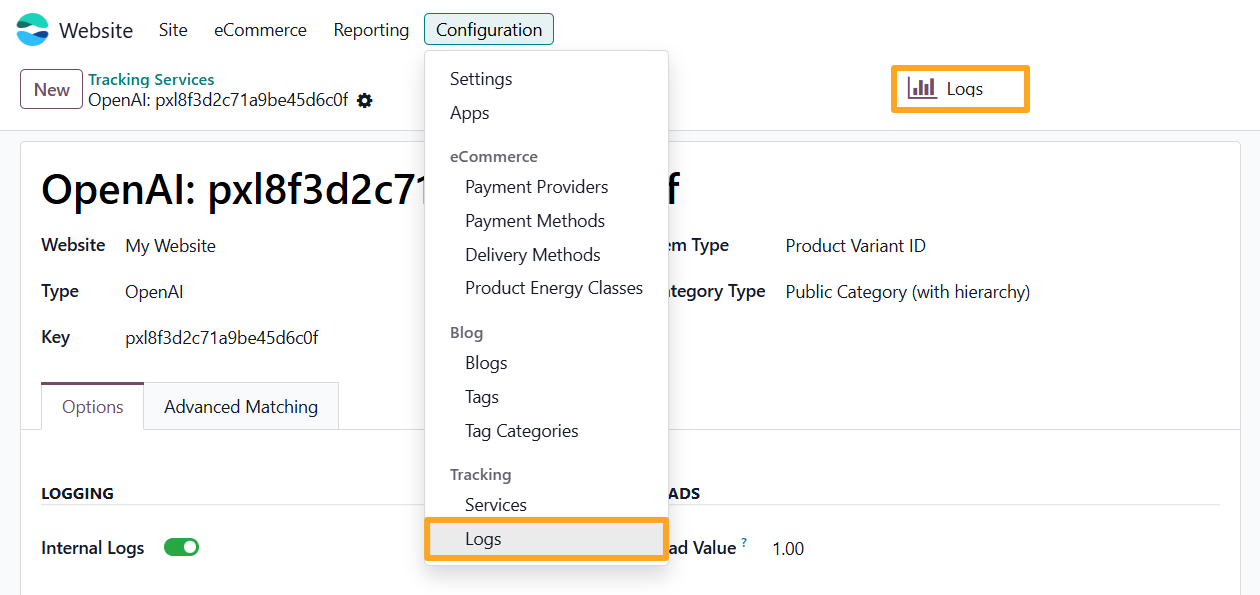
To view logs, go to the Website – Configuration – Tracking – Logs menu or click the Logs button at the top of the form.
The list of internal tracking events is below.
Enhanced Conversions
Enhanced conversions help optimize your advertisements by providing OpenAI with additional user data. Open the Advanced Matching tab and click Enable allowed, which enables all available options for this tracking service.
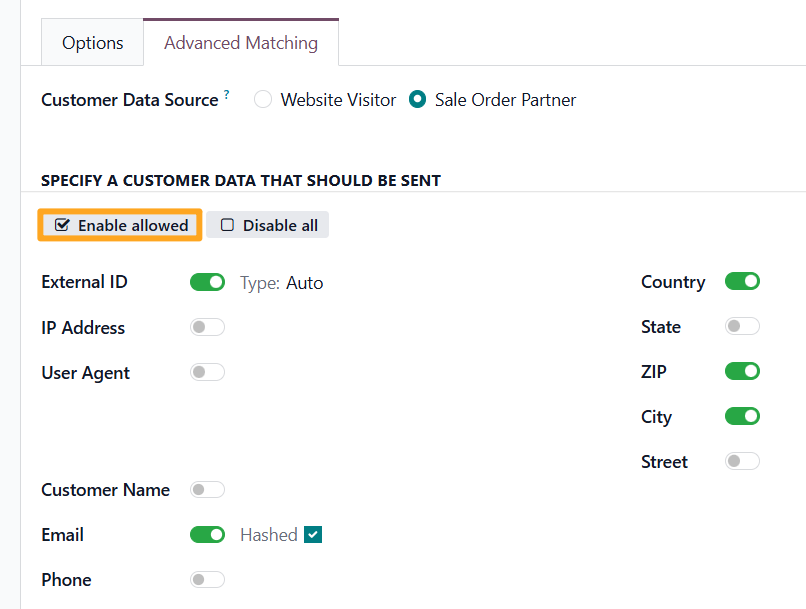

Use the Sale Order Partner value as the Customer Data Source because it provides more user details when guest checkouts are allowed without registration.


Advanced Settings
The module includes additional settings available in Developer Mode.
Product Identifier
The module uses the Product ID field as a unique product identifier. To use a different value, specify another product field containing the desired identifier on the Technical tab:


Purchase on Portal
To track portal purchases, enable the Track Purchase on Portal option:

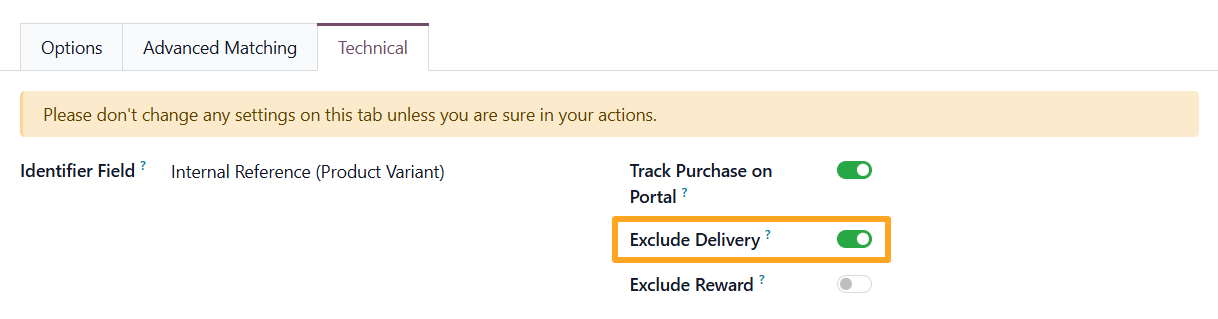
Exclude Delivery
The next available setting for tracking services is Exclude Delivery. When enabled, the service excludes delivery lines from sales orders in tracking data transmissions:
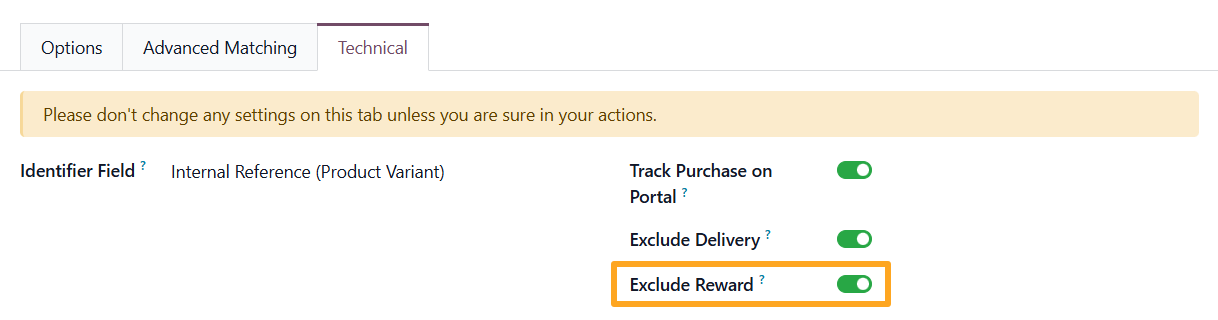
Exclude Rewards
To exclude reward order lines from tracking data, enable the Exclude Reward option:
Add to Cart
By default, the module tracks the actual addition of a product to the cart. To track the event upon clicking the button without waiting for the actual addition to the cart, perform the following steps:
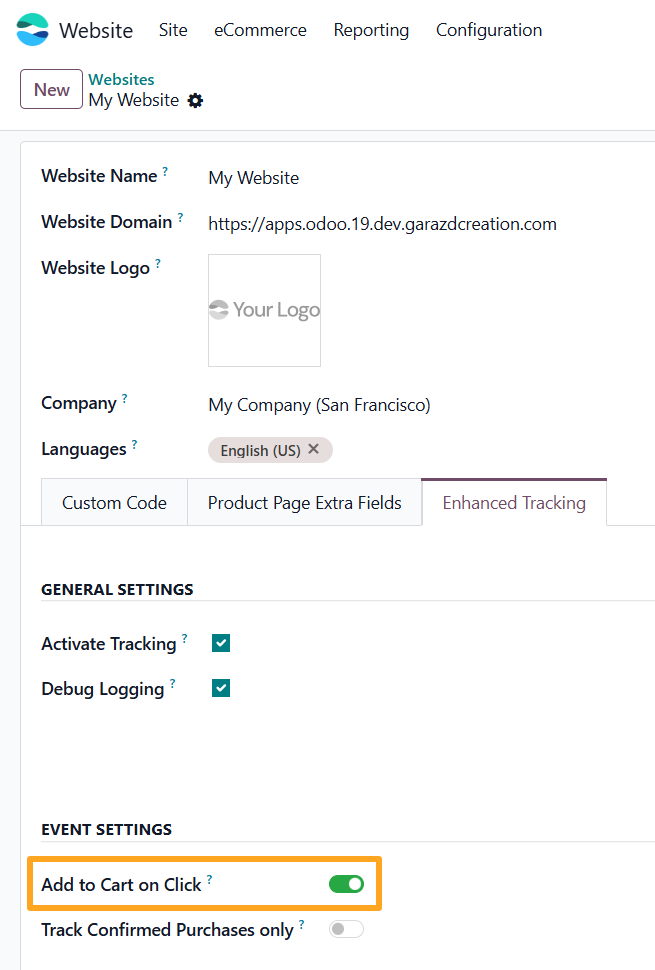
- Navigate to Website — Configuration — Websites
- Open the website on the Enhanced Tracking tab
- Enable the Add to Cart on Click option

Purchase
To track purchases only after a successful payment transaction, enable the Track Confirmed Purchases only option:
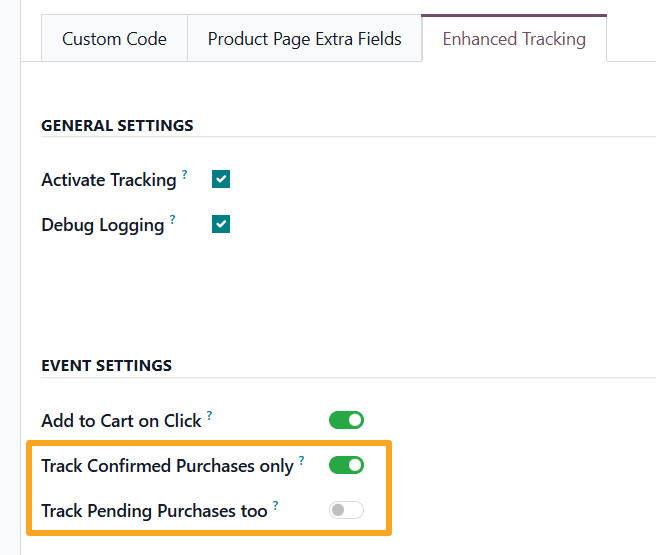

If business logic considers an order with a Pending payment status as a purchase, enable the Track Pending Purchases too option as well.
Changelog
19.0.1.0.0 2026-05-11
- Init version.
18.0.1.0.0 2026-05-22
- Migration from 19.0.
17.0.1.0.0 2026-05-22
- Migration from 18.0.
20.0.1.0.0 2026-09-21
- Migration from 19.0.