

What is ZPL
Zebra Programming Language (ZPL) is a specialized markup language for thermal label printers that defines the structure and content of a label using text-based commands. It is widely used for printing barcodes, QR codes, logistics labels, and product labels.
Unlike PDF, which is a visual format requiring additional processing by printer drivers, ZPL is sent directly to the printer as instructions. This results in:
- Faster printing
- Lower system load
- Higher positioning accuracy
In the Odoo ecosystem, ZPL is especially relevant for warehouses, retail, and manufacturing, where printing speed and reliability are critical.


ZPL Label Printing in Odoo
The Odoo Label Builder Professional app by Garazd Creation now includes full support for ZPL label printing.

Since existing users of the label designer already have their own templates, a universal approach is implemented. Labels are converted from a graphical format, so the quality may be lower than native ZPL, but it is still better than PDF.
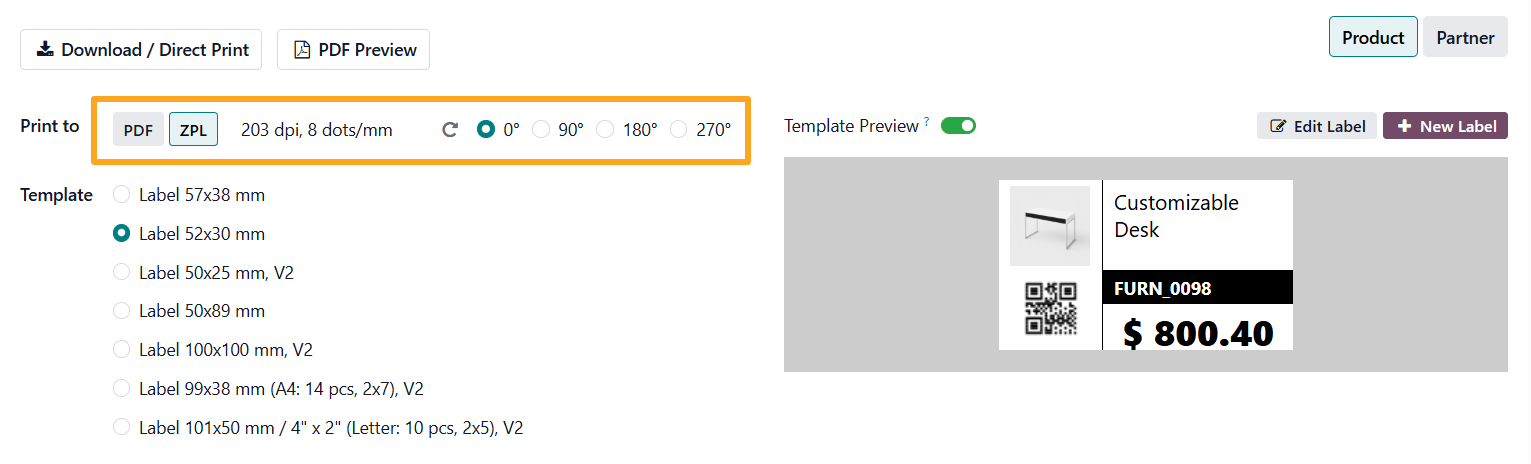
In the print wizard, it is now possible to switch between PDF and ZPL formats. The following parameters are available for ZPL printing:
-
01Resolution:
- 152 dpi, 6 dots/mm
- 203 dpi, 8 dots/mm
- 300 dpi, 12 dots/mm
- 600 dpi, 24 dots/mm
-
02Label Rotation:
- 0°
- 90°
- 180°
- 270°
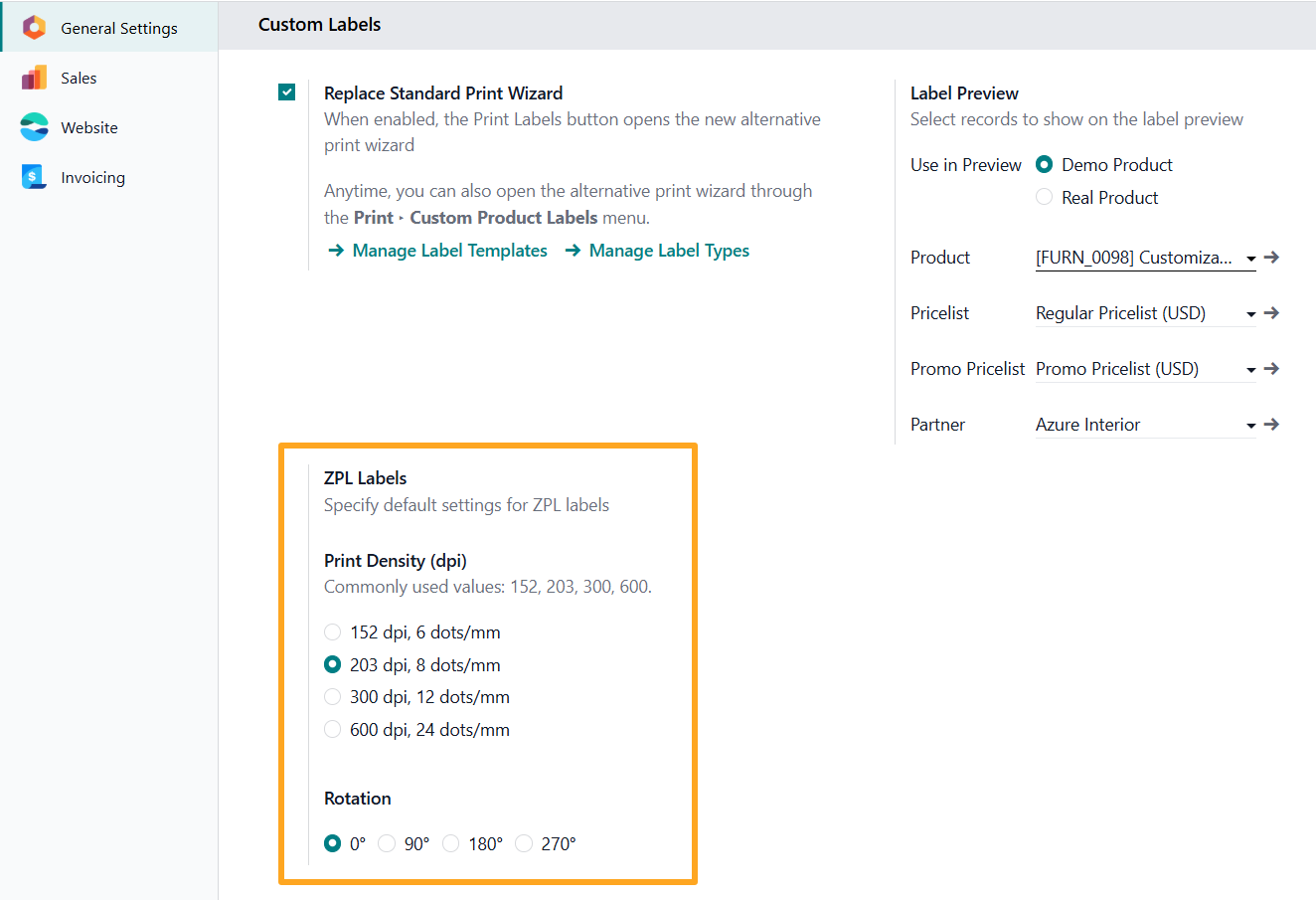
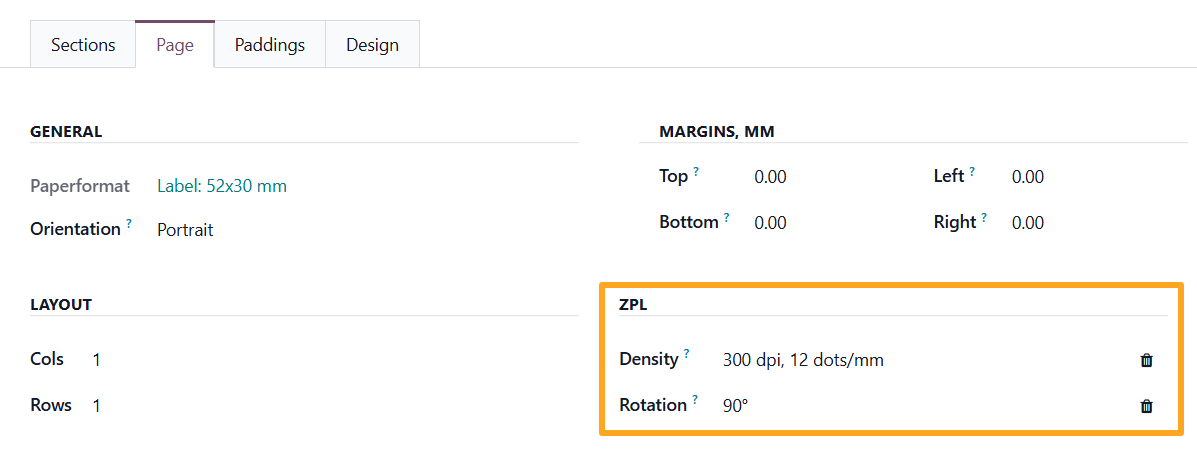
These settings can also be configured:
- As default values for all labels in the Custom Labels section of the general settings:
- At the individual label level in the template settings under the Page tab, ZPL section:

Advantages
The introduction of ZPL printing provides several practical benefits:

Maximum Printing Speed
The printer receives ready-to-use commands without processing PDF files.

Flexible Hardware Configuration
DPI selection allows adaptation to different printer models.

Label Orientation Control
Rotation by 90°, 180°, or 270° simplifies handling of various label formats.

Centralized Management
Global and local settings standardize the printing process.

ZPL Label Preview
Before actual printing, ZPL code can be tested using the Labelary online tool.
This service allows you to:
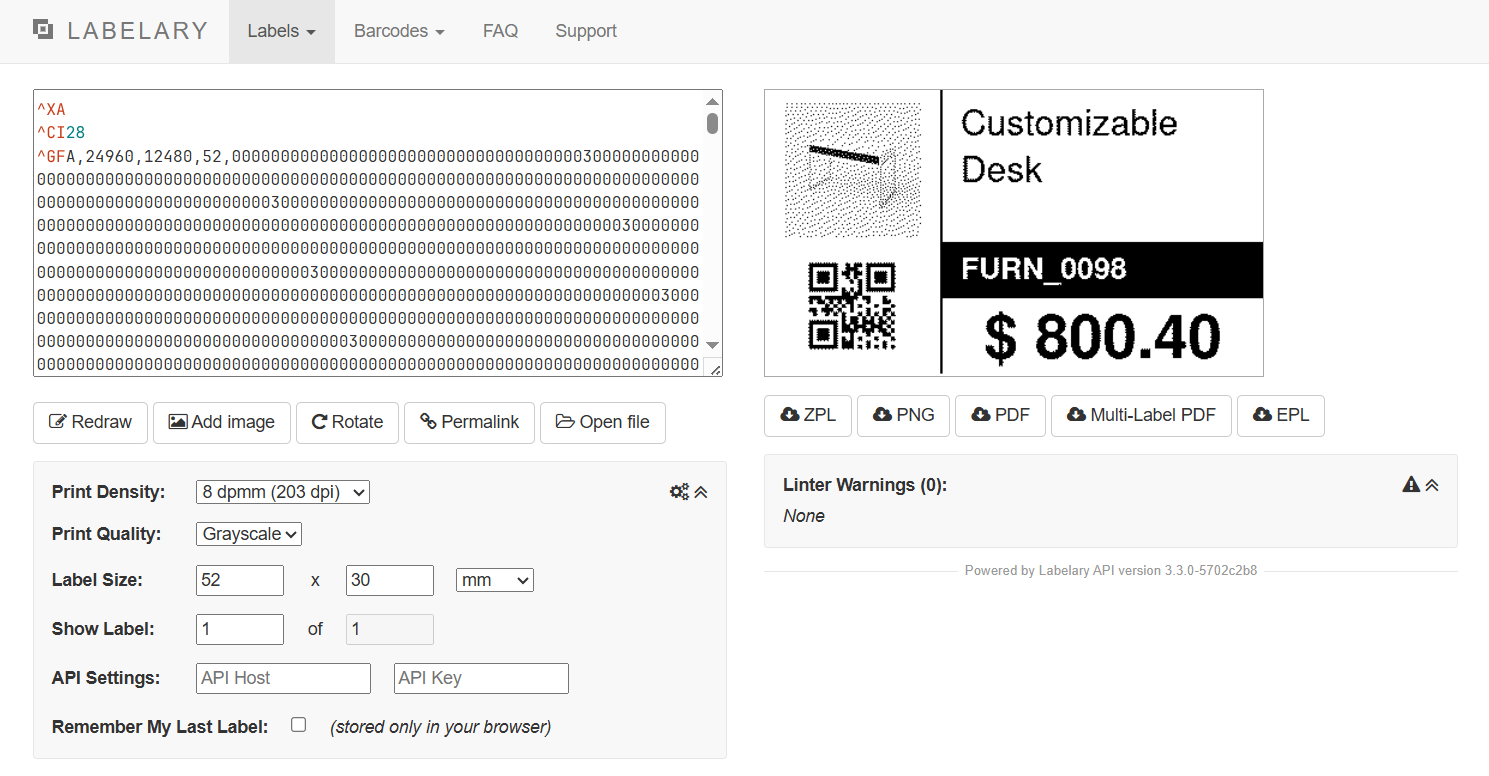
- Visualize the ZPL label
- Verify element positioning
- Verify that the label data and label layout are correct before printing

Summary
ZPL support in Label Builder Professional significantly extends Odoo capabilities for businesses working with large volumes of labels. The solution provides fast, accurate, and flexible printing, which is especially important for logistics, warehousing, and retail operations.