
How can you get your products featured in Google AI Overview search results? This is a question many businesses promoting their products through Google Shopping are asking. Among the numerous solutions offered by marketing agencies, there is a straightforward approach provided by Google itself.
Conversational Attributes for AI Mode
Google allows you to enrich your product feeds with conversational attributes intended for AI Mode. Conversational attributes are additional product feed columns that provide supplementary information for AI agents and services. These attributes can be added directly to your primary data source (feed) or submitted through a supplemental data source.
Google Merchant Center offers the following conversational attributes:
- Question and answer [question_and_answer] - a list of FAQs about your products.
- Document link [document_link] - URLs to PDF documents that describe the product and provide additional product information.
- Related product [related_product] - a list of products that are related to or complement the product, such as accessories, alternatives, or optional products.
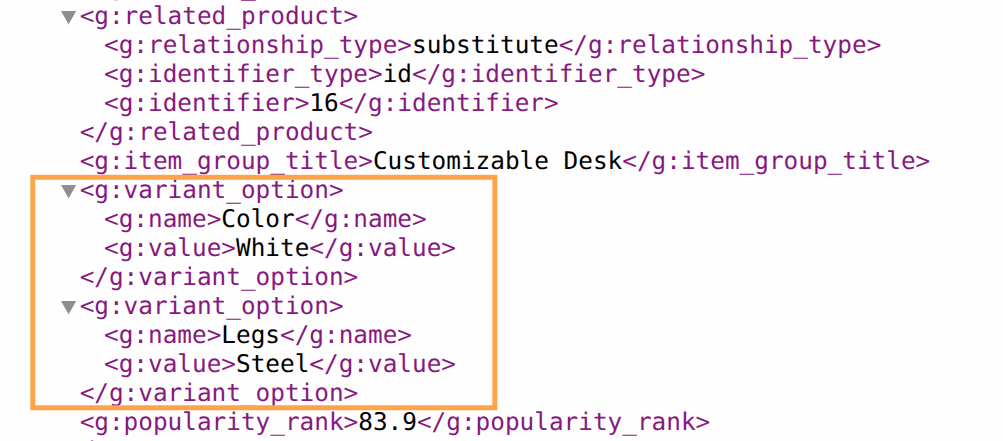
- Item group title [item_group_title] - the product template name for products with multiple variants.
- Variant option [variant_option] - a list of product attributes available across variants of the same product.
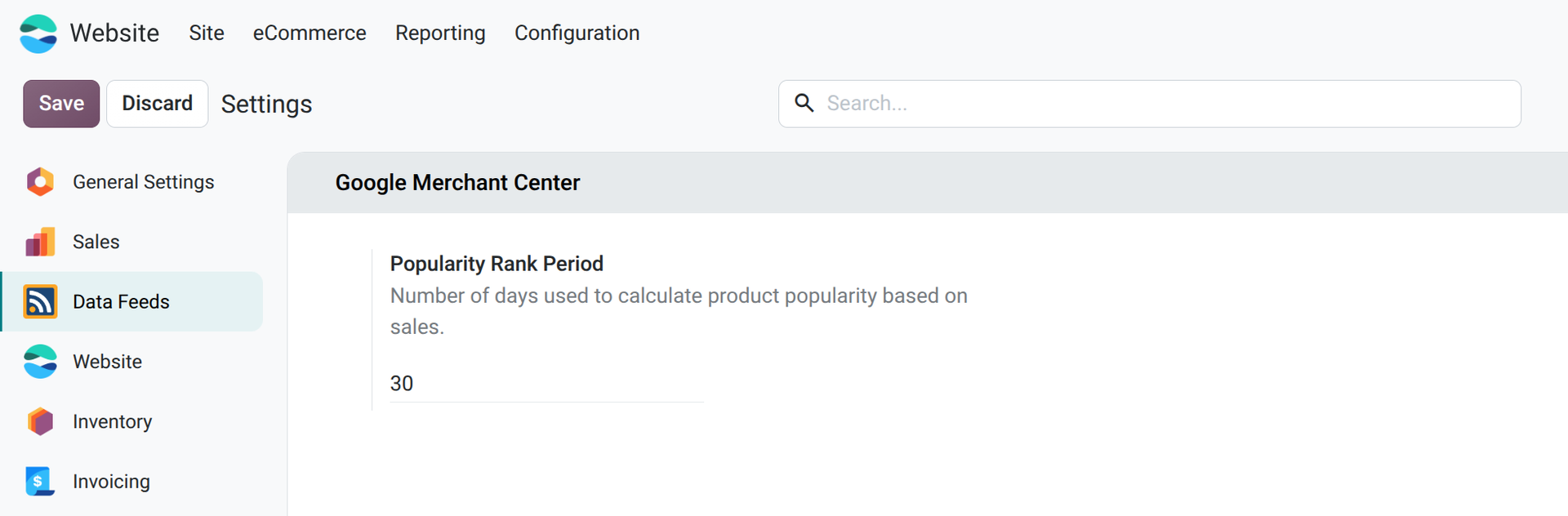
- Popularity rank [popularity_rank] - a product popularity ranking calculated based on your sales over the last 30 days (or other period).
Implementation in Odoo
The Odoo Google Merchant Center module by Garazd Creation has been enhanced with the AI Mode conversational attributes. The app computes and delivers all the required data for the new product feed columns.
Product FAQs
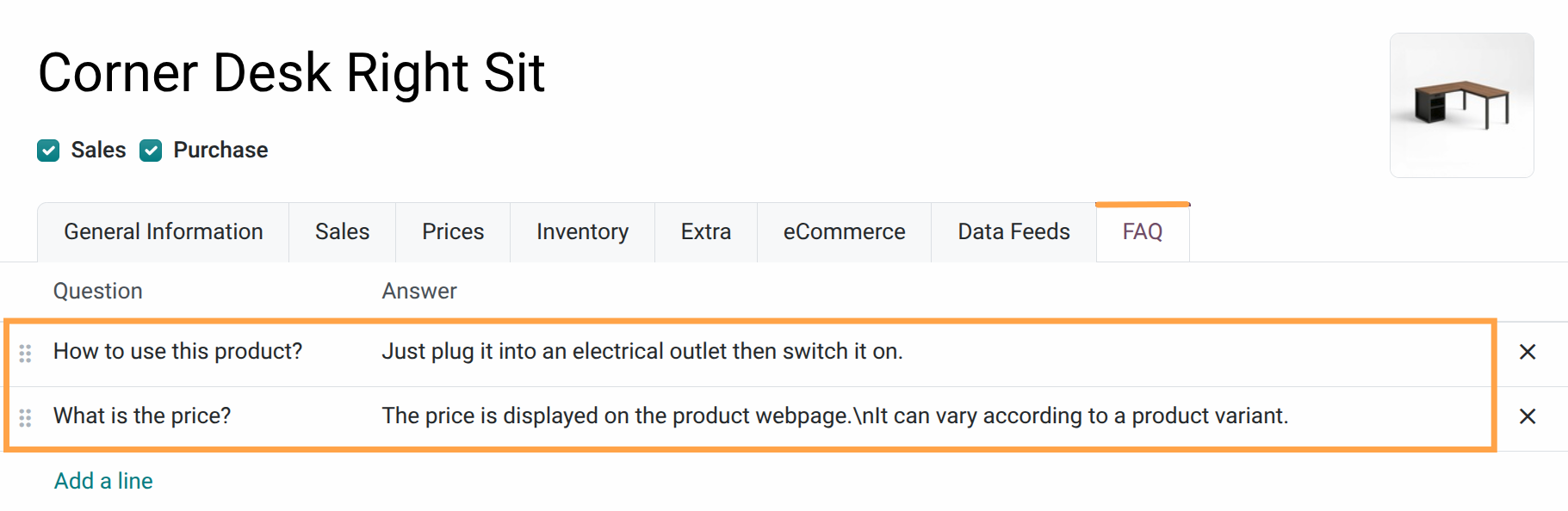
FAQ management is available on the product form under the corresponding tab. It allows you to add new and edit existing questions with answers.
PDF Documents
To attach PDF documentation, open the Extra tab.

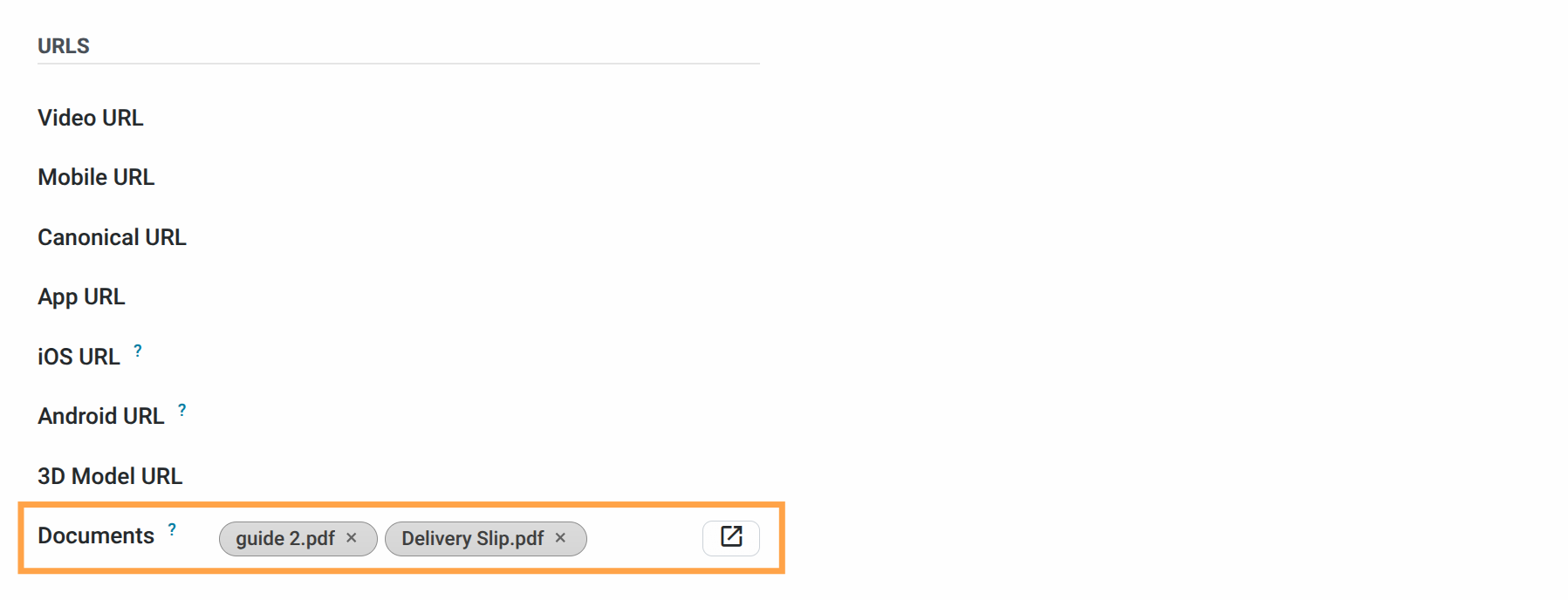
Documentation is a standard Odoo attachment in PDF format. These attachments can be either uploaded files or external URLs.

Related Products
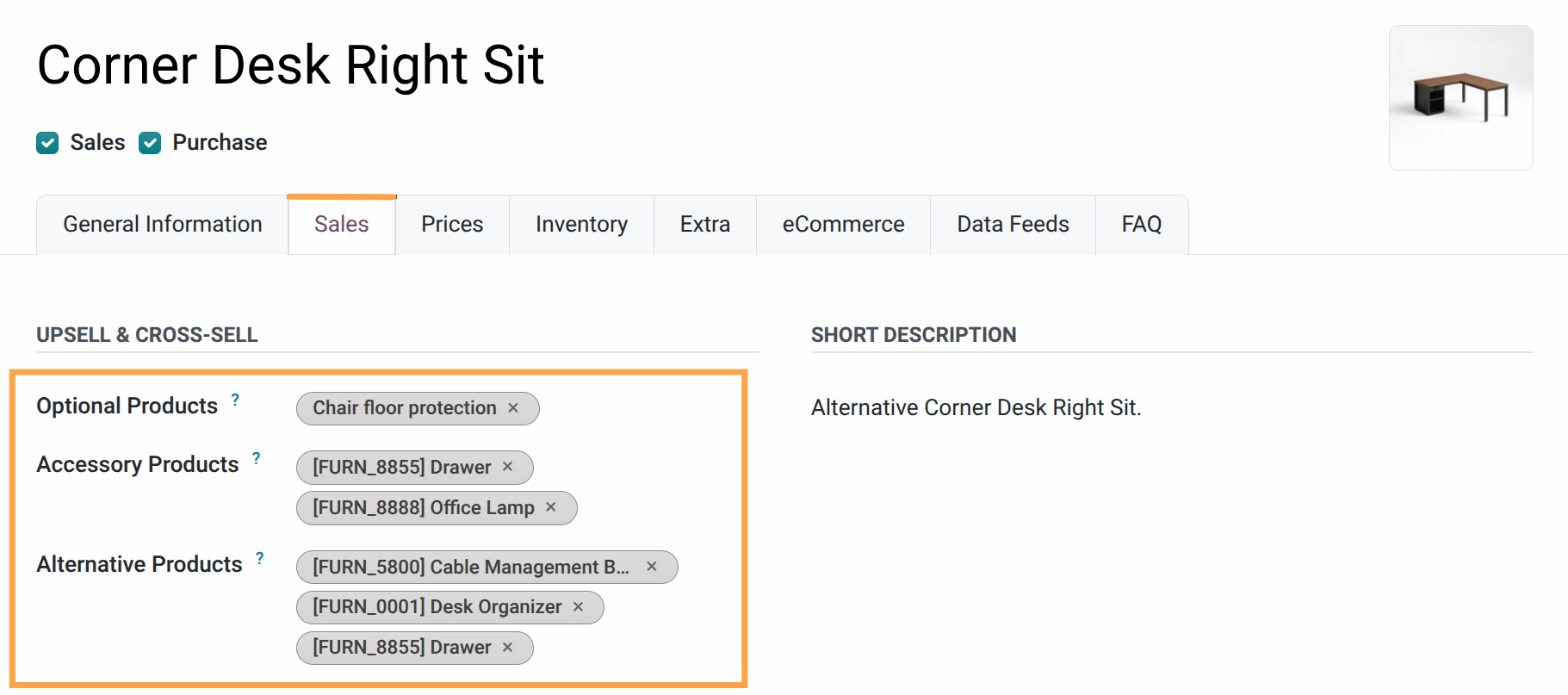
Odoo provides several lists of related products. These lists are available under the Sales tab of the product form.
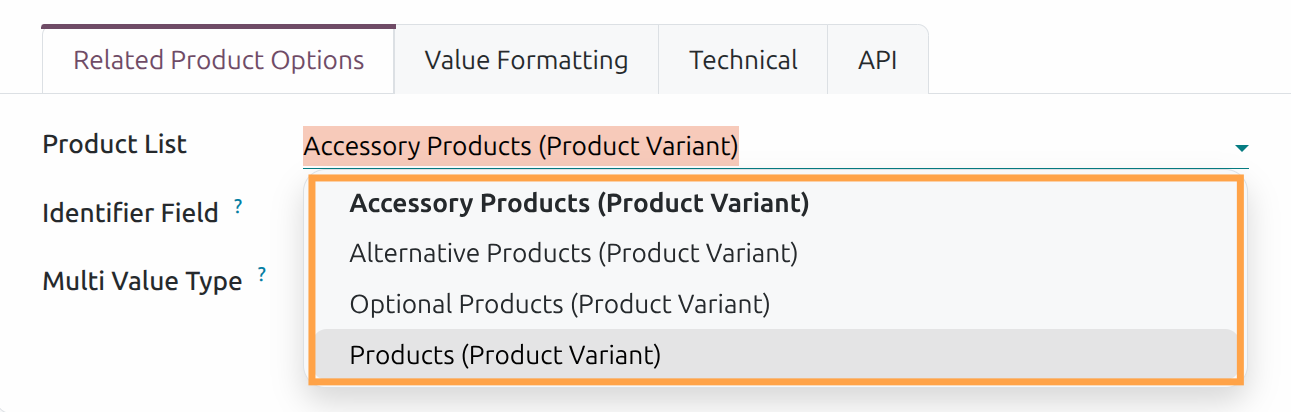
The module allows you to select the required product list in the related product feed column and configure additional parameters.
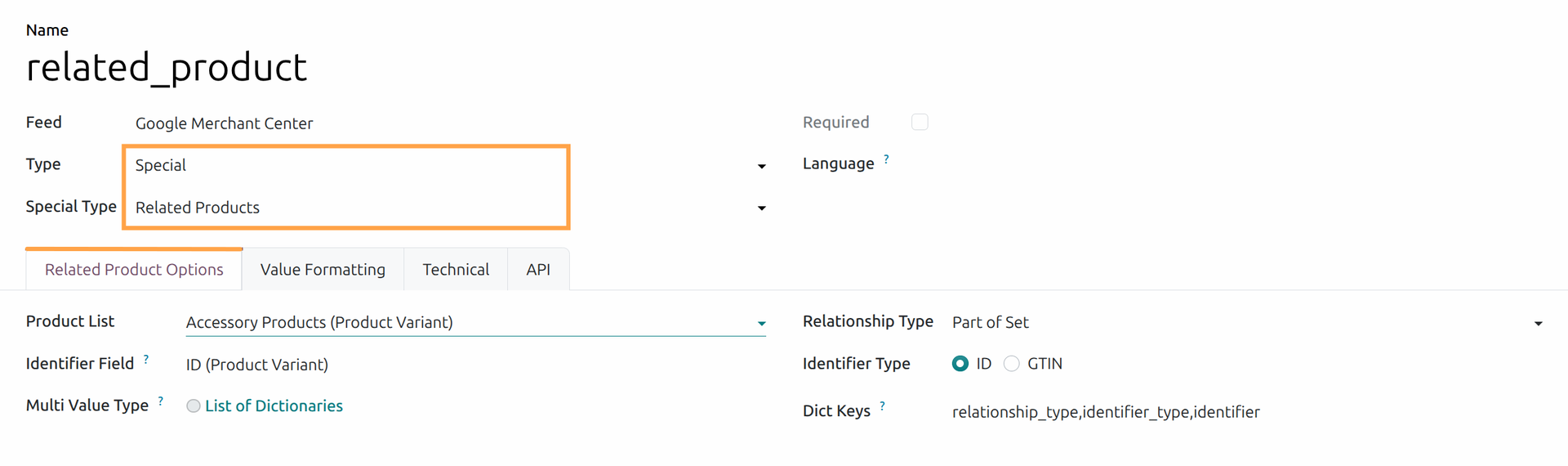
In addition to these standard product lists, if your Odoo database includes a custom field with products, you can also select that field in the Product List setting.
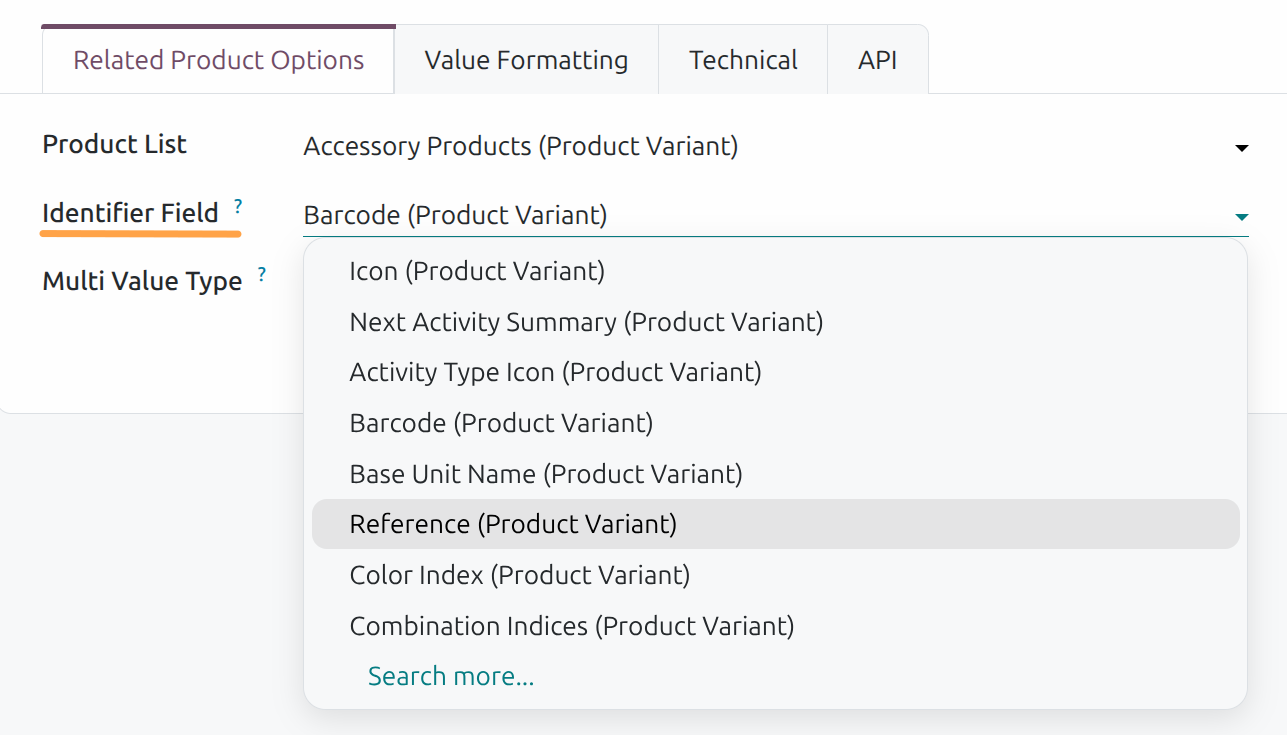
The product identifier is also configured through the UI. Just select the appropriate product field in the Identifier Field setting.
Alongside, the identifier type is selectable. It can be one of the following values:
- ID
- GTIN

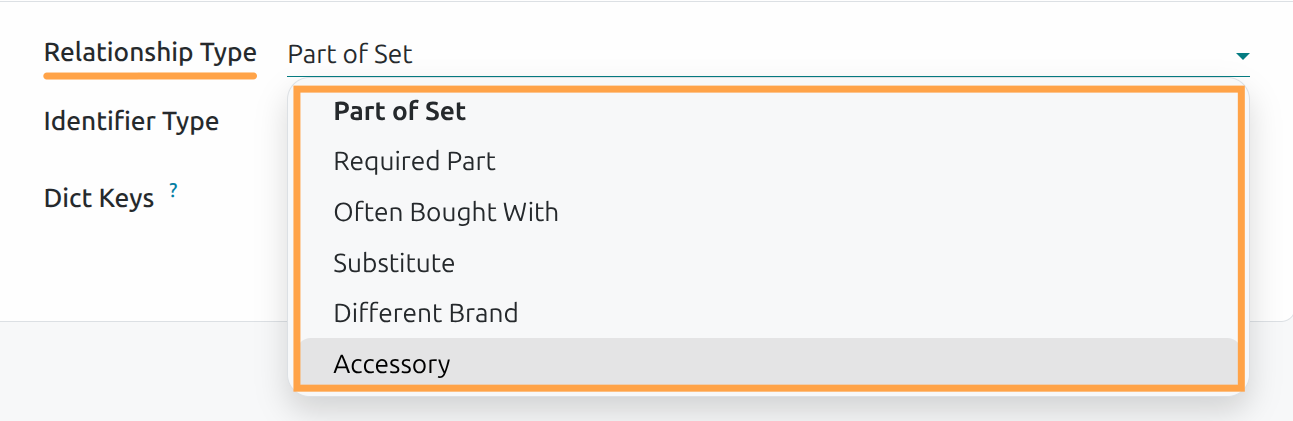
One more parameter defines the relationship type between products. Google Merchant Center provides several options, allowing you to select the one that best suits your specific use case:
- Part of set [part_of_set]
- Required part [required_part]
- Often bought with [often_bought_with]
- Substitute [substitute]
- Different brand [different_brand]
- Accessory [accessory]
Item Group Title
For products with attributes and variants, the product template name should be submitted through the item group title feed column.
Variant Options
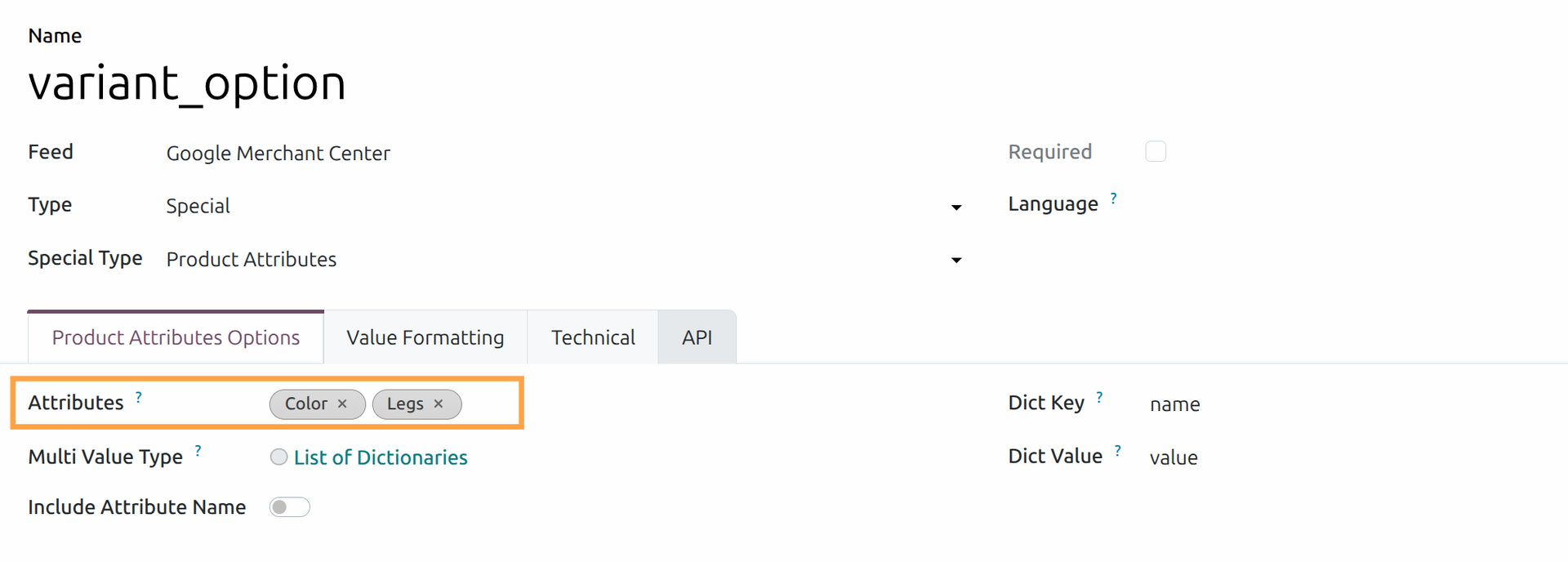
Besides, for products with variants, it is recommended to provide information about all available product attribute options.
This is handled by the variant option feed column, which includes two parameters:
- name - the product attribute name
- value - the product attribute value
Popularity Rank
The popularity rank conversational attribute enables products to be ranked according to their sales. This ranking reflects how well a product sells and how its sales differ compared to other products. The app automatically calculates the popularity ranking over a specified period. The default period is 30 days, but it can be adjusted in the settings.
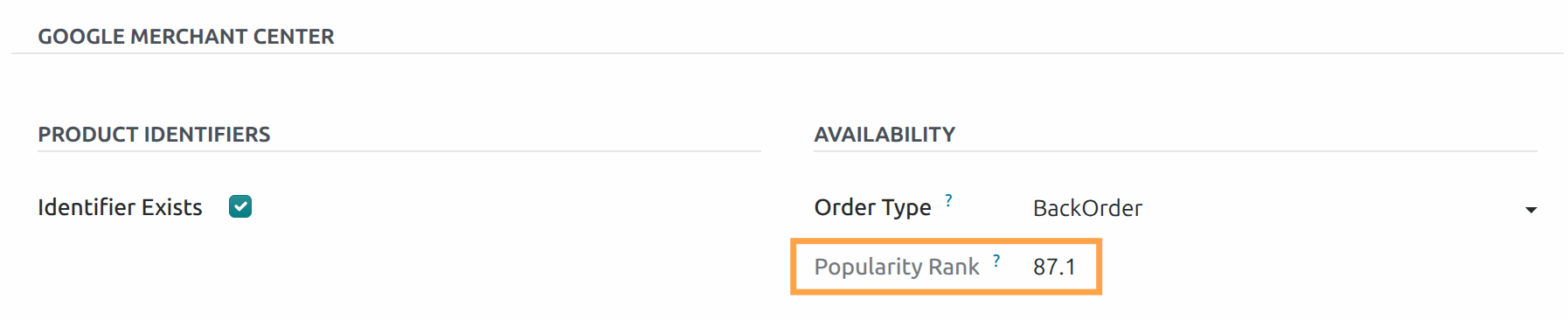
To view the product popularity rank, open the product form and go to the Data Feeds tab, the Google Merchant Center section.
Key Benefits
In the era of artificial intelligence, improving your product visibility in Google AI-powered search results is becoming increasingly important for driving sales.
With a ready-to-use solution, the Odoo Google Merchant Center app, you can create a new Google Shopping data source or optimize your existing product feed, enrich it with AI-focused conversational attributes, and provide complete, detailed product information.
Once configured, your product data will be submitted regularly, helping Google provide potential customers with reliable, comprehensive, and up-to-date information about your products, including the details that matter most when making purchasing decisions.