
Odoo LinkedIn Insight Tag Integration with Campaign Manager
This JS script is essential to start tracking for LinkedIn Ads and allows providing the base integration with LinkedIn Campaign Manager.
| Availability |
Odoo Online
Odoo.sh
On Premise
|
|---|---|
| Compatibility |
Community
Enterprise
|
| Technical Name | website_linkedin_tag |
| Version | 20.0.1.0.0 |
| License | OPL-1 |
| Category | |
| Support | Free 60 days support and 360 days bug-fixing |
Use Case

Jorem ipsum dolor sit amet, consectetur adipiscing elit. Nunc vulputate libero et velit interdum, ac aliquet odio mattis. Class aptent taciti sociosqu ad litora torquent per conubia nostra, per inceptos himenaeos.
Forem ipsum dolor sit amet, consectetur adipiscing elit. Nunc vulputate libero et velit interdum, ac aliquet odio mattis. Class aptent taciti sociosqu ad litora torquent per conubia nostra, per inceptos himenaeos.
Dorem ipsum dolor sit amet, consectetur adipiscing elit. Nunc vulputate libero et velit interdum, ac aliquet odio mattis.
It is a long established fact that a reader will be distracted by the readable content of a page
Korem ipsum dolor sit amet, consectetur adipiscing elit. Nunc vulputate libero et velit interdum, ac aliquet odio mattis. Class aptent taciti sociosqu ad litora torquent per conubia nostra, per inceptos himenaeos.
Korem ipsum dolor sit amet, consectetur adipiscing elit. Nunc vulputate libero et velit interdum, ac aliquet odio mattis.
Odoo App Installation
Upload modules
Upload modules from the ZIP archive to your Odoo hosting, or a GitHub repository connected there.
Place the unzipped modules in your custom add-on directory and restart the Odoo system service.
Update App List
After restarting, activate the Developer Mode, and go to the Apps menu.

Click on Update Apps List to fetch the new modules in the list.
Activate the App
Install the new module, finding it by name and clicking on the Activate button.
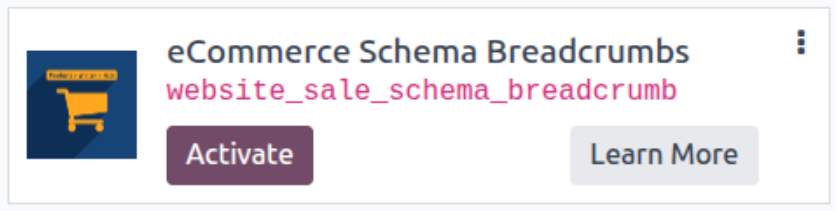
* If you don't see the module, try to remove the default Apps filter from the search bar.
Configuration
Follow the instructions in the module description to complete the installation process and start using the app.
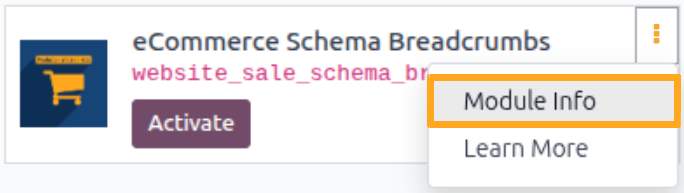

Manual


How it works
A simple overview of how the module works

Install
Install the module

Obtain ID
Obtain the identifier

Activate
Activate tracking and paste the ID

Analysis
Receive, review, and analyze

Obtaining the Identifier
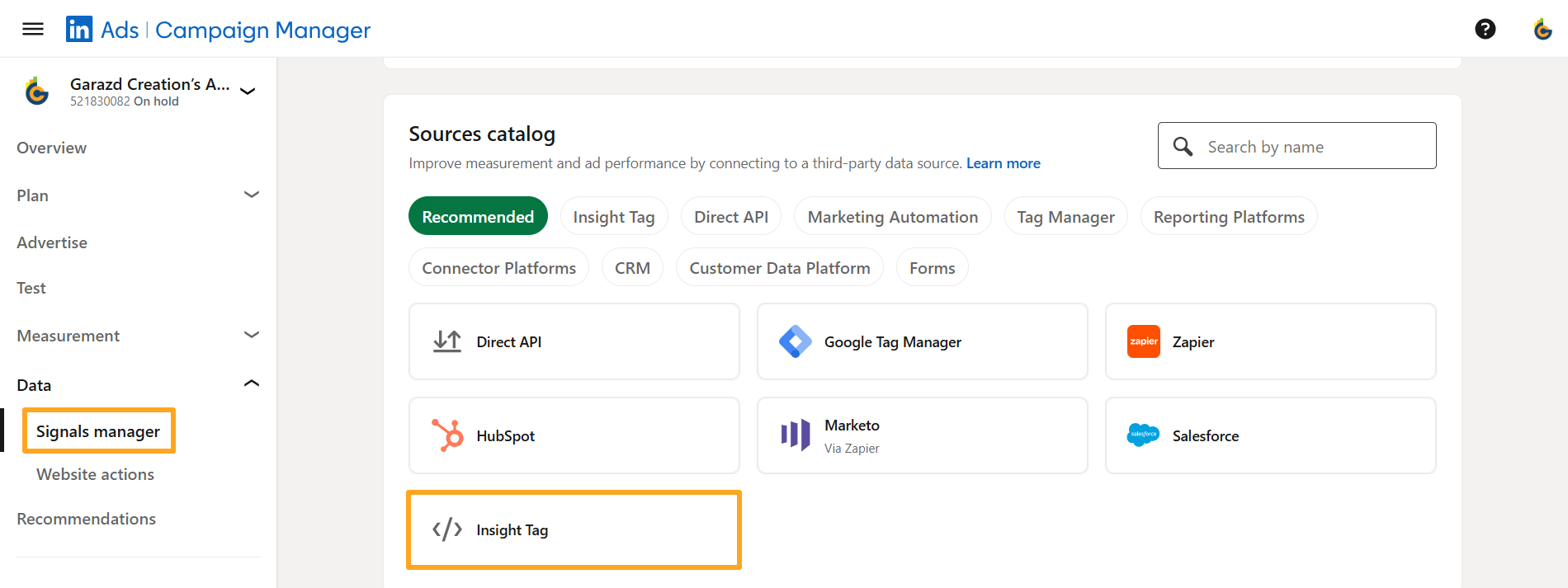
Before adding the JS script to your website, obtain the Partner ID. Complete the following steps:
-
01Sign in to your LinkedIn Campaign Manager account
-
02Open the Data - Signals manager menu
-
03Select the Insight Tag in the Sources catalog section
Next, click I will install the tag myself:
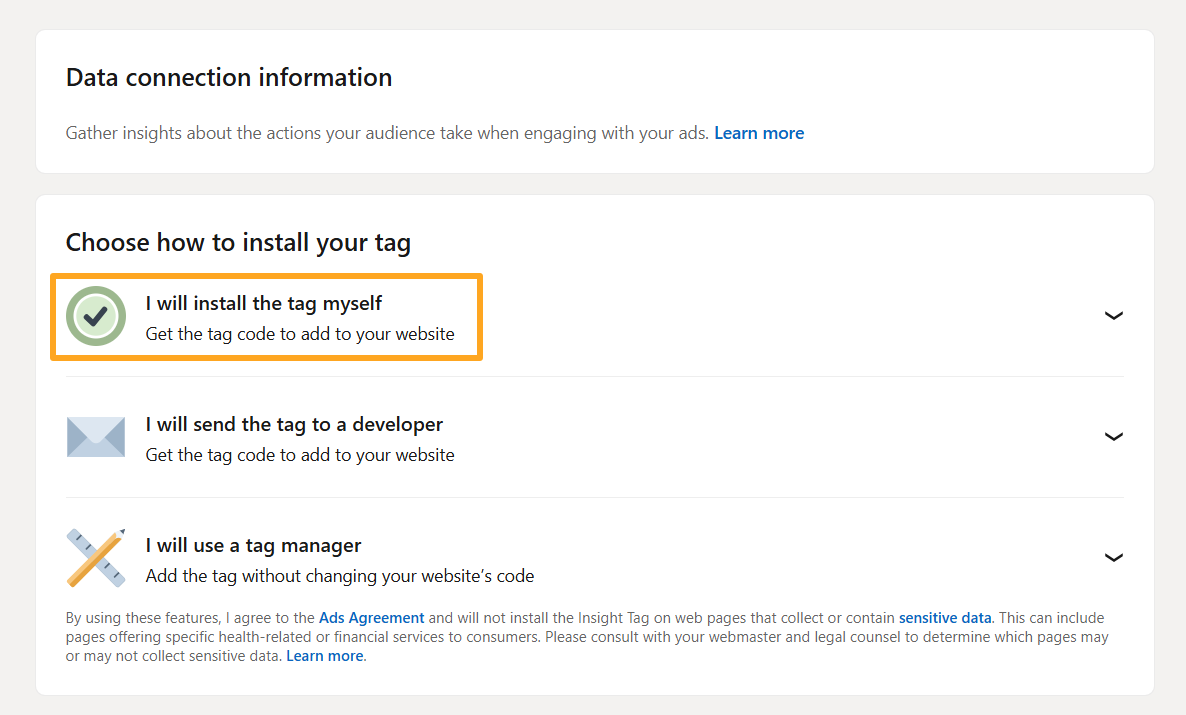
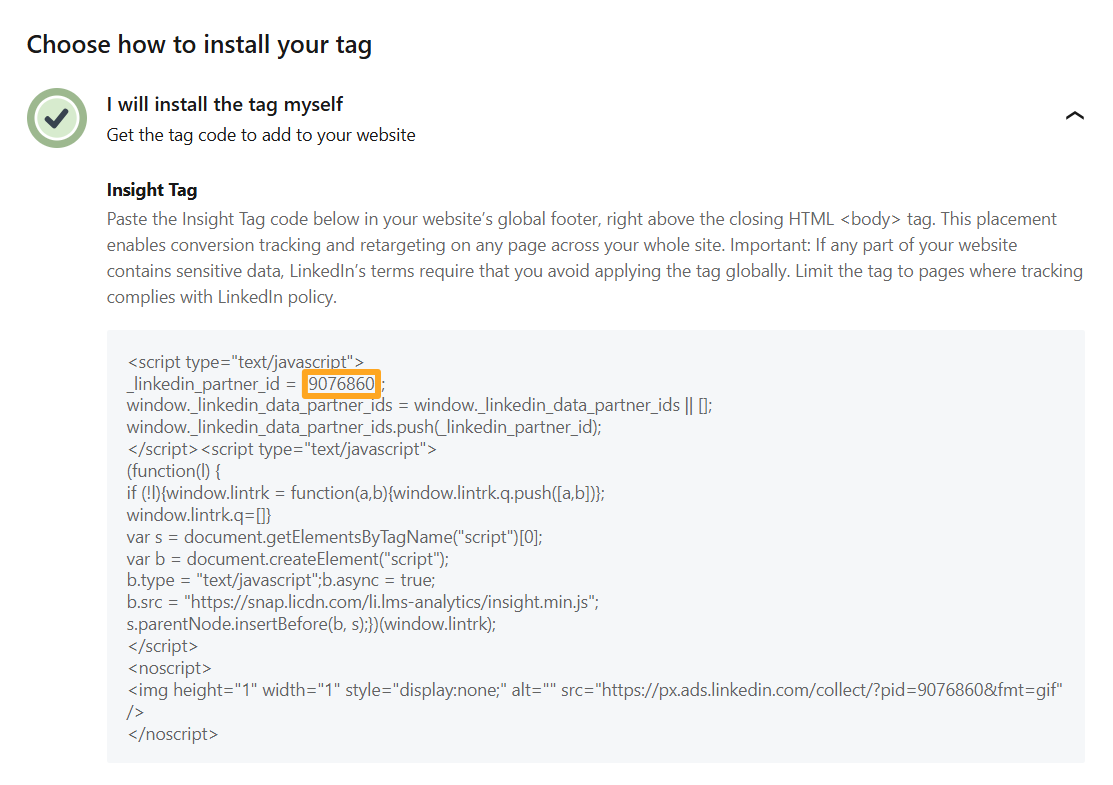
Copy the value of the _likedin_partner_id field and paste it into the corresponding field in Odoo:

Configuration
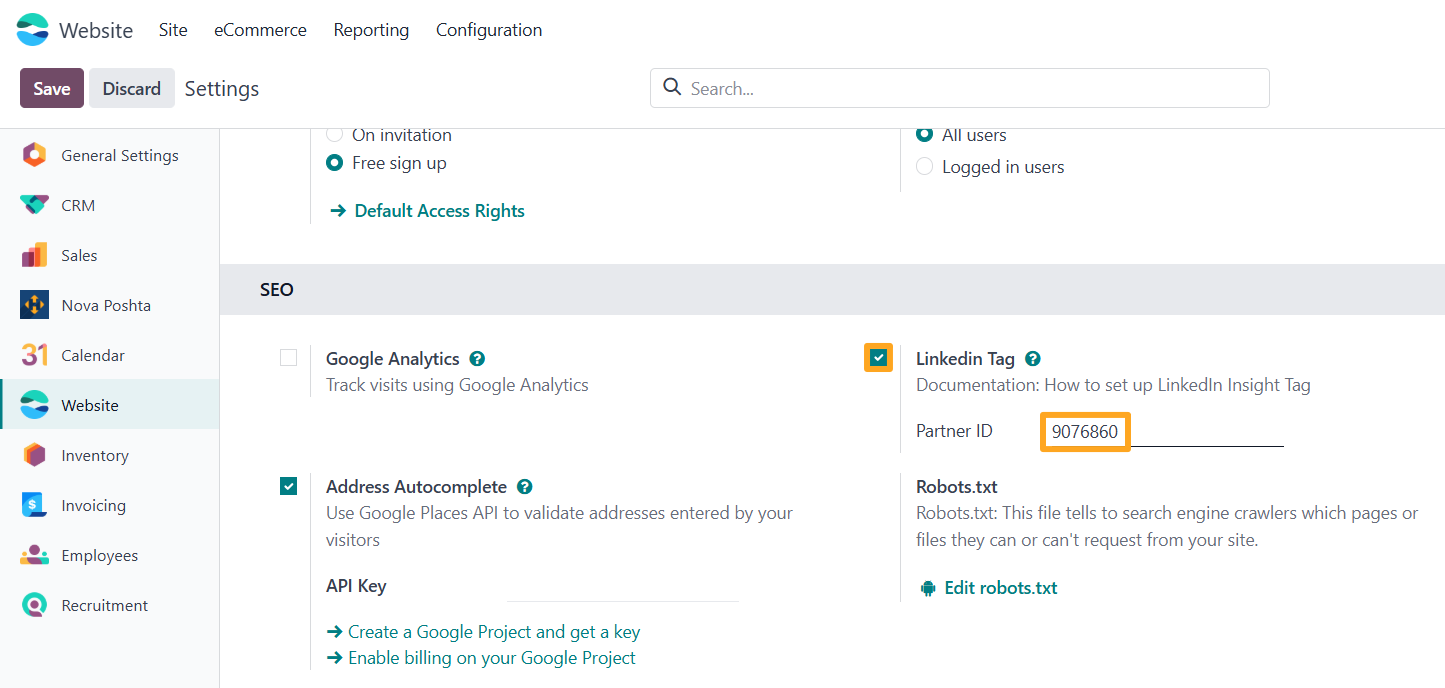
After installing the app, enable tracking by following these actions:
-
01Open the website settings
-
02Enable the LinkedIn Tag option in the SEO section
-
03Paste the copied Partner ID from LinkedIn Campaign Manager
-
04Save the settings

Testing

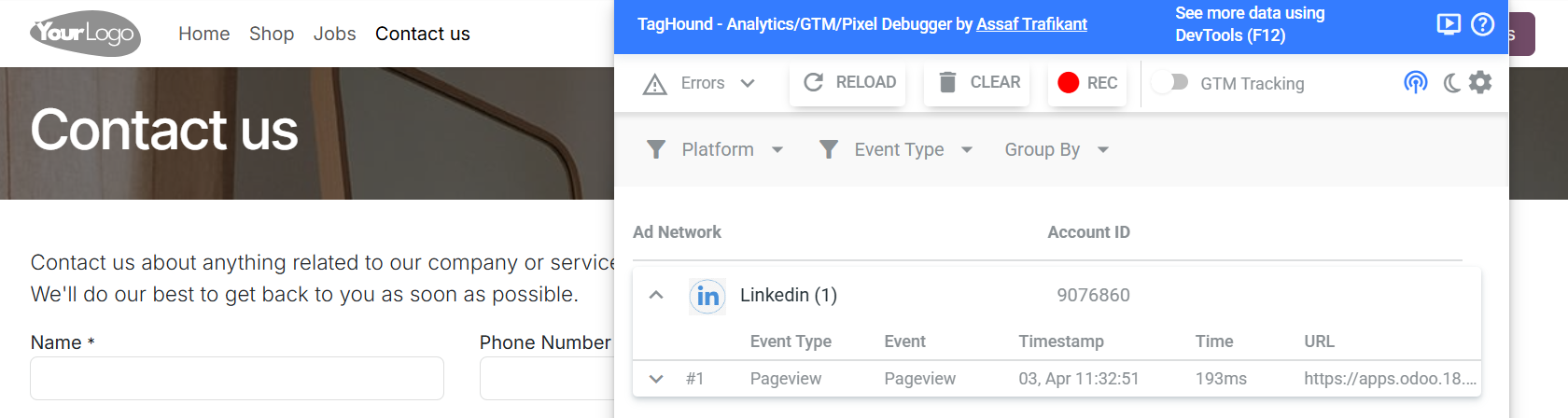
The LinkedIn Insight Tag can be tested using one of the browser extensions:
Changelog
18.0.1.0.0 2025-04-01
- Init version.
19.0.1.0.0 2026-05-01
- Migration from 18.0.
20.0.1.0.0 2026-09-28
- Migration from 19.0.