Integrate the survey opt-in module into your Odoo website and add the Google Customer Reviews badge with the store rating
The Odoo Website Google Customer Reviews solution integrates the survey opt-in module into your Odoo website and adds a store rating badge.
Use Case

Jorem ipsum dolor sit amet, consectetur adipiscing elit. Nunc vulputate libero et velit interdum, ac aliquet odio mattis. Class aptent taciti sociosqu ad litora torquent per conubia nostra, per inceptos himenaeos.
Forem ipsum dolor sit amet, consectetur adipiscing elit. Nunc vulputate libero et velit interdum, ac aliquet odio mattis. Class aptent taciti sociosqu ad litora torquent per conubia nostra, per inceptos himenaeos.
Dorem ipsum dolor sit amet, consectetur adipiscing elit. Nunc vulputate libero et velit interdum, ac aliquet odio mattis.
It is a long established fact that a reader will be distracted by the readable content of a page
Korem ipsum dolor sit amet, consectetur adipiscing elit. Nunc vulputate libero et velit interdum, ac aliquet odio mattis. Class aptent taciti sociosqu ad litora torquent per conubia nostra, per inceptos himenaeos.
Korem ipsum dolor sit amet, consectetur adipiscing elit. Nunc vulputate libero et velit interdum, ac aliquet odio mattis.
Odoo App Installation
Upload modules
Upload modules from the ZIP archive to your Odoo hosting, or a GitHub repository connected there.
Place the unzipped modules in your custom add-on directory and restart the Odoo system service.
Update App List
After restarting, activate the Developer Mode, and go to the Apps menu.

Click on Update Apps List to fetch the new modules in the list.
Activate the App
Install the new module, finding it by name and clicking on the Activate button.
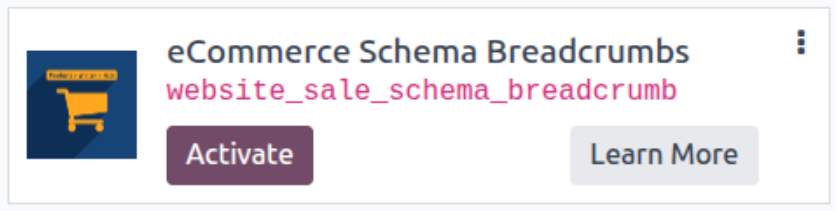
* If you don't see the module, try to remove the default Apps filter from the search bar.
Configuration
Follow the instructions in the module description to complete the installation process and start using the app.
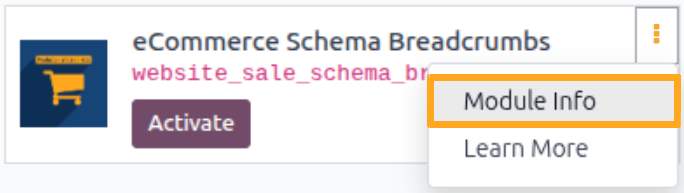

Manual

Configuration
To set up Google Customer Reviews integration in Odoo, add the add-on in Google Merchant Center, then activate the required settings in Odoo to display the survey opt-in dialog and store rating badge on your website.
Google Merchant Center
Before configuring Odoo, log in to your Google Merchant Center account and copy your Merchant ID.
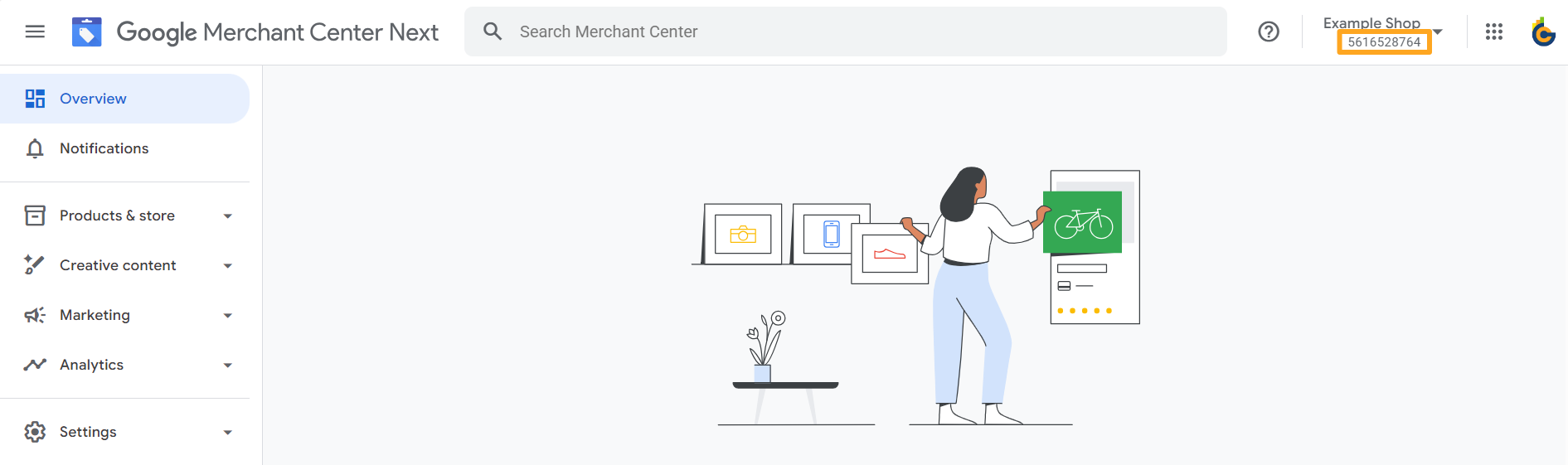
Add Google Customer Reviews from the Add-ons menu.
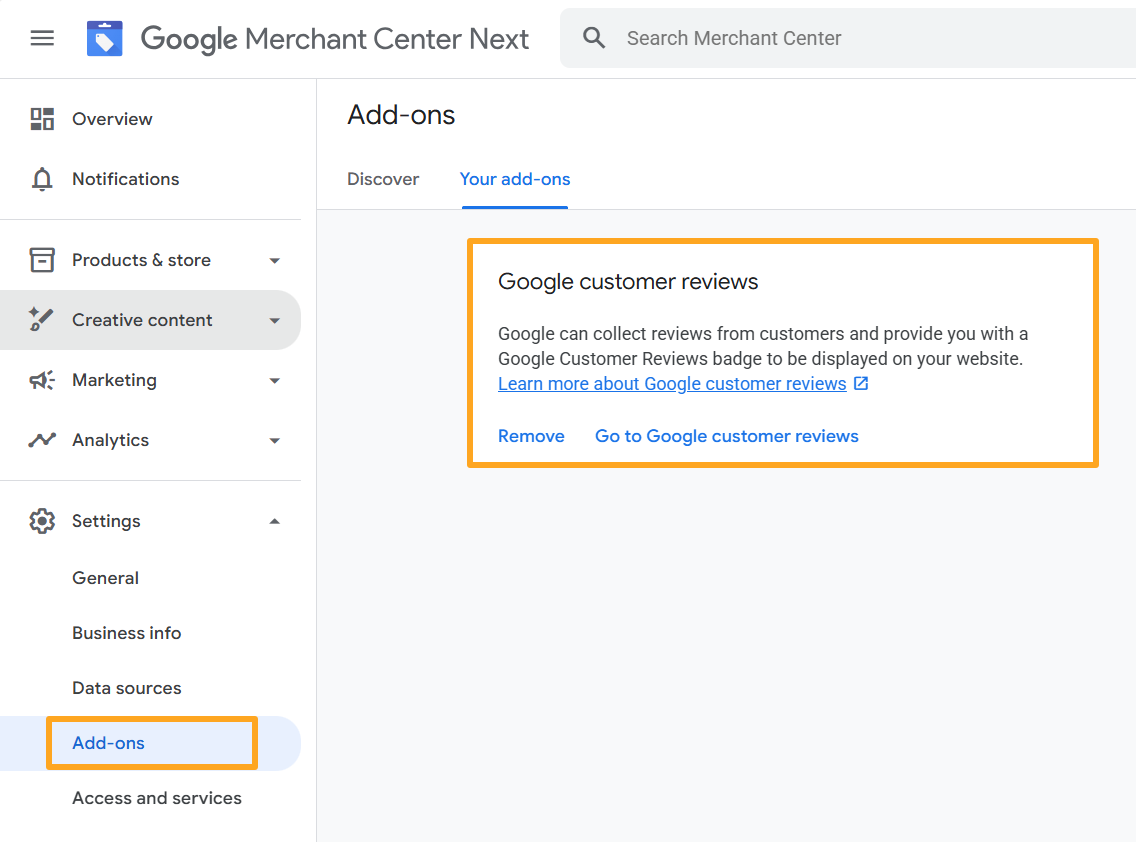
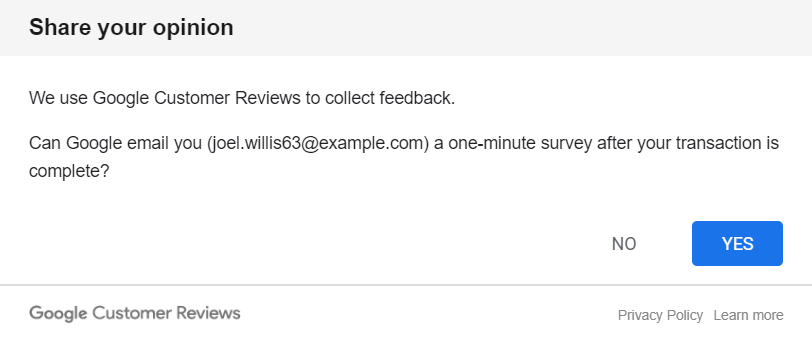
Survey Opt-In Dialog
After installing the module, activate the survey opt-in dialog, which appears on the order confirmation page.
To do this, go to website settings and enable the Google Customer Review option in the eCommerce section.
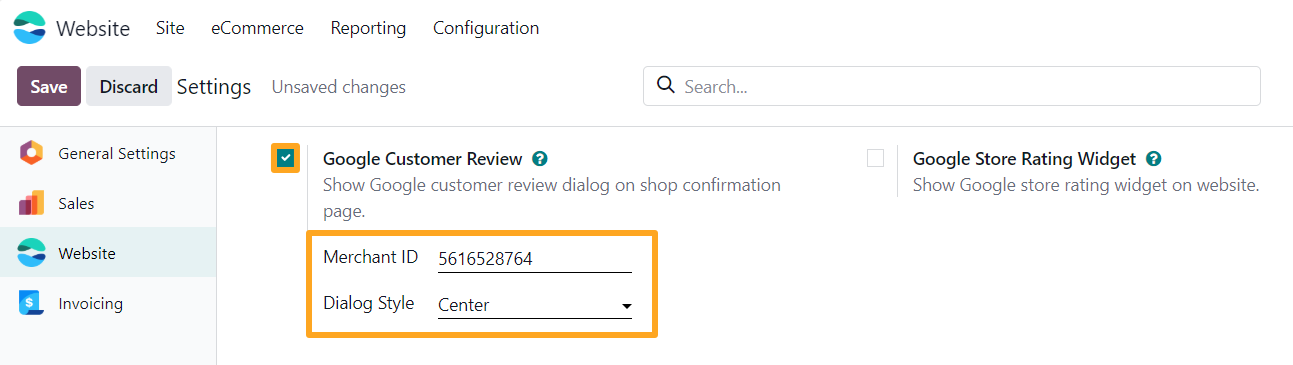
Paste the copied Merchant ID and select the opt-in position in the Dialog Style field.

Google Customer Reviews Badge
The module allows you to display a Google Customer Reviews badge with your store rating across your Odoo website pages.
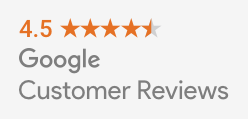
To activate the rating badge, enable the Google Store Rating Widget option in the same settings section.
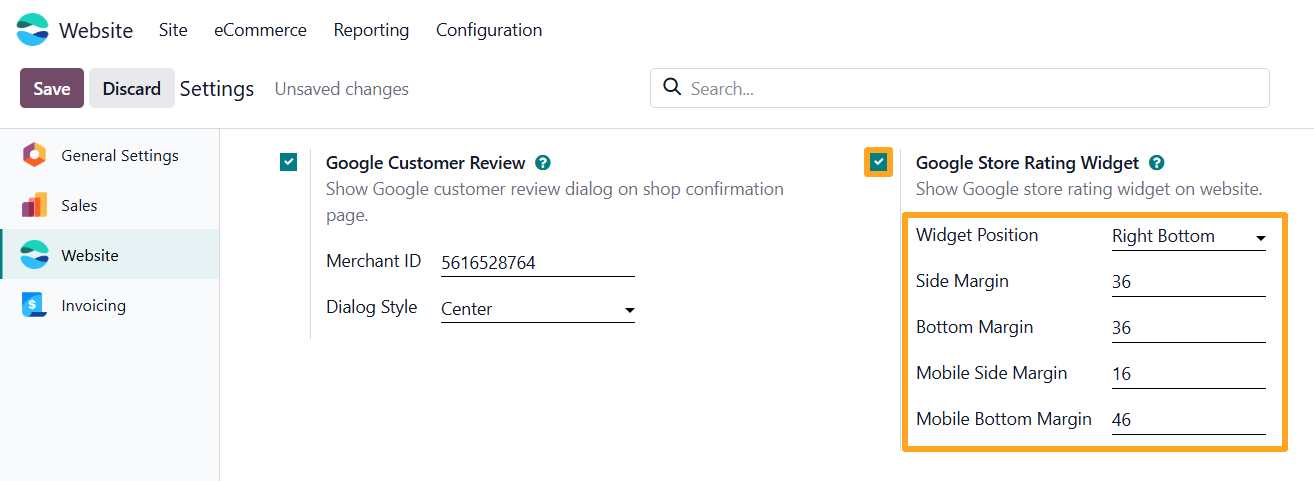
Select the badge placement and set screen offsets for both desktop and mobile views.

Changelog
18.0.1.0.0 2026-01-30
- Init version.
19.0.1.0.0 2026-01-30
- Init version.
20.0.1.0.0 2026-09-21
- Migration from 19.0.