

Enhance breadcrumbs of your Odoo eCommerce website
The Odoo eCommerce Schema Breadcrumbs app is designed to automate the implementation of structured data markup on Odoo online store pages. Compliance with Schema.org standards in JSON-LD format is provided, which is critically important for the correct indexing of page hierarchy by search engines.
Use Case

Jorem ipsum dolor sit amet, consectetur adipiscing elit. Nunc vulputate libero et velit interdum, ac aliquet odio mattis. Class aptent taciti sociosqu ad litora torquent per conubia nostra, per inceptos himenaeos.
Forem ipsum dolor sit amet, consectetur adipiscing elit. Nunc vulputate libero et velit interdum, ac aliquet odio mattis. Class aptent taciti sociosqu ad litora torquent per conubia nostra, per inceptos himenaeos.
Dorem ipsum dolor sit amet, consectetur adipiscing elit. Nunc vulputate libero et velit interdum, ac aliquet odio mattis.
It is a long established fact that a reader will be distracted by the readable content of a page
Korem ipsum dolor sit amet, consectetur adipiscing elit. Nunc vulputate libero et velit interdum, ac aliquet odio mattis. Class aptent taciti sociosqu ad litora torquent per conubia nostra, per inceptos himenaeos.
Korem ipsum dolor sit amet, consectetur adipiscing elit. Nunc vulputate libero et velit interdum, ac aliquet odio mattis.
Odoo App Installation
Upload modules
Upload modules from the ZIP archive to your Odoo hosting, or a GitHub repository connected there.
Place the unzipped modules in your custom add-on directory and restart the Odoo system service.
Update App List
After restarting, activate the Developer Mode, and go to the Apps menu.

Click on Update Apps List to fetch the new modules in the list.
Activate the App
Install the new module, finding it by name and clicking on the Activate button.
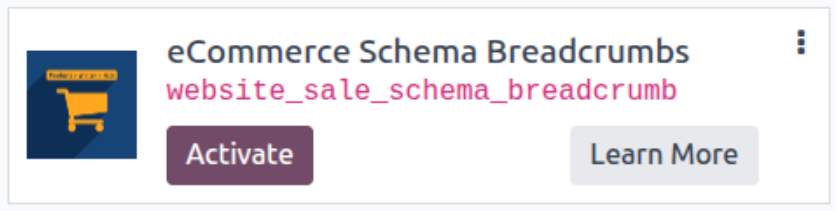
* If you don't see the module, try to remove the default Apps filter from the search bar.
Configuration
Follow the instructions in the module description to complete the installation process and start using the app.
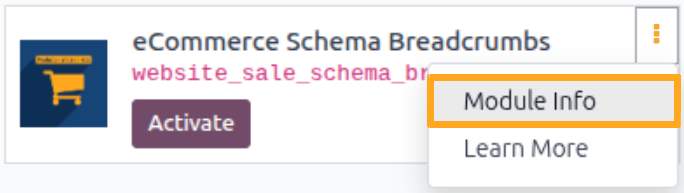

Manual

Description
After installing the module, the homepage and product subcategories are added to the breadcrumbs of your Odoo store:
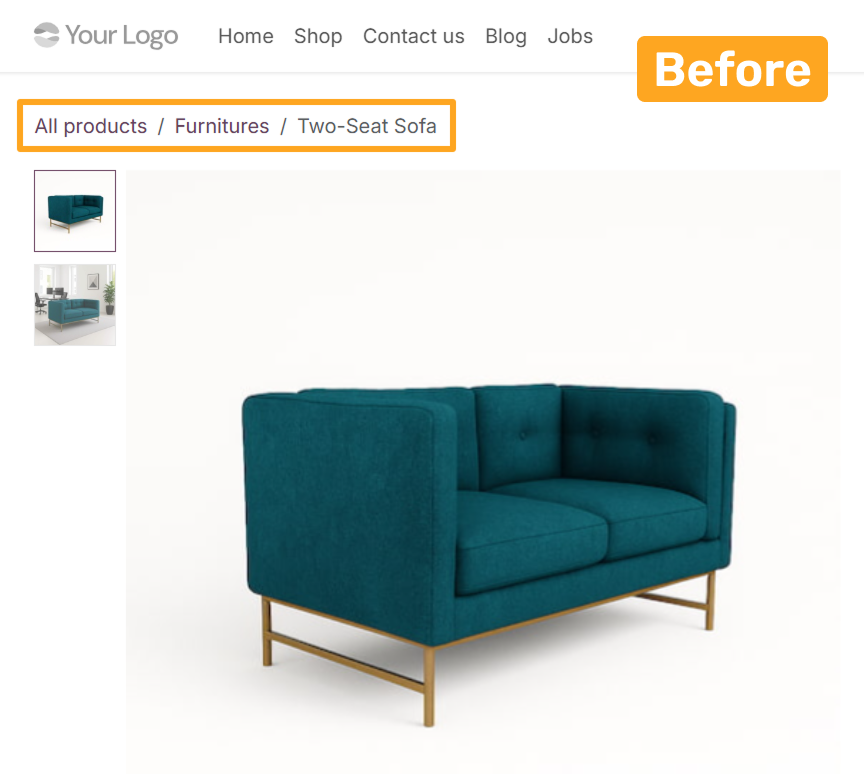

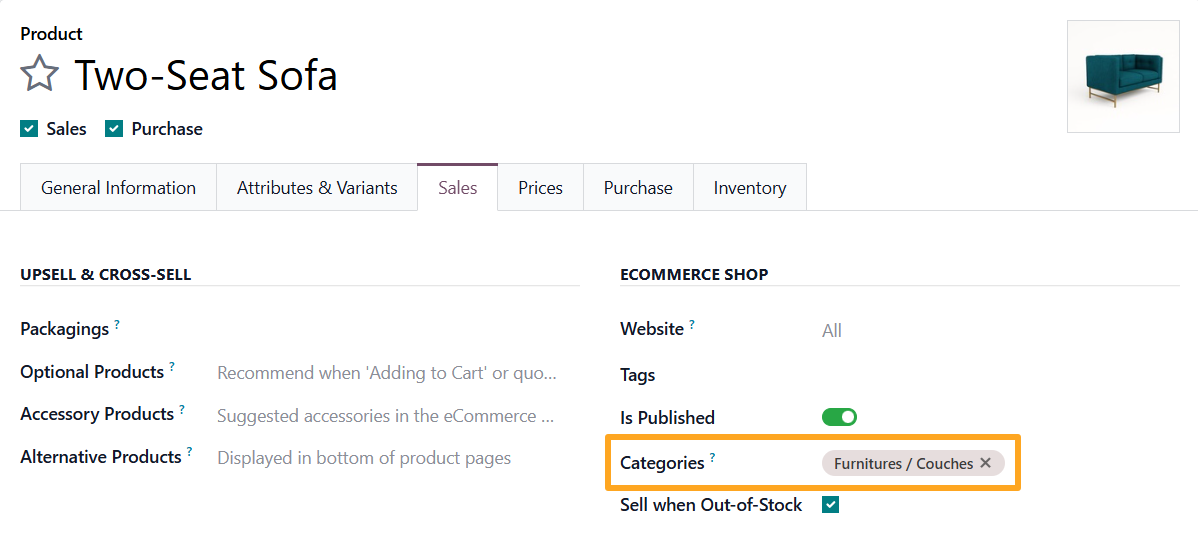
Subcategories displayed in navigation are taken from the Categories field on the Sales tab:
Why Are Breadcrumbs Important?
-
01Improved UX (user experience): The user always understands their current location and can return to any previous level in one click without using the browser’s back button.
-
02Reduced bounce rate: If a user lands on a product page from search and it does not meet their needs, breadcrumbs provide an easy way to navigate to a broader category and continue browsing.
-
03Crawl optimization: BreadcrumbList structured data helps search engine bots index your store category structure faster and more accurately.
-
04Automation: The module automatically generates the required script based on the current menu and eCommerce category structure, eliminating the risk of manual coding errors.
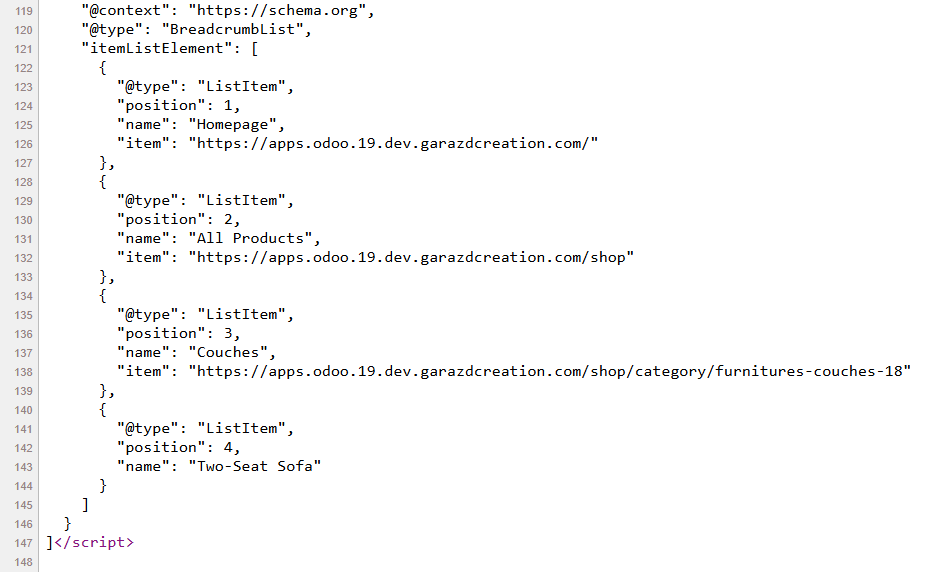

Configuration
The module allows configuring root values in breadcrumbs. To achieve this, go to Settings - Website - Tracking and SEO - eCommerce Product SEO Breadcrumbs:
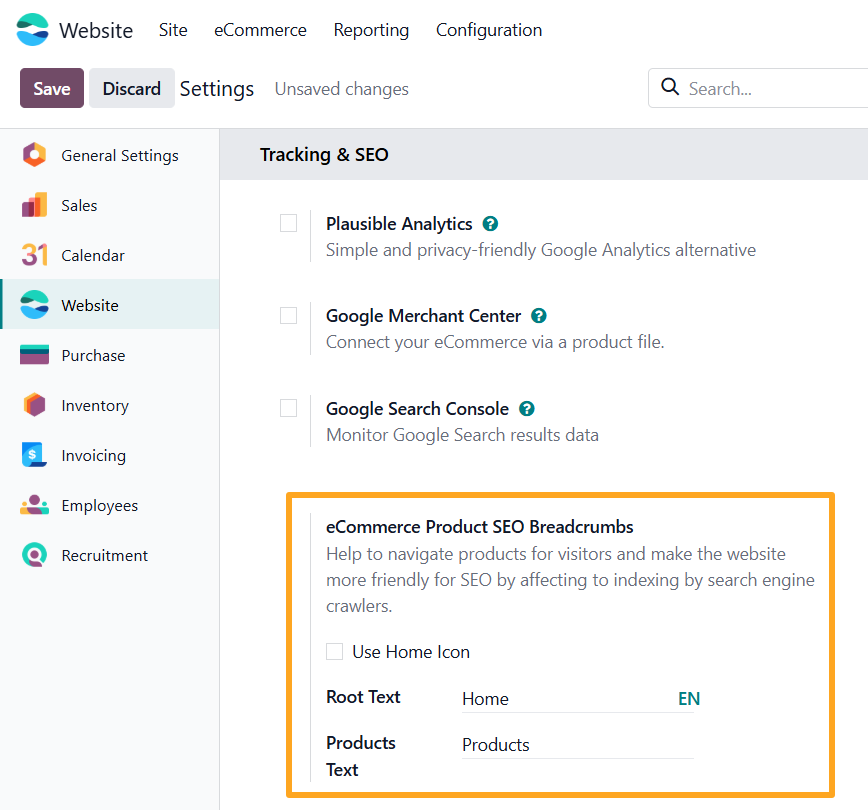
- With the Use Home Icon option disabled, the value from the Root Text field is used instead of the icon
- Products Text allows renaming the products page

Changelog
18.0.1.0.0 2025-05-01
- Migration from 16.0.
19.0.1.1.0 2026-05-06
- Implement breadcrumb schema using ld+json.
19.0.1.0.0 2025-10-24
- Migration from 18.0.
17.0.1.0.0 2026-05-06
- Migration from 19.0.
20.0.1.0.0 2026-10-07
- Migration from 19.0.