

Configuring delivery in an Odoo eCommerce store helps increase cart conversion rates and provide a high level of customer service. Integrating delivery services directly into your Odoo website lets customers conveniently select a branch, parcel locker, or courier delivery, while Odoo automatically calculates the delivery cost.
This blog post provides step-by-step instructions for configuring the Odoo Nova Poshta for eCommerce module. You will learn how to publish a new shipping method on your website, how the autofill and storage of delivery details work, and how to configure the display of the delivery line in sales orders.
Module Features

Delivery Addresses
Convenient form for selecting warehouses, postomats, and delivery addresses
Delivery Cost
Automatic delivery cost calculation
Field Autofill
Saving address details for registered/logged-in customers
Delivery Line Management
Option to add delivery without creating a separate delivery line in the sales order
Activation
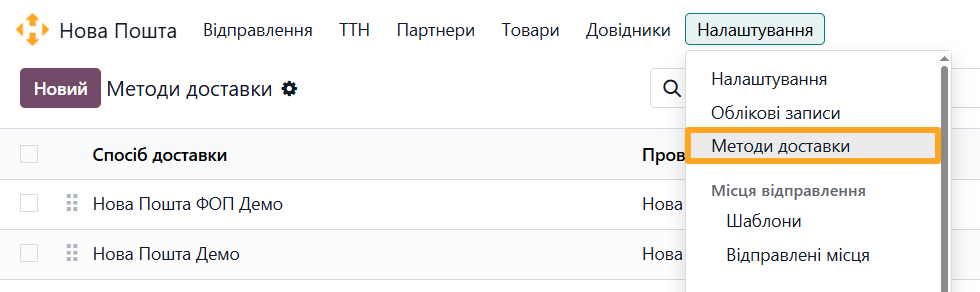
After installing the module, go to the Nova Poshta menu and open Shipping Methods under Configuration. Select the shipping method that you want to use on your website.
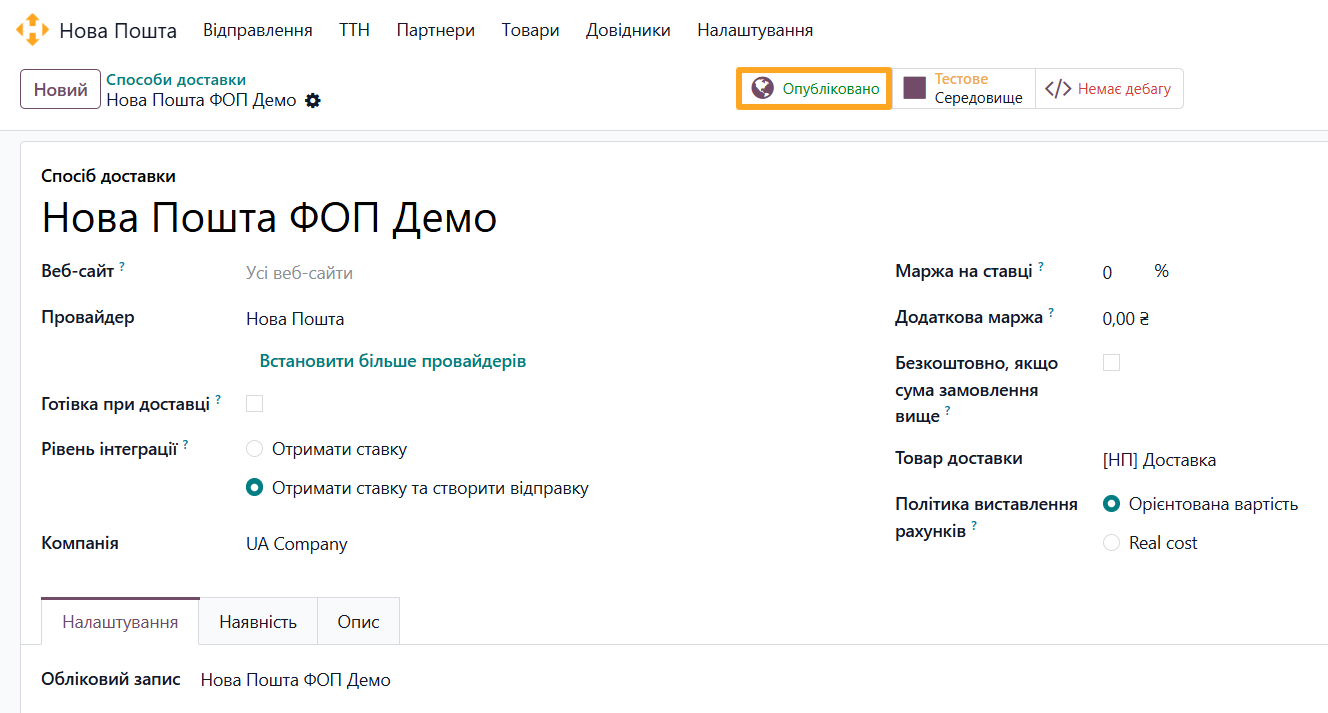
Switch the shipping method status to Published. This makes the shipping method available on your website.
Delivery Checkout
The online checkout process in Odoo includes several steps. Customers select the delivery method after entering their details.
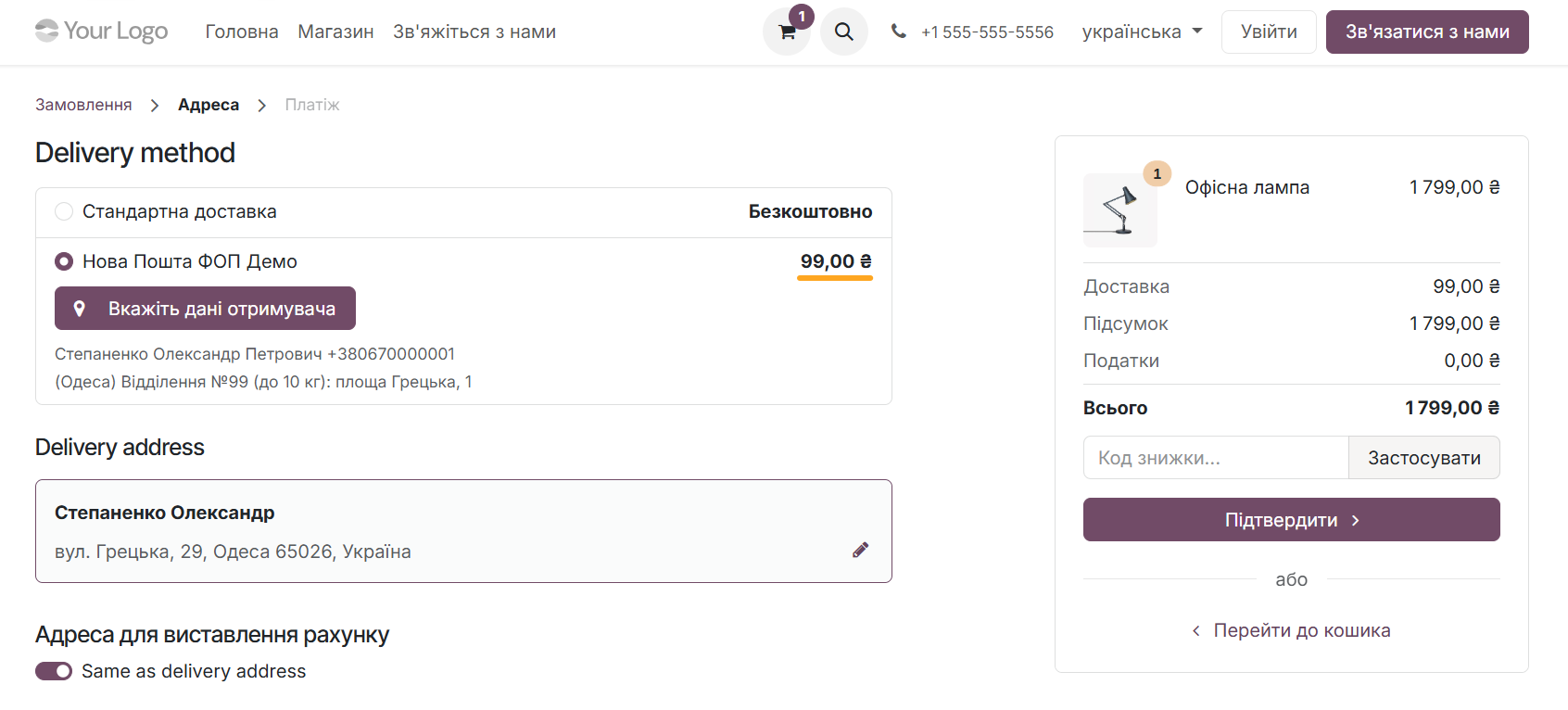
To select Nova Poshta delivery and calculate the delivery cost, select the Nova Poshta shipping method.
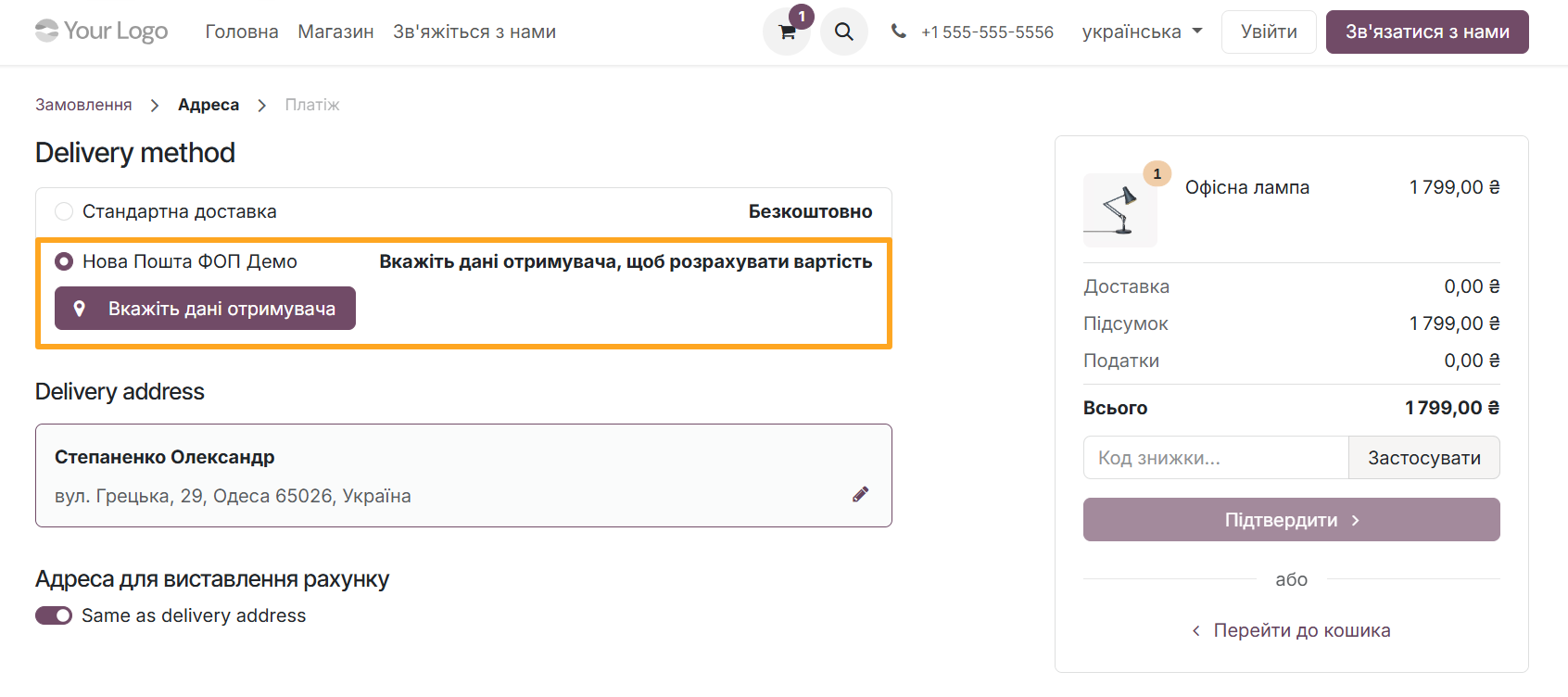
Then click Specify Destination and enter the required information in the dedicated form.
First, enter the details of the contact person who receives the shipment.
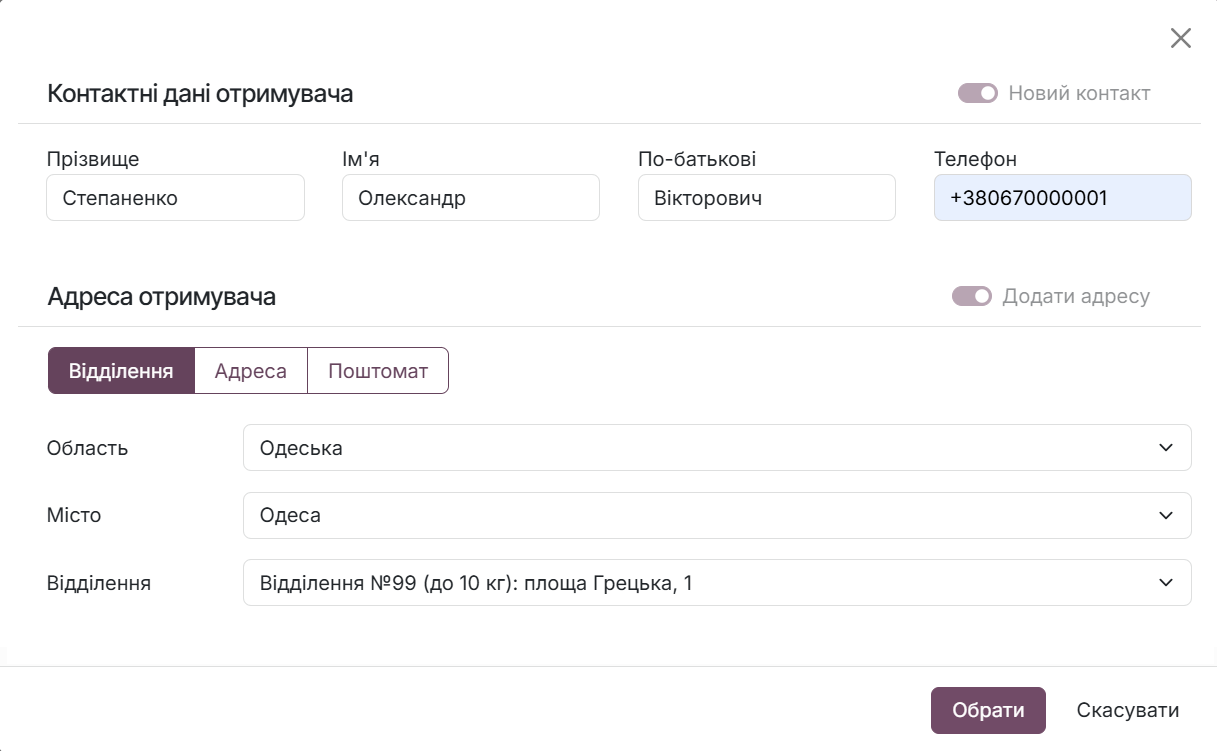
Next, select the delivery type: Warehouse, Address, or Postomat and fill in the corresponding fields.
For customers who have already placed orders and have access to their personal account on the website, the module saves their Nova Poshta details, allowing customers to use the same information for future orders.
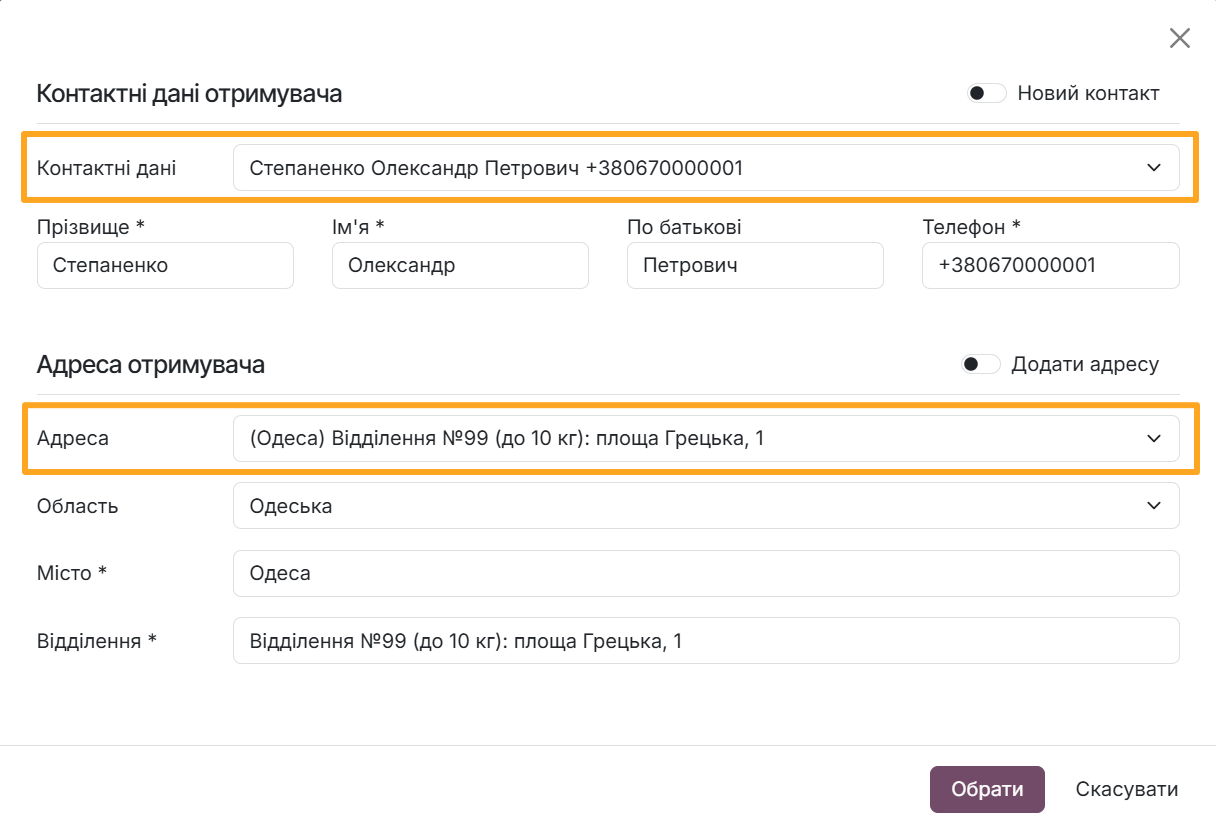
After entering all the required information, click Select. The form closes, and the module automatically calculates the delivery cost and creates the shipment.
Configuration
For orders placed through the website, you can choose not to add a delivery line. In this case, the delivery cost is not included in the total amount.
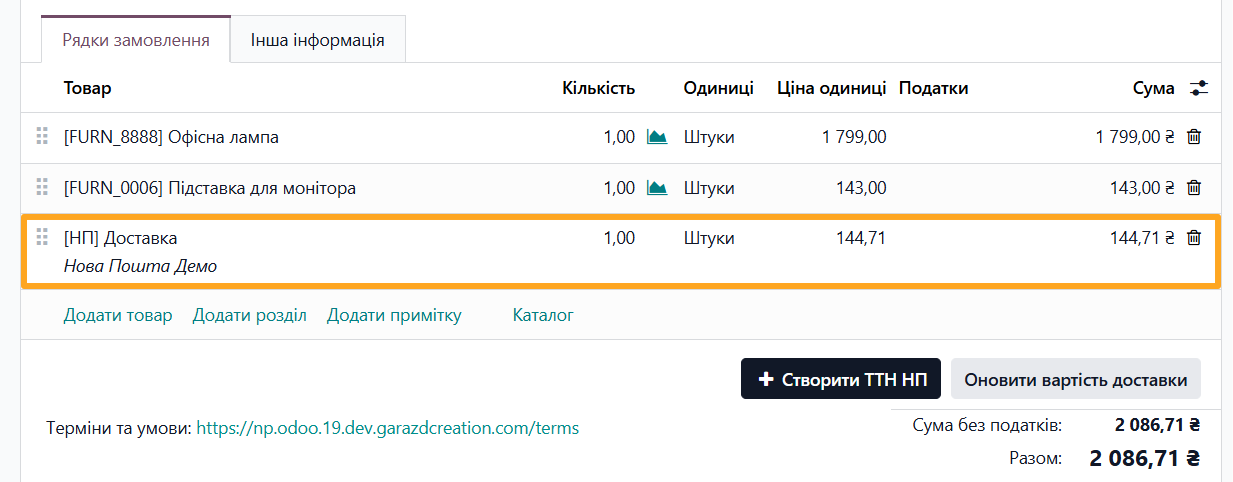
Go to Nova Poshta — Configuration — Settings and disable the Add delivery to sales order as product option.
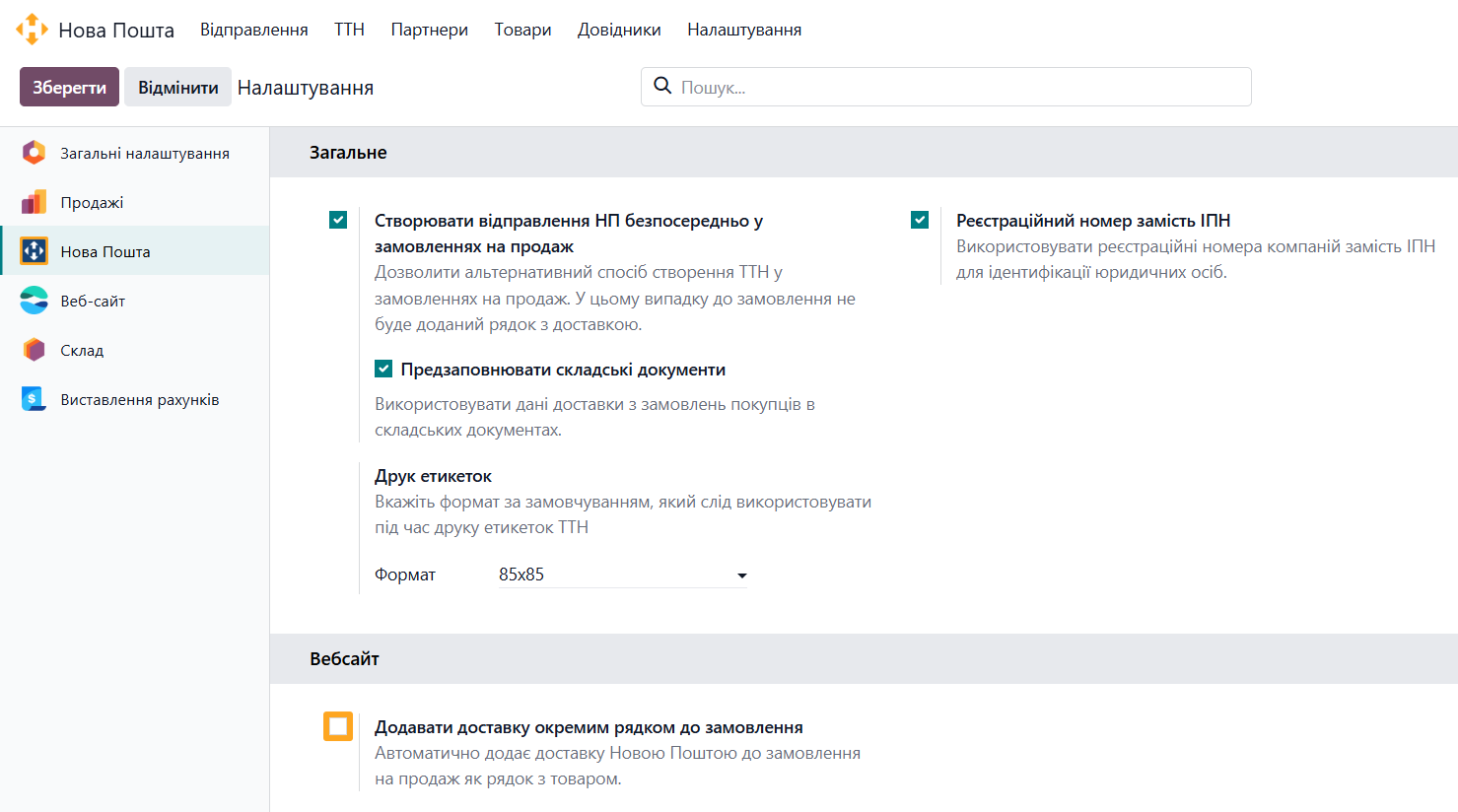
After that, website orders no longer include a delivery line.
Summary
Adding the eCommerce extension to your Odoo website significantly simplifies the customer journey from product selection to checkout. Automatic cost calculation, quick search for cities and branches, and saved address information for logged-in customers reduce checkout time and help lower the cart abandonment rate. The option to disable the separate delivery line also lets you adapt the financial workflow to your business needs.