
Introduction
Developer Mode or Debug Mode in Odoo is a set of advanced technical tools that provide access to system settings, hidden fields, metadata, and diagnostic modes. Administrators, integrators, and developers use it to configure modules, verify technical parameters, or quickly inspect details of system objects.
You can activate developer mode in Odoo using three methods:
- Odoo Settings
- URL parameter
- Browser extension
1 - Via Odoo Settings
To enable developer mode from the Odoo UI, navigate to the Settings menu and click one of the options under Developer Tools:
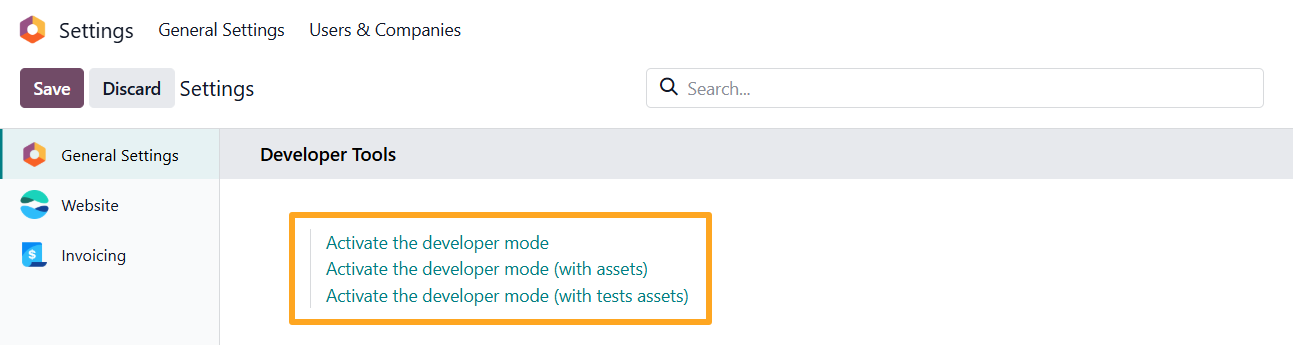
- Activate the developer mode — enables standard developer mode
- Activate the developer mode (with assets) — enables developer mode and loads web assets in their uncompressed source format
- Activate the developer mode (with tests assets) — loads uncompressed assets along with additional test frameworks and tour scripts
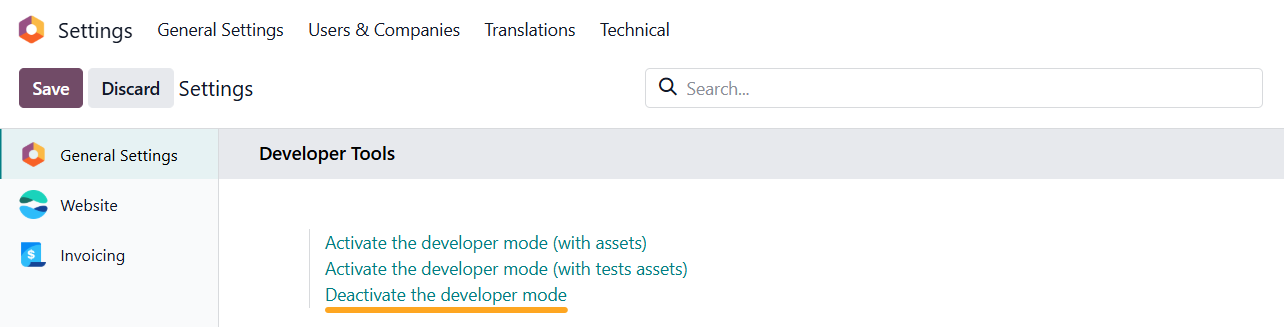
To disable developer mode, click Deactivate the developer mode in the same menu.
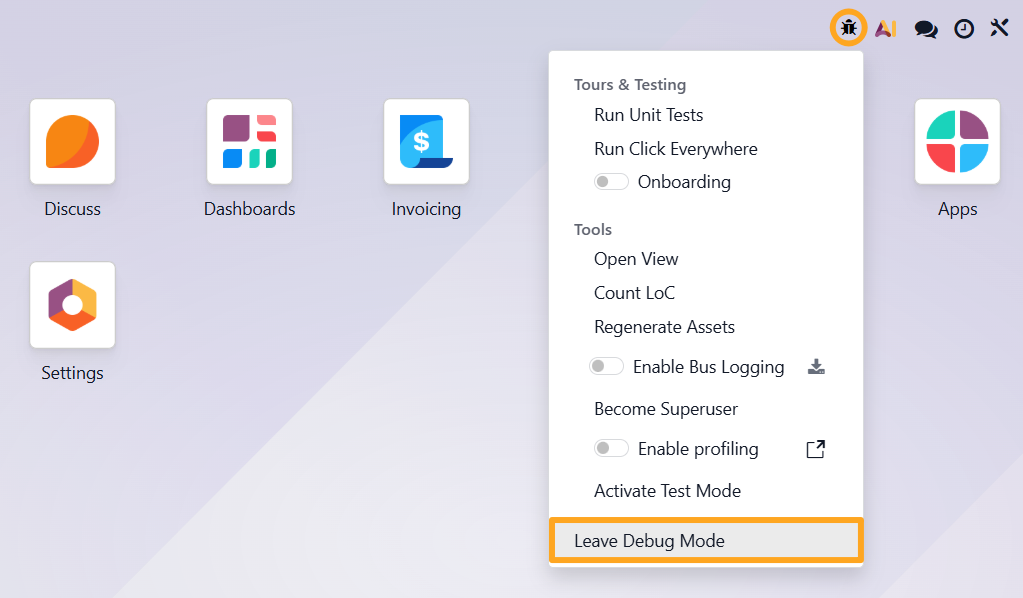
A universal method lets you exit developer mode regardless of how it was activated. Click the bug icon in the top menu bar and select Leave Debug Mode.
2 - By Adding a URL Parameter
You can also activate developer mode in Odoo by adding a parameter to your site URL.
https://your-website.com/odoo?debug=1
Add the parameter to the end of the URL based on the desired mode:
-
debug=1— standard developer mode -
debug=assets— developer mode with assets -
debug=assets%2Ctests— developer mode with test assets
To deactivate developer mode, simply remove the parameter from the URL and press Enter.
3 - With Browser Extension
If you use Google Chrome, you can activate developer mode using the Odoo Debug browser extension.
Once installed, open your Odoo browser tab and click the extension icon.

Single-click toggles developer mode on or off.

Double-click enables developer mode with assets.

Comparison
The table below outlines the advantages and disadvantages of each method:
| Method | How to Activate | Advantages | Disadvantages |
|---|---|---|---|
| 1 | Click the link in the Settings menu | Supports all three developer modes | Requires navigating to the Settings menu every time |
| 2 | Add the debug parameter to the URL | Supports all three developer modes and works on any Odoo page | Requires manually editing the URL |
| 3 | Click the extension icon | Instant activation on any Odoo page | Supports only two developer modes |
Summary
You can enable Developer mode in Odoo in three ways: through interface settings, via a URL parameter, or using a browser extension. All three methods grant access to backend diagnostic tools, differing in convenience, available modes, and daily use cases. Choose the method that best fits your workflow.